




01. Edit your form online
Type text, add images, blackout confidential details, add comments, highlights and more.

Type text, add images, blackout confidential details, add comments, highlights and more.

Draw your signature, type it, upload its image, or use your mobile device as a signature pad.

Send it via email, link, or fax. You can also download it, export it or print it out.
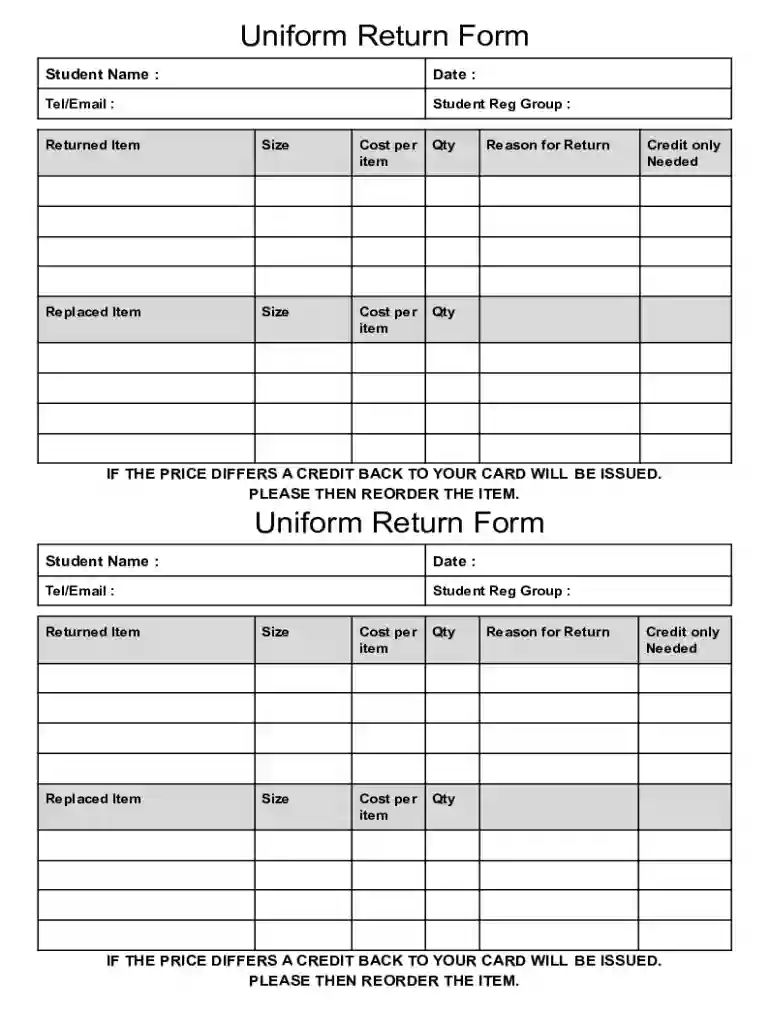
The Uniform Returns Form is designed for students to facilitate the process of returning uniform items. It serves as an official document where students can provide essential details regarding the items they are returning, any replacements needed, and information about price differences. This form is vital in ensuring a smooth transaction and accurate record-keeping, particularly when managing inventory or financial adjustments related to uniforms.
When utilizing the Uniform Returns Form for uniform returns, students must complete specific sections that capture all necessary information. Typically, the form will require the student's personal details, such as name and contact information, a list of uniform items being returned, and the corresponding reasons for the return. This structured approach helps to facilitate clear communication between students and the institution managing the uniform distribution.
Students can obtain the Uniform Returns Form from several sources. Primarily, the form is accessible through the educational institution's official website or directly from the administrative office. It may also be distributed during uniform sales or distribution events. For digital access, forms might be available on platforms like DocHub, where they can be electronically filled and submitted.
To accurately complete the form, students should follow these steps:
The form is primarily intended for students who need to return uniforms due to issues like size misfit, defects, or changes in requirement. Additionally, school administrators and finance personnel are responsible for processing these forms, ensuring that all returns are logged correctly and any necessary adjustments are made to students' accounts.
Key fields on the form include:
As with any official documentation, the Uniform Returns Form should comply with privacy regulations, ensuring that all personal data collected is stored and handled securely. The form must also adhere to the institution’s policies on returns and inventory management, providing a legal framework for potential disputes.
Institutions may offer both digital and paper versions of the Uniform Returns Form. The digital version, often supported by document management platforms like DocHub, allows for ease of access and submission, facilitating a paperless office environment. The paper version may be required for in-person submissions or when digital access is unavailable. Each format has its own set of benefits, and institutions may use one or both depending on their operational requirements.
At DocHub, your data security is our priority. We follow HIPAA, SOC2, GDPR, and other standards, so you can work on your documents with confidence.



You must furnish one 2 x 2 passport style photograph of yourself. The photo must be taken no more than THREE months before the date of your application. The
If you are applying for an immigrant visa, using Form DS-260, you must provide two (2) identical photos at your immigrant visa interview. Your photos must be:.
Use the digital camera to format a memory card. Memory card data formats may not be compatible with computer-specific formats. Images edited on the computer


