Var teens 2026

Get Form
teen dropbox Preview on Page 1

Here's how it works

01. Edit your teen dropbox online
Type text, add images, blackout confidential details, add comments, highlights and more.
02. Sign it in a few clicks
Draw your signature, type it, upload its image, or use your mobile device as a signature pad.
03. Share your form with others
Send teen dropbox link via email, link, or fax. You can also download it, export it or print it out.

How to use or fill out var teens with our platform

Form edit decoration
9.5
Ease of Setup
DocHub User Ratings on G2
9.0
Ease of Use
DocHub User Ratings on G2
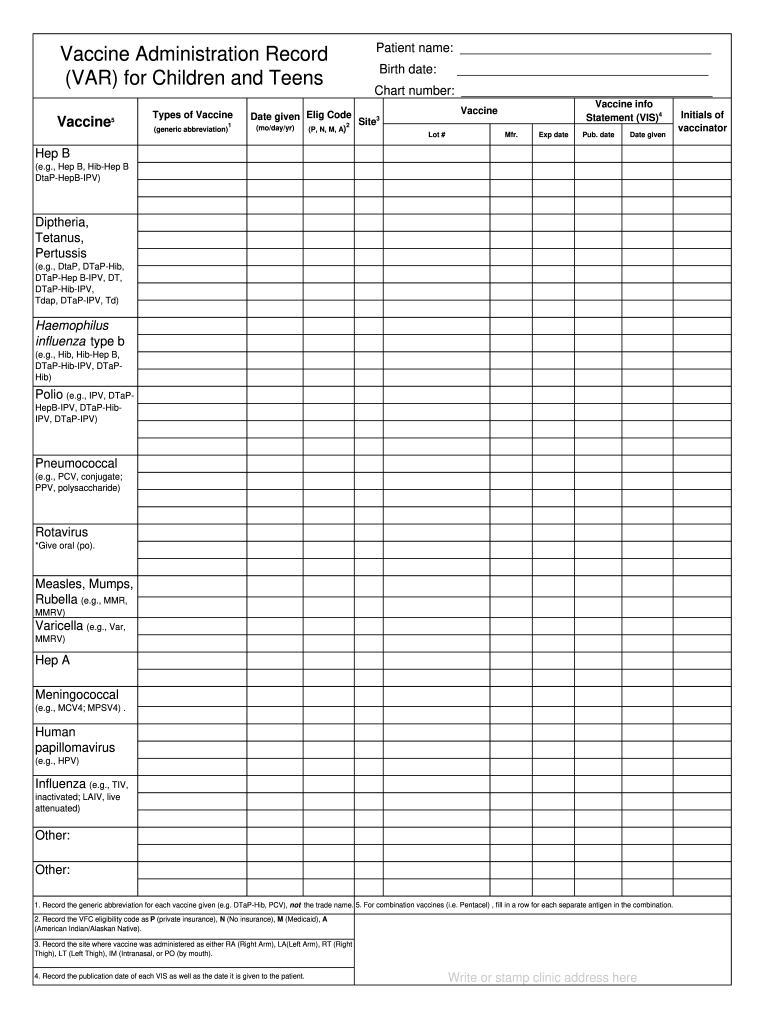
  1. Click ‘Get Form’ to open the Vaccine Administration Record (VAR) for Children and Teens in the editor.
  2. Begin by entering the patient’s name in the designated field at the top of the form. This ensures that all records are accurately attributed.
  3. Next, input the birth date and chart number. These details are crucial for maintaining proper medical records.
  4. For each vaccine administered, fill in the corresponding fields: record the generic abbreviation, date given, eligibility code (P, N, M, A), site of administration (RA, LA, RT, LT), lot number, manufacturer, expiration date, and publication date of the Vaccine Information Statement (VIS).
  5. If multiple vaccines are given during a visit, ensure to complete a row for each vaccine type while following the instructions provided for combination vaccines.
  6. Finally, write or stamp your clinic address and include your initials as the vaccinator to finalize the record.

Start using our platform today to easily manage and complete your vaccination records online for free!

be ready to get more

Complete this form in 5 minutes or less

Get form

Got questions?

We have answers to the most popular questions from our customers. If you can't find an answer to your question, please contact us.
Contact us

A lot of software applications are available out there for document editing and signing. DocHub is one of the most in-demand online solutions that comply with all security and compliance standards and ensures your electronically signed documentation is legally enforceable. All you need to give it a try is to sign up for an account, upload your dropbox teen, fill out the requested information, and click Sign. Generate your electronic signature by typing, drawing it, uploading its picture to your document, or scanning a unique QR code.

Using a swift editing system like DocHub, you do not require anything but a web browser and connection to the internet to edit your young teen dropbox online swiftly. Upload your document or get the relevant form in DocHub’s catalog, open our editor with a single click, and finish it digitally. To revise your forms anytime, register a free profile with DocHub.

Security and compliance

At DocHub, your data security is our priority. We follow HIPAA, SOC2, GDPR, and other standards, so you can work on your documents with confidence.

Learn more
ccpa2
pci-dss
gdpr-compliance
hipaa
soc-compliance
be ready to get more

Complete this form in 5 minutes or less

Get form