
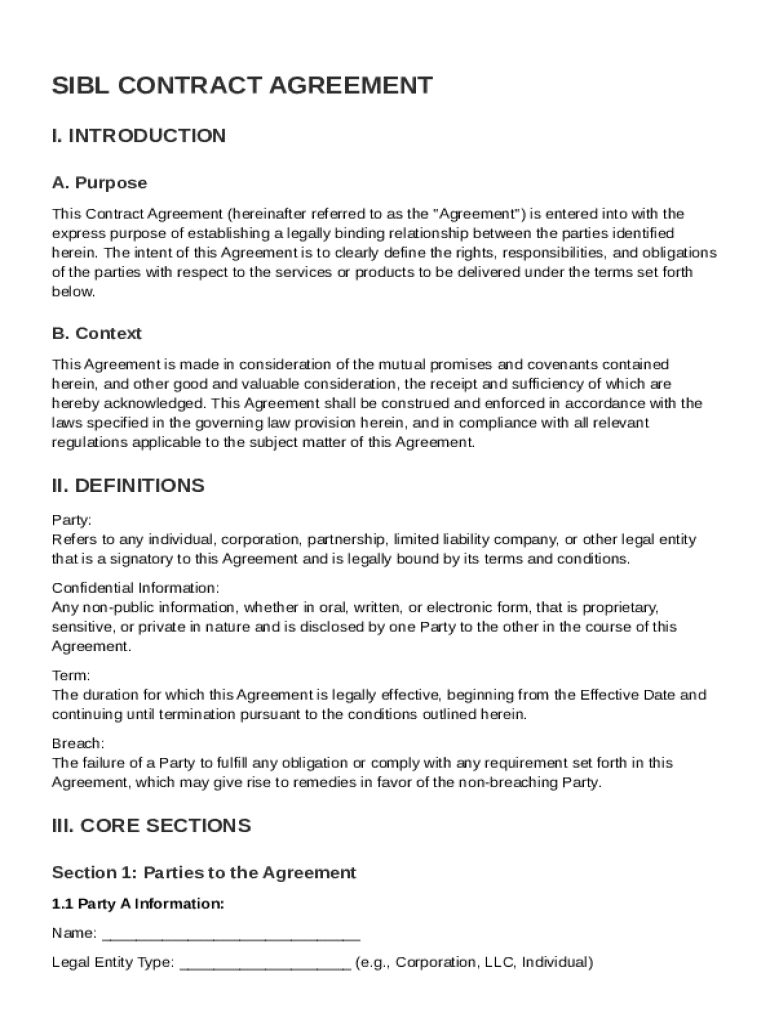







Definition and Meaning of the Sibl Contract Template
The Sibl Contract Template establishes a legal framework between two parties, detailing their rights, responsibilities, and obligations concerning services or products to be delivered. This template typically includes sections related to definitions, scope of work, compensation, confidentiality, indemnification, dispute resolution, and miscellaneous provisions. These components aim to provide clarity and ensure adherence to applicable laws. The document is crafted to secure the interests of both parties, ensuring that expectations are clearly set and understood.
Key Elements of the Sibl Contract Template
- Definitions: Offers clarity by defining essential terms used throughout the contract.
- Scope of Work: Details the specific services or products to be delivered, outlining the boundaries and extent of work.
- Compensation: Specifies payment terms, amount, and schedule to avoid future disputes.
- Confidentiality: Protects sensitive information from unauthorized disclosure, maintaining trust between parties.
- Indemnification: Provides protection against losses or damages, ensuring each party is shielded from potential liabilities.
- Dispute Resolution: Outlines processes for resolving potential disagreements or breaches, including arbitration or mediation.
- Miscellaneous Provisions: Encompasses additional terms such as amendments, severability, and governing law elements.
How to Use the Sibl Contract Template
- Review and Customize: Analyze the template to ensure it aligns with your specific requirements, adjusting sections to fit your business context.
- Fill in Details: Enter party names, services/products, compensation details, and other relevant information specific to your contractual agreement.
- Legal Review: Consult a legal professional to validate the contract's adequacy for your particular scenario and jurisdiction.
- Negotiate Terms: Discuss with the other party to agree on terms, making modifications as needed for mutual satisfaction.
- Sign and Execute: Once both parties are in agreement, officially sign the contract to put it into effect.
Steps to Complete the Sibl Contract Template
- Gather Necessary Information: Collect all pertinent details including party names, addresses, and roles.
- Identify Scope and Deliverables: Outline the exact services or products involved and the timeline for delivery.
- Define Compensation Structure: Clearly state payment terms, including method, schedule, and conditions for payment release.
- Specify Confidentiality Agreements: Draft confidentiality clauses to secure sensitive information shared between parties.
- Set Dispute Resolution Terms: Agree on a method for handling disputes, whether through negotiation, mediation, or arbitration.
- Review and Sign: After ensuring all sections are complete and agreed upon, sign the document to formalize the contract.
Legal Use of the Sibl Contract Template
The Sibl Contract Template provides a legally binding agreement template that aligns with U.S. laws and regulations. It is crucial that the template is used consistently with applicable legal standards to ensure enforceability. Parties should be particularly attentive to state-specific legal requirements, particularly if the contract spans across state lines. Consulting legal counsel can provide assurance that the contract complies with relevant legal principles and judicial interpretations within the applicable jurisdiction.
Important Terms Related to the Sibl Contract Template
- Consideration: Refers to the value exchanged between parties, often monetary, that validates the contractual agreement.
- Breach of Contract: Indicates failure to fulfill any term of a contract without a legitimate legal excuse by one or more parties.
- Force Majeure: Covers extraordinary events or circumstances beyond the control of parties, which may prevent them from fulfilling contractual obligations.
- Performance Obligation: A responsibility to perform according to contract terms, crucial for determining compliance.
- Termination Clause: Defines conditions under which the contract can be legally ended before normal expiration.
Who Typically Uses the Sibl Contract Template
The Sibl Contract Template is widely utilized by businesses and individuals engaging in professional services, product deliveries, or partnerships. This includes consultants, freelancers, corporations, and small businesses that regularly enter into agreements requiring clarity and protection of rights and obligations. The template serves as a guide for formalizing expectations and responsibilities, thus minimizing potential misunderstandings.


State-Specific Rules for the Sibl Contract Template
State-specific variations may exist regarding enforceable contract terms, especially concerning areas like non-compete clauses and dispute resolution processes. Parties must be acquainted with such differences and adjust the template accordingly. For example, California has limitations on non-compete clauses, necessitating careful legal scrutiny when drafting agreements within the state. Understanding state-specific rules ensures the contract remains valid and legally binding.
Versions or Alternatives to the Sibl Contract Template
There are various versions and alternatives to the Sibl Contract Template that cater to specific industry needs or contractual complexity levels. Some alternatives include simplified agreements for less complex transactions or industry-standard templates tailored for sectors like technology or construction. Regardless of the version or alternative chosen, each should be thoroughly reviewed to ensure it meets the unique demands of the engaging parties and their operational environment.




