
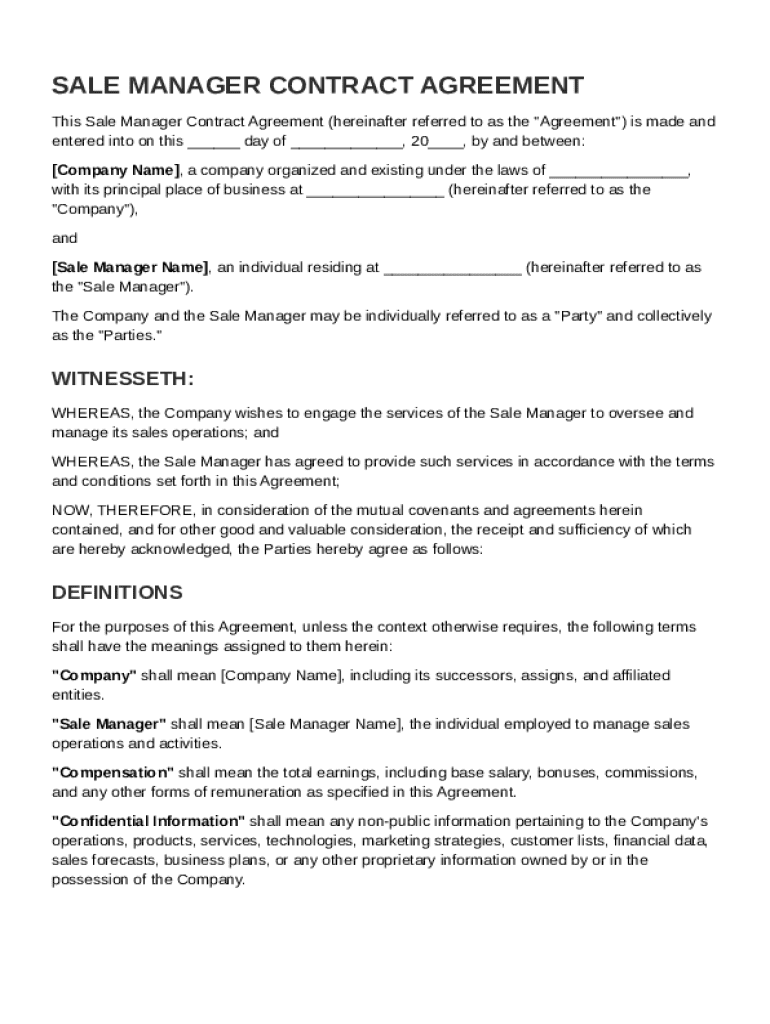







Definition & Meaning
The Sale Manager Contract Template is a specialized document designed to formalize the employment relationship between a business and its sales manager. It serves as a detailed agreement setting out the conditions of employment, including the sales manager's roles, responsibilities, and compensation. This template helps ensure clear communication between both parties, reducing potential misunderstandings and providing legal protection. By outlining key terms, such as confidentiality obligations and non-compete clauses, the contract safeguards the company's interests and clarifies the expectations from the sales manager.
Key Elements of the Sale Manager Contract Template
A comprehensive Sale Manager Contract Template covers several vital components necessary for both legal and practical purposes.
- Responsibilities and Duties: Clearly define the daily tasks and goals expected from the sales manager, ensuring alignment with the company's overall objectives.
- Compensation Structure: Include details on the salary, bonuses, commissions, and any performance-based incentives that form part of the sales manager's remuneration package.
- Confidentiality and Non-Disclosure: Outline the obligations related to proprietary information to protect the company’s confidential data and competitive standing.
- Non-Competition Clauses: Specify any restrictions on the sales manager’s ability to work with competitors during and after employment.
- Termination Conditions: Detail the conditions under which the employment may be terminated, including notice requirements and severance packages, if applicable.
- Dispute Resolution Processes: Establish methods for resolving conflicts or disagreements, such as mediation or arbitration, avoiding costly legal disputes.
How to Use the Sale Manager Contract Template
Implementing the Sale Manager Contract Template effectively requires a step-by-step approach:
- Customize the Template: Tailor the template to fit the specific needs and operational context of the company, ensuring it aligns with business objectives and legal requirements.
- Input Specific Details: Incorporate personalized information regarding both the company and the sales manager, such as names, contact details, and employment start date.
- Review Key Clauses: Carefully examine and adjust clauses related to compensation, confidentiality, and non-competition as they pertain to company policy and legal considerations.
- Consult Legal Experts: Engage with legal professionals to verify compliance with state and federal employment laws, ensuring the contract's enforceability.
- Agreement and Signing: Confirm mutual understanding and agreement with the sales manager before proceeding to the signing phase, ensuring all parties have clarity on their rights and obligations.
Steps to Complete the Sale Manager Contract Template
Efficiently completing the Sale Manager Contract Template involves several crucial steps:
- Gather Company Information: Collect relevant company data required for the contract, including legal business name, address, and contact details.
- Determine Employment Terms: Decide on key employment terms such as job role, salary, benefits, and duration of the contract.
- Draft and Insert Clauses: Use the template to draft specific clauses related to job expectations, confidentiality, and termination while ensuring they reflect company policies.
- Review and Confirm Details: Double-check all entered information for accuracy and completeness, addressing any ambiguities or inconsistencies.
- Finalize and Execute: After final reviews and agreement from both parties, execute the contract by obtaining the necessary signatures.
Legal Use of the Sale Manager Contract Template
The Sale Manager Contract Template functions as a legally binding document, provided it meets the following conditions:
- Consent and Intention: Both parties must willingly enter into the agreement, with a clear intention to create legal obligations.
- Capacity to Contract: The sales manager and company representatives should possess the legal capacity to understand and commit to the contractual terms.
- Compliance with Laws: The contract must adhere to applicable employment laws and regulations, such as those concerning discrimination and wrongful termination.
- Proper Execution: Ensure the contract is signed by authorized representatives, with all copies distributed to relevant parties for record-keeping.
Who Typically Uses the Sale Manager Contract Template
The Sale Manager Contract Template is frequently utilized by:
- Employers in the Sales Industry: Companies across various sectors seeking to hire sales managers to drive revenue and manage client relationships.
- Human Resources Departments: HR professionals responsible for formalizing employment relationships and ensuring compliance with organizational standards.
- Legal Professionals: Lawyers assisting companies in drafting and customizing employment contracts to mitigate legal risks.
- Sales Managers: Individuals reviewing terms of employment to understand their responsibilities and rights within the company structure.


State-Specific Rules for the Sale Manager Contract Template
While the Sale Manager Contract Template provides a general framework, there are state-specific considerations that may affect its use:
- Employment at Will: Recognize the implications of "at-will" employment in states where employers can terminate employment at their discretion, barring certain exceptions.
- Non-Compete Enforceability: Understand that the enforceability of non-compete agreements varies by state, with some jurisdictions imposing restrictions on the scope and duration of these clauses.
- Pay and Benefits Regulations: Comply with state-specific laws regarding minimum wage, mandated benefits, and overtime pay to ensure the contract adheres to local labor standards.
Business Entity Types that Benefit Most from the Sale Manager Contract Template
Various types of business entities can leverage the Sale Manager Contract Template to their advantage:
- Corporations: Large businesses seeking to formalize managerial roles while ensuring robust legal protections.
- Limited Liability Companies (LLCs): Entities aiming to define managerial expectations clearly to protect member interests.
- Partnerships: Partnerships that require structured management agreements to avoid disputes and clarify roles.
- Small Businesses: Smaller entities that wish to professionalize their hiring processes and establish clear terms with key managerial hires.




