



01. Edit your form online
Type text, add images, blackout confidential details, add comments, highlights and more.

Type text, add images, blackout confidential details, add comments, highlights and more.

Draw your signature, type it, upload its image, or use your mobile device as a signature pad.

Send it via email, link, or fax. You can also download it, export it or print it out.
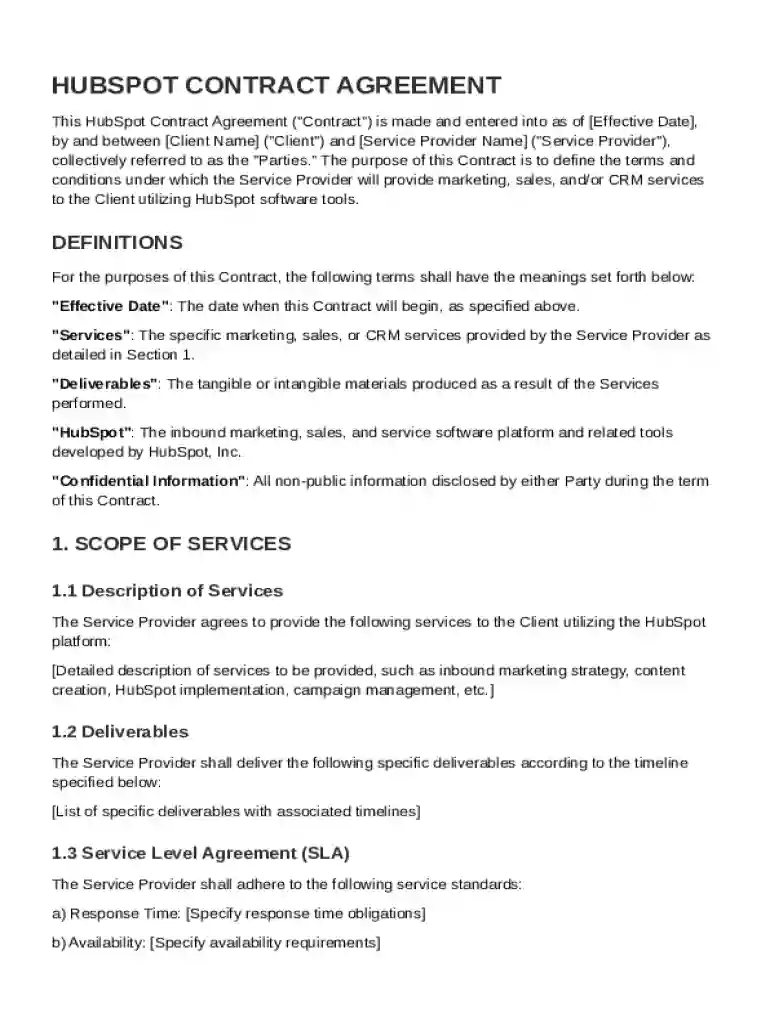
The HubSpot Contract Template is a standardized document used to establish an agreement between a Client and a Service Provider for the use of HubSpot's marketing, sales, and CRM services. This template serves as a formal framework outlining the key terms of the collaboration, including the responsibilities of both parties, the scope of services to be provided, compensation, and other critical legal aspects, such as confidentiality and indemnification provisions. By using this template, parties can ensure clarity and alignment on expectations, which helps to prevent disputes and misunderstandings.
To effectively use the HubSpot Contract Template, begin by downloading the document from a reliable source. Open the template using a compatible document editor, such as DocHub. Start by customizing the template to fit the specific details of your agreement. Enter the names and details of both the Client and Service Provider. Carefully review each section, modifying the scope of services, compensation details, and any other relevant sections to reflect the specific terms negotiated between the parties. Once customized, ensure both parties review and agree to the terms outlined in the document. Finalize the contract by collecting electronic signatures using software that supports legally binding signatures, such as DocHub.
The HubSpot Contract Template includes several critical components that ensure a comprehensive and enforceable agreement:
The HubSpot Contract Template is compatible with a variety of software applications that allow document editing and signing, such as DocHub, Microsoft Word, Adobe Acrobat, and Google Docs. These platforms offer functions to customize, share, and sign the contract seamlessly, accommodating both electronic and paper formats. Collaborators can access the document on desktop or mobile devices, enhancing flexibility in completing and reviewing contract terms.
Organizations use the HubSpot Contract Template in diverse scenarios:
Each case allows for specific adaptation of the template to suit the unique needs and deliverables associated with the service arrangement.
In the United States, the HubSpot Contract Template, when properly completed and signed, is legally binding under the ESIGN Act. The template's terms must be lawful, consensual, and executed by individuals with the authority to do so. Contracts must comply with applicable state laws and regulations, and digital signatures collected through platforms like DocHub are widely recognized as valid.
Familiarizing yourself with the following terms can facilitate better understanding when using the HubSpot Contract Template:
These terms form the backbone of the contractual language and should be clearly defined within the template to avoid ambiguity.
At DocHub, your data security is our priority. We follow HIPAA, SOC2, GDPR, and other standards, so you can work on your documents with confidence.



Simplify your contract workflows and meet client needs more quickly with this easy-to-use contract template. Formstack uses AI to generate customized templates.
We use Hubspot, a cloud-based CRM, to gather and maintain customer profiles, including their contact information, preferences, and engagement history. This.
THE HUBSPOT CULTURE CODE. 1. We are as maniacal about our metrics as our mission. 2. We obsess over customers, not competitors.


