




01. Edit your form online
Type text, add images, blackout confidential details, add comments, highlights and more.

Type text, add images, blackout confidential details, add comments, highlights and more.

Draw your signature, type it, upload its image, or use your mobile device as a signature pad.

Send it via email, link, or fax. You can also download it, export it or print it out.
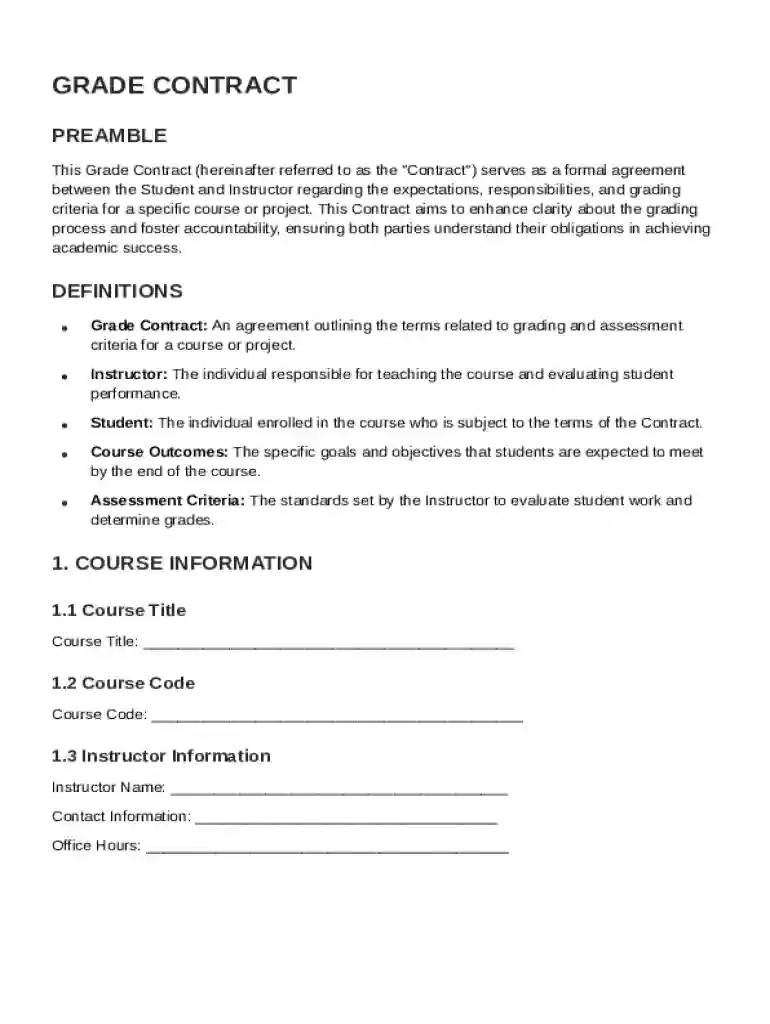
A Grade Contract Template is a structured document that formalizes the agreement between a student and an instructor regarding course expectations and grading criteria. It is designed to ensure transparency and accountability in academic assessments. The template includes specific metrics and expectations for assignments, participation, and other components that will determine the student's final grade. It helps in minimizing misunderstandings and promotes a fair learning environment by clearly outlining the responsibilities and rights of both parties involved. This document is crucial for fostering an open communication channel between students and educators.
Utilizing the Grade Contract Template involves several steps to align academic goals with grading policies. Initially, both the student and instructor should review the template to ensure mutual understanding of course requirements. The following steps are crucial for effective use:
Completing the Grade Contract Template requires attention to detail to ensure all sections are filled accurately and appropriately. Here’s a step-by-step guide:
The Grade Contract Template comprises several critical elements that ensure it effectively serves its purpose:
The Grade Contract Template is a legally binding document within the academic context of the institution it is used. It adheres to educational laws and policies and ensures that both parties comply with the agreed-upon terms. For legal validity:
This template is primarily used within educational institutions. Specifically, it is utilized by:


Real-world usage of the Grade Contract Template can vary greatly depending on the course and institutional requirements. For instance:
Although the Grade Contract Template is generally applicable across the United States, nuances may exist based on state educational standards:
Institutions need to ensure their templates comply with state-specific educational laws and standards for their geographical location.
At DocHub, your data security is our priority. We follow HIPAA, SOC2, GDPR, and other standards, so you can work on your documents with confidence.


This Investment Grade Audit Agreement (the Contract) is made and entered into as of the date of the last signature by the Parties (the Effective Date)
Apr 30, 2023 This grading contract, used by UWP Lecturer Laura Hartmann-Villalta in Reintroduction to Writing, lays out an alternate grading scheme that aims to shift the
Dec 12, 2003 UNIFORM PROVISIONS CONCERNING THE APPROVAL OF: I. SPECIFIC LPG (LIQUEFIED PETROLEUM GASES) RETROFIT SYSTEMS.


