
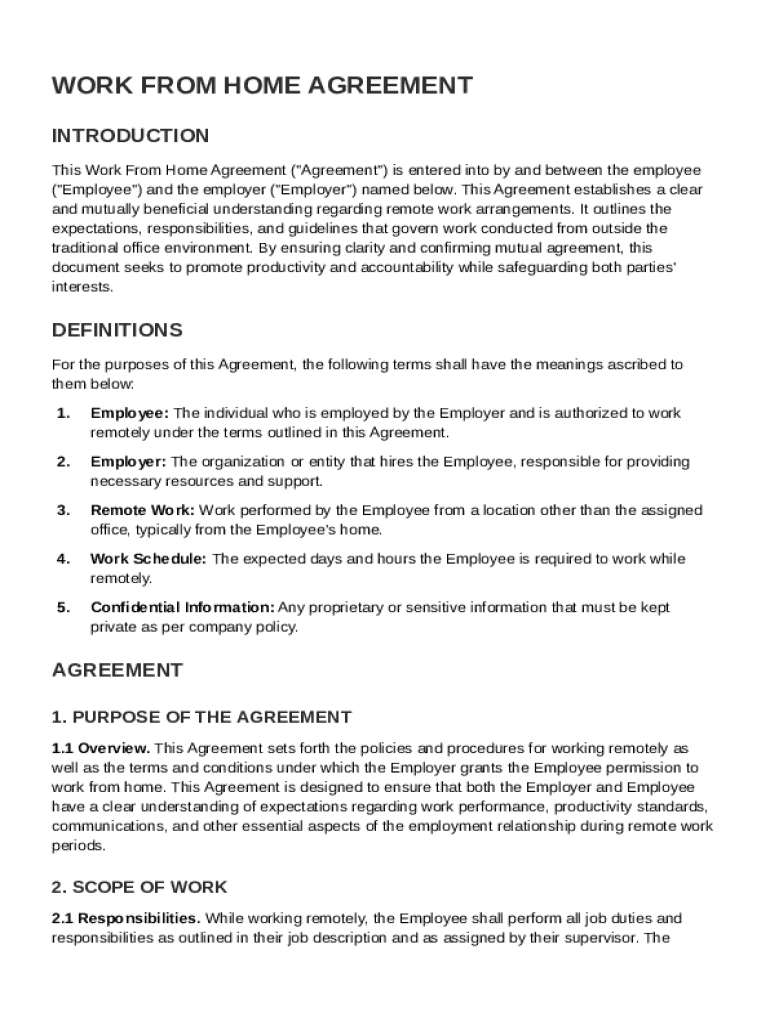







Definition and Meaning
The Work From Home Agreement Template is a formal document that details the terms and conditions under which an employee is permitted to perform their job duties remotely. It serves as a binding agreement between the employer and employee, ensuring both parties understand their obligations and rights within the context of remote work. This template typically covers aspects like work schedules, performance expectations, equipment requirements, data security, and company policy compliance.
Key Elements of the Work From Home Agreement Template
A comprehensive Work From Home Agreement Template includes several essential components designed to provide clarity and structure. Key elements often include:
- Work Hours and Availability: Specific hours during which the employee is expected to be actively working and available for communication.
- Performance Metrics: Clear expectations regarding deliverables, deadlines, and performance standards.
- Equipment and Tools: Details about the equipment provided by the company and any personal tools the employee is expected to use.
- Confidentiality Obligations: Protocols to ensure the protection of sensitive company information and data.
- Communication Protocols: Preferred methods and frequency of communication between the employee, their team, and supervisors.
- Policy Compliance: An acknowledgment that the employee must adhere to company policies while working remotely.
How to Use the Work From Home Agreement Template
Using the Work From Home Agreement Template involves tailoring the provided sections to align with specific employment needs and organizational policies. The template is often a starting point that needs customization according to the role and industry. General steps for utilizing the template include:
- Review Standard Clauses: Examine the standard clauses to ensure they align with corporate policies.
- Customize Role-Specific Sections: Modify the agreement to reflect the specific job role and responsibilities.
- Consult with Legal Advisors: Ensure that the agreement meets all legal requirements and covers pertinent issues.
- Share with Employees: Provide the customized agreement to employees for review and acknowledgment.
Steps to Complete the Work From Home Agreement Template
Correctly completing the Work From Home Agreement Template involves a step-by-step approach:
- Download the Template: Obtain the template from a reliable source, ensuring it matches the company’s requirements.
- Fill in Employee Details: Enter the employee's full name, job title, and department.
- Specify Remote Work Details: List the agreed-upon work schedule, tasks, and responsibilities.
- Outline Equipment Provisions: Detail any equipment or software that the company will provide for remote work.
- Discuss Compliance and Security: Include sections on confidentiality, data protection, and policy compliance.
- Sign and Date: Both the employer and employee should sign and date the agreement to acknowledge their understanding and acceptance.
Legal Use of the Work From Home Agreement Template
The Work From Home Agreement Template serves as a legal document protecting both the employee and the employer by detailing the framework of their remote working relationship. Legal uses include:
- Enforcing Workplace Policies: Ensures employees adhere to company policies while working remotely.
- Clarifying Employment Terms: Clearly defines job expectations and responsibilities.
- Protecting Confidential Information: Establishes protocols for safeguarding proprietary and sensitive information.
- Providing Legal Recourse: In case of disputes, the agreement offers a reference point for resolution.
Important Terms Related to the Work From Home Agreement Template
Understanding specific terminologies within the Work From Home Agreement Template is crucial. Important terms commonly found include:
- Telecommuting: A work arrangement where employees perform their job duties outside the traditional office setting.
- Remote Work Policy: The set of guidelines that govern employee behavior and expectations when working outside the office.
- Data Security Measures: The strategies and technologies implemented to protect confidential data accessed remotely.
- Performance Evaluation: Methods used to assess employee performance in a remote setting.
State-Specific Rules for the Work From Home Agreement Template
Certain states have specific regulations that could influence how Work From Home Agreements are crafted. Factors to consider include:
- Labor Laws: Some states have unique labor laws concerning overtime, breaks, and minimum wage that must be accommodated in remote work agreements.
- Tax Implications: State-specific tax laws may affect how income is reported and taxed for remote workers.
- Worker's Compensation: Coverage for remote work may vary depending on state regulations, necessitating distinct clauses within the agreement.
Business Types That Benefit Most from the Work From Home Agreement Template
Various business entities can greatly benefit from utilizing a Work From Home Agreement Template, particularly:
- Tech Companies: With employees often requiring flexibility and autonomy, tech companies benefit from clear remote work guidelines.
- Creative Industries: Writers, designers, and artists can clarify project expectations and deliverables.
- Customer Support Firms: Legally establishes expectations for handling customer inquiries outside the office.
- Consulting Firms: Facilitates extended remote work arrangements by detailing engagement terms and client communication standards.




