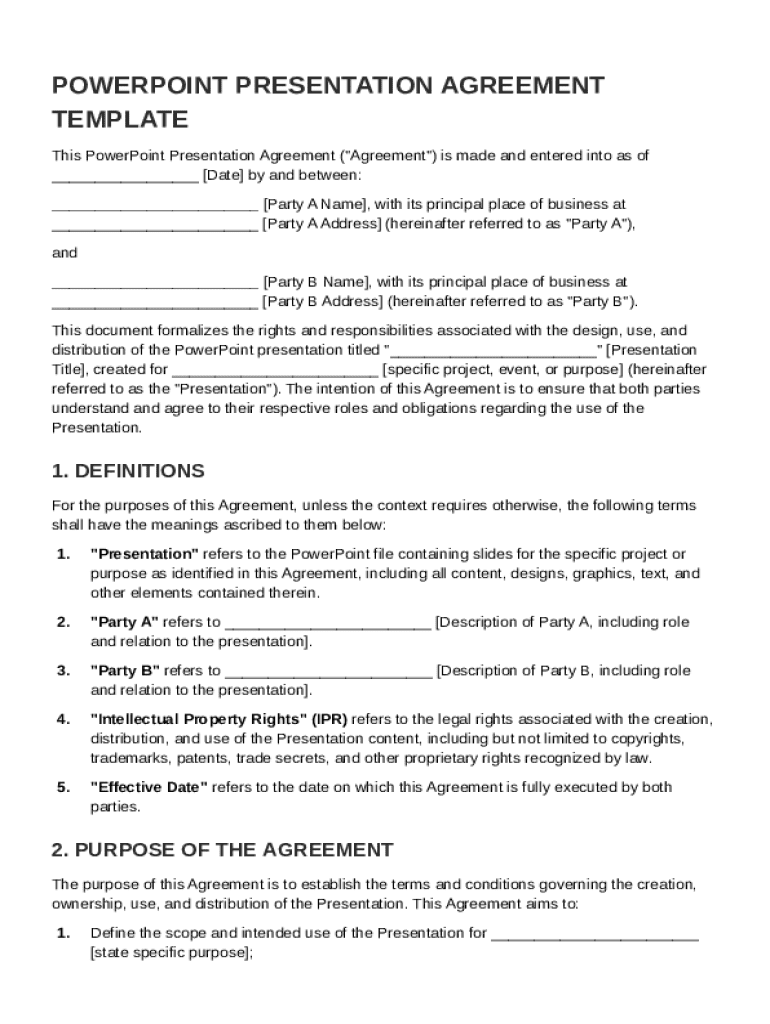







Definition & Purpose of the Signing PowerPoint Agreement Template
The Signing PowerPoint Agreement Template is a contractual document that establishes the terms and conditions related to the creation, usage, and distribution of a specific PowerPoint presentation. This agreement outlines the roles and responsibilities of the parties involved, defines intellectual property rights, and sets forth the approval process for the presentation. It also addresses provisions for termination, dispute resolution, and other legal considerations. The template ensures that both parties have a clear understanding of their obligations and rights regarding the PowerPoint presentation.
How to Use the Signing PowerPoint Agreement Template
The Signing PowerPoint Agreement Template is used to formalize an arrangement between parties working on a PowerPoint presentation. To utilize the template effectively:
- Review the template to ensure it aligns with your specific needs and the nature of your project.
- Customize the template by filling in the relevant details, including the names of the parties, presentation title, and the specific terms agreed upon.
- Use the fields to define responsibilities, timelines, and deliverables.
- It may be beneficial to consult with a legal professional to ensure that the agreement meets any specific legal requirements or contains necessary provisions for your particular situation.
- Once completed, both parties should review and sign the agreement to formalize the arrangement.
Key Considerations:
- Deciding who owns the rights to the presentation.
- Determining how changes can be requested or implemented.
- Establishing deadlines and milestones for the presentation's completion.
Steps to Complete the Template
Completing the Signing PowerPoint Agreement Template involves several precise steps to ensure all necessary elements are covered:
- Identify the Parties Involved: Clearly state the legal names of the individuals or organizations entering into the agreement.
- Outline the Scope: Define the purpose, scope, and content of the PowerPoint presentation.
- Detail Roles and Responsibilities: Specify who will create, edit, and approve each part of the presentation.
- Establish Approval Processes: Set up the process and criteria for approving each phase of the presentation.
- Address Intellectual Property Rights: Include terms that address the ownership of the presentation and any accompanying intellectual property.
- Set Timelines: Provide detailed timelines for completion and review milestones.
- Include a Termination Clause: Allow for conditions under which the agreement can be dissolved by either party.
Legal Use and Compliance
The Signing PowerPoint Agreement Template serves as a legally binding document when properly executed. It must comply with the relevant laws and regulations in the jurisdiction where it will be enforced.
Legal Considerations:
- ESIGN Act Compliance: Ensure electronic signatures are valid and recognized under the ESIGN Act if signing electronically.
- Confidentiality Provisions: If sensitive information is included, confidentiality clauses may be necessary.
- Dispute Resolution: Include methods for resolving disputes, such as mediation or arbitration, to prevent legal challenges.
Important Terms Related to the Template
Understanding the terminology used in the Signing PowerPoint Agreement Template is crucial for proper interpretation and execution:
- Intellectual Property Rights: Legal rights concerning creations of the mind over which the parties hold ownership.
- Confidential Information: Any non-public information shared between parties that should remain private.
- Deliverables: The specific outcomes that must be completed and delivered according to the agreement.
- Amendment Clause: Allows for modifications to the agreement if both parties consent.
Key Elements to Include
The agreement template should contain key elements that ensure comprehensive coverage:
- Introduction and Definitions: Begin with introductory statements and define key terms used throughout the agreement.
- Rights and Responsibilities: Clearly apportion rights and duties relating to the creation and use of the presentation.
- Compensation Details: If applicable, outline how and when the creators or contributors will be compensated.
- Termination Conditions: Specify under which circumstances the contract can be ended securely by either party.
Examples of Usage Scenarios
The Signing PowerPoint Agreement Template is versatile and can be used in various situations:
- Corporate Presentations: When outsourced designers or agencies are involved in creating internal or external presentations.
- Academic Collaborations: Professors or educational institutions requiring students or guest lecturers to create presentations.
- Client Pitches: Marketing firms creating client-specific presentations requiring mutual agreement on terms.
Who Typically Uses the Template
Several parties may find this template beneficial:
- Corporations and Businesses: For ensuring clarity and protection when presenting company information or strategies.
- Educational Institutions: Universities and colleges needing structured agreements when presentations involve external collaborators.
- Freelancers and Agencies: Independent designers or firms tasked with creating presentations for clients.