Definition & Meaning
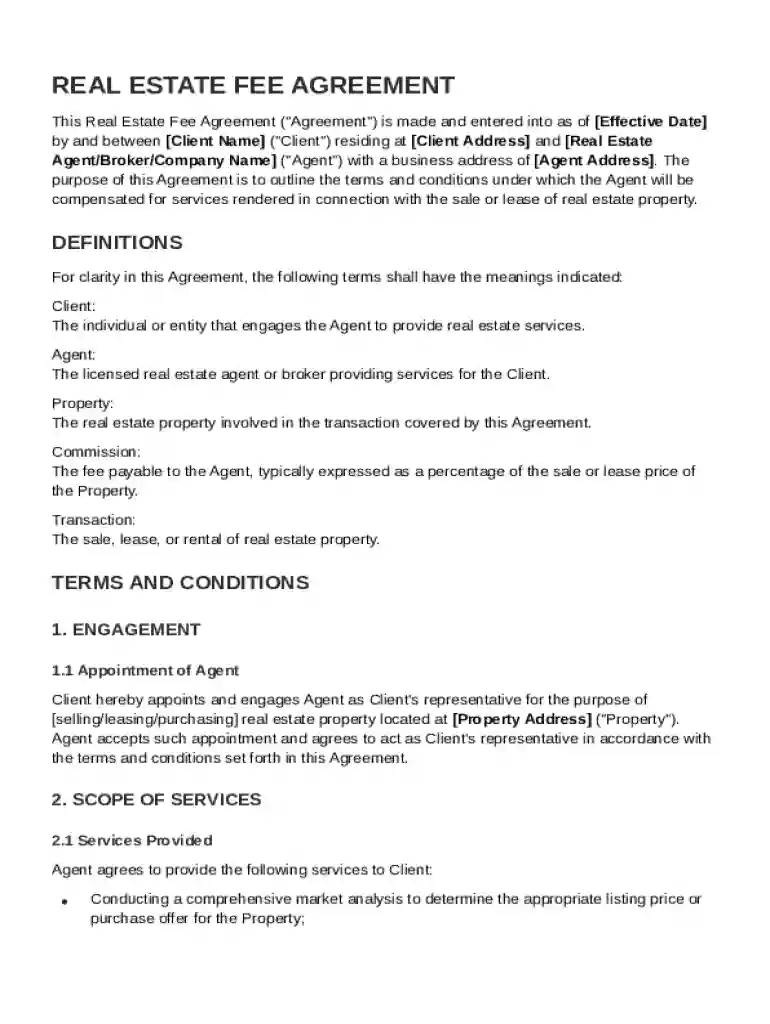
A Real Estate Fee Agreement is a binding document that specifies the terms under which a real estate agent will be compensated for their services in the sale or lease of a property. This agreement outlines the relationship between the client and the agent, describing their respective responsibilities, commission structures, and the specific services that the agent will provide. By formalizing these details, the agreement helps prevent misunderstandings and disputes, ensuring that both parties have a clear understanding of their roles and obligations in the transaction.
Key Elements of the Real Estate Fee Agreement Template
The Real Estate Fee Agreement Template typically includes several critical components:
- Scope of Services: Details the specific tasks and responsibilities that the agent will perform, such as listing the property, conducting market analysis, and facilitating negotiations.
- Commission Structure: Outlines how the agent will be compensated, usually as a percentage of the sale price or lease value, and specifies any minimum or maximum commission limits.
- Payment Terms: Specifies when and how the agent will be paid, such as upon closing the transaction or in installments.
- Termination Clause: Provides conditions under which either party can terminate the agreement, along with any associated fees or penalties.
- Confidentiality Agreement: Ensures that any sensitive information shared during the transaction remains private and is not disclosed without consent.
- Amendment Procedures: Describes how changes to the agreement can be made, requiring written consent from both parties to validate any amendments.
How to Use the Real Estate Fee Agreement Template
- Obtain the Template: Access the template from a reliable source to ensure it's up-to-date and legally compliant.
- Customize the Template: Fill in specific information, such as the names of the parties involved, property details, and agreed-upon commission structures.
- Review Legal Terms: Carefully read all clauses to understand the legal implications, potentially consulting with a legal professional if needed.
- Sign the Agreement: Both parties should sign the document to acknowledge their acceptance of the terms and to validate the agreement.
- Store the Document: Keep a copy of the signed agreement for your records, ensuring it's easily accessible if needed during the transaction process.
Important Terms Related to Real Estate Fee Agreement Template
- Exclusive Right to Sell: Grants the agent the sole right to sell the property, ensuring they receive a commission even if the client finds a buyer independently.
- Dual Agency: Occurs when a single agent represents both the buyer and the seller in a transaction, which can create potential conflicts of interest.
- Buyer's Agent Commission: The fee awarded to an agent representing the buyer in the transaction, often split with the selling agent.
- Listing Agreement: A contract between the agent and the property owner establishing the agent's authority to act on behalf of the owner regarding the property sale.
Steps to Complete the Real Estate Fee Agreement Template
- Input Parties Information: Enter the full names and contact details of the client and the real estate agent.
- Define Property Details: Specify the property location, including its address and any unique features relevant to the transaction.
- Set Commission Rates: Clearly state the percentage or fixed fee that the agent will receive for their services.
- Outline Payment Milestones: Detail the timeline for payments, noting conditions under which payments will be released.
- Include Legal Provisions: Ensure all necessary legal clauses are present and correct, such as dispute resolution methods.
- Final Review & Signatures: Both parties review the document to confirm accuracy before signing the agreement.
Legal Use of the Real Estate Fee Agreement Template
The agreement must adhere to local real estate laws and regulations to be enforceable. Legal considerations include:
- Compliance with State Laws: Ensure the contract complies with specific state real estate laws and regulations.
- Disclosure Requirements: Fulfill any disclosure obligations relevant to the transaction, such as disclosing known property defects.
- Accurate Commission Representation: Clearly express the commission to avoid legal disputes related to compensation misunderstandings.
- Valid Execution: Both parties must sign the agreement in accordance with the applicable legal standards for it to be binding.
State-Specific Rules for the Real Estate Fee Agreement Template
Different states may have unique requirements for real estate transactions:
- License Requirements: Agents must hold a valid real estate license in the state where the transaction takes place.
- State-specific Forms: Some states may require additional forms or specific language within the fee agreement.
- Mandatory Disclosures: Certain disclosures, such as property condition reports, may be mandated by state law.
- Commission Cap Laws: Some states may have legal limits on the maximum commission rates that can be charged.
Examples of Using the Real Estate Fee Agreement Template
- Single-Family Home Sale: A homeowner engages a real estate agent to handle the sale of their residence, using the agreement to detail commission terms and marketing responsibilities.
- Commercial Property Lease: A business owner leasing office space employs a real estate agent to secure a tenant, with the agreement outlining a commission based on lease value.
- Multi-family Building Sale: An investor selling an apartment complex utilizes the template to formalize an agent's role in targeting potential buyers and structuring the sale.