






Definition and Meaning of a Real Estate Broker Agreement Template
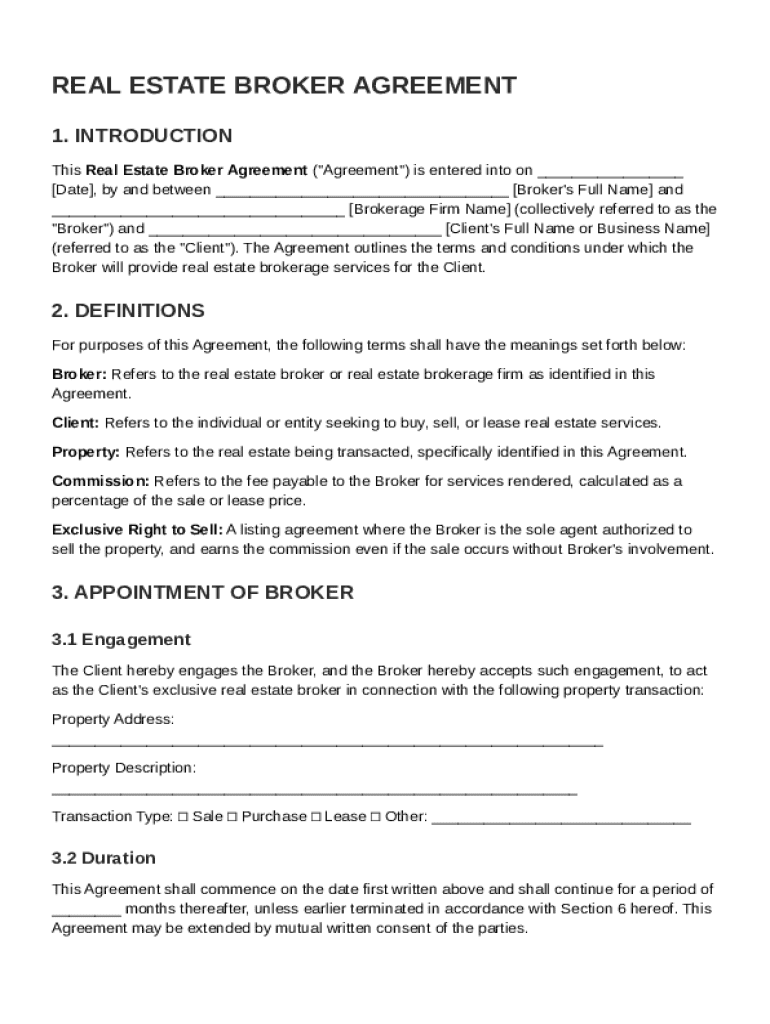
A Real Estate Broker Agreement, often known as a brokerage contract, is a legally binding document that outlines the terms and conditions between a real estate broker and their client. This agreement sets forth the relationship, the rights and responsibilities of both parties, and the compensation arrangements. It is fundamental in ensuring that both the broker and the client understand their obligations and expectations.
The template helps streamline the drafting process, offering a standardized format that can be customized to suit the needs of the particular transaction. By using a template, parties can avoid potential misunderstandings and disputes that could arise from unclear or incomplete agreements. This document is crucial in formalizing the broker-client relationship, ensuring compliance with real estate laws, and protecting the interests of both parties.
Key Elements of the Real Estate Broker Agreement Template
Creating a comprehensive Real Estate Broker Agreement requires attention to several critical components:
- Identification of Parties: Clearly define the broker and the client, including their contact details and legal designations.
- Scope of Services: Detail the specific services the broker will provide, such as listing properties, finding buyers, or offering advisory services.
- Compensation Structure: Outline how the broker will be compensated, whether it is a flat fee, commission-based, or a hybrid structure. Include details on payment schedules.
- Term and Termination: State the duration of the agreement and conditions under which it can be terminated by either party.
- Confidentiality Clauses: Detail any agreements related to the confidentiality of client information and how data will be protected.
- Dispute Resolution: Incorporate mechanisms for resolving disputes, such as mediation or arbitration, to prevent litigation.
- Compliance and Legal Standards: Ensure the agreement complies with local, state, and federal real estate laws.
Steps to Complete the Real Estate Broker Agreement Template
Filling out the Real Estate Broker Agreement Template involves several steps:
- Gather Information: Collect all necessary details about the broker, client, and specific transaction.
- Customize the Template: Input the gathered information into the template, ensuring accuracy and completeness.
- Review the Terms: Both parties should review the terms to ensure they align with the agreed-upon conditions of service.
- Legal Review: Consider having a legal professional review the document to ensure compliance with applicable laws.
- Execution: Both parties should sign the completed agreement, indicating their consent to the terms.
Who Typically Uses the Real Estate Broker Agreement Template
This template is primarily used by real estate brokers and their clients, often home sellers or buyers. However, it is also applicable to real estate firms, property management companies, and independent real estate agents who need a formalized document to define the scope and terms of their brokerage services.


Legal Use of the Real Estate Broker Agreement Template
The Real Estate Broker Agreement must comply with legal standards and ethical guidelines in the real estate market. In the United States, this involves adhering to federal laws such as those enforced by the U.S. Department of Housing and Urban Development, and state-specific regulations that may affect real estate transactions.
- Legal Compliance: Ensure the template meets state and federal laws.
- Ethical Standards: Align with the ethical guidelines of real estate governing bodies like the National Association of Realtors.
Examples of Using the Real Estate Broker Agreement Template
Consider these scenarios where a Real Estate Broker Agreement might be employed:
- Residential Sales: A seller engages a broker to sell their property, agreeing on a commission structure detailed in the agreement.
- Property Management: A property management firm uses the template to outline services for a new client interested in renting their property.
- Buyer Representation: A buyer hires a broker to assist in finding and negotiating the purchase of a new home.
Important Terms Related to Real Estate Broker Agreement Template
Understanding key terms within the agreement is crucial:
- Listing Agent: The broker who represents the seller.
- Buyer’s Agent: The broker who represents the buyer.
- Commission Split: The division of commission between the listing and the buyer’s agent.
- Exclusive Right to Sell: A contract giving the broker exclusive rights to earn a commission if the property is sold.
State-Specific Rules for the Real Estate Broker Agreement Template
Regulations around real estate broker agreements can vary by state. Some examples include:
- California: Requires disclosure of agency relationships.
- New York: Stipulates specific commission disclosure requirements.
- Texas: Demands that all agreements be in writing to be enforceable.
Understanding these nuances can help ensure that the agreement meets regional legal requirements, preventing potential disputes or invalidation.