
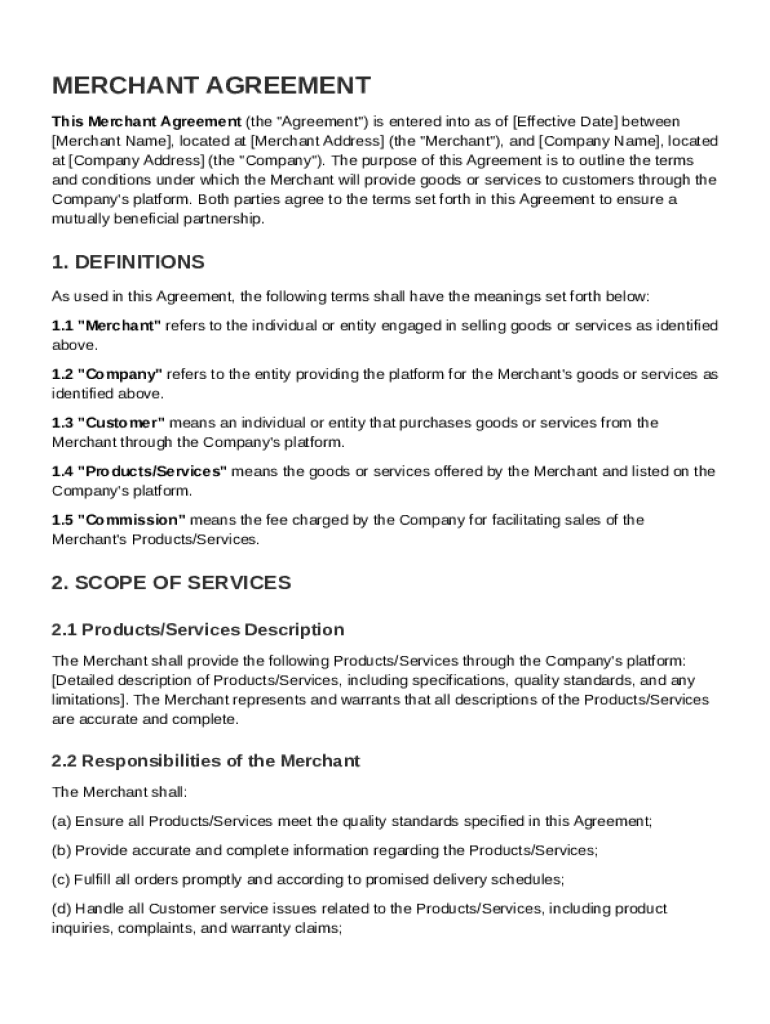







Definition and Meaning of the Merchant Agreement Template
The Merchant Agreement Template serves as a foundational document outlining the terms and conditions between a merchant and a company providing goods or services through the company's platform. It is a legally binding agreement that delineates roles, responsibilities, and financial arrangements. This template offers merchants a structured format to ensure all essential aspects of their business relationship are covered, thereby reducing risks and potential disputes. By detailing commission structures, confidentiality clauses, liability provisions, and dispute resolution processes, the template ensures that both parties are aware of their rights and obligations.
How to Use the Merchant Agreement Template
Using the Merchant Agreement Template involves understanding its key sections and filling out relevant information truthfully and comprehensively. Here are the steps typically involved:
- Review the Template: Thoroughly examine the template to understand all sections, including definitions, terms, and conditions.
- Insert Details: Fill in your business information, including names, addresses, and contact details. Specify the services or goods provided, financial terms, and responsibilities.
- Edit Financial Terms: Clearly state commission rates and payment schedules to avoid future misunderstandings.
- Tailor Specific Provisions: Modify sections such as confidentiality, liability, and dispute resolution to suit your specific business needs.
- Consult with Legal Advisors: Before finalizing, have a legal expert review the document to ensure it meets legal standards and adequately protects your interests.
Key Elements of the Merchant Agreement Template
This template contains several key sections vital to a comprehensive merchant agreement:
- Parties Involved: Details the names and roles of each party.
- Scope of Services: Defines the types of goods/services provided.
- Financial Terms: Outlines commission structures, payment methods, and timelines.
- Confidentiality: Contains clauses to protect sensitive business information.
- Liability and Indemnification: Specifies liability limits and indemnification procedures.
- Termination Conditions: Provides terms for ending the agreement.
- Dispute Resolution: Includes approaches for handling conflicts, such as arbitration or mediation.
Steps to Complete the Merchant Agreement Template
Here is how one can complete the Merchant Agreement Template:
- Download the Template: Obtain the agreement template from a reliable source or create it using digital document platforms like DocHub.
- Fill Out Identifying Information: Enter the legal names and addresses of all parties involved.
- Specify Services and Compensation: Detail the nature of services or products and related financial arrangements.
- Customize Legal Provisions: Adapt confidentiality, liability, and other clauses to your mutual agreement.
- Update Termination and Dispute Policies: Tailor these policies to fit the nature of the business and operational environment.
- Review and Finalize: Conduct a comprehensive review, ideally with legal counsel, to ensure clarity and completeness.
- Sign and Secure: Once both parties agree, duly execute the agreement by signing and ensuring all copies are securely stored.
Who Typically Uses the Merchant Agreement Template
This template is commonly used by:
- Independent Merchants: Individuals or small businesses seeking to formalize agreements with larger companies.
- Corporate Entities: Companies looking to standardize their contractual processes with third-party vendors.
- Legal Professionals: Attorneys drafting agreements for clients.
- E-commerce Platforms: Businesses requiring uniform agreements for merchants selling on their platform.

Legal Use of the Merchant Agreement Template
In the U.S., using a Merchant Agreement Template ensures compliance with federal and state regulations. It serves as a legal document that can be enforceable in courts should disputes arise. U.S. law mandates that all terms outlined in such agreements be lawful and agreed upon voluntarily by all parties. The ESIGN Act facilitates the use of electronic signatures, thus enabling digital completion and execution of this agreement template, ensuring it remains binding and secure under U.S. law.
State-Specific Rules for the Merchant Agreement Template
Each state in the U.S. may have unique requirements or regulations affecting merchant agreements. Factors like local business practices, state-specific regulations on financial transactions, or variations in dispute resolution processes can impact the structure and content of a Merchant Agreement. Therefore, when using this template, it's essential to:
- Research Local Laws: Identify any state-specific legal requirements.
- Incorporate State Regulations: Ensure that any state regulations are reflected accurately in the terms.
- Consult State-Specific Legal Experts: Engage with attorneys familiar with state laws affecting merchant agreements.
Software Compatibility with Digital Platforms
The Merchant Agreement Template is compatible with various digital document management systems, including platforms like Google Workspace and Adobe Acrobat. Users benefit from this compatibility by:
- Importing and Editing: Easily import the template into platforms like DocHub for editing.
- Hosting in Cloud Storage: Store completed agreements on cloud services, such as Google Drive or Dropbox.
- Seamless Collaboration: Use real-time collaboration features to work with team members on drafting or reviewing.
- Utilizing Digital Signatures: Leverage digital signature functions to complete agreements securely and legally.
By ensuring compatibility with these platforms, users can efficiently manage, store, and execute merchant agreements in a streamlined digital environment.




