
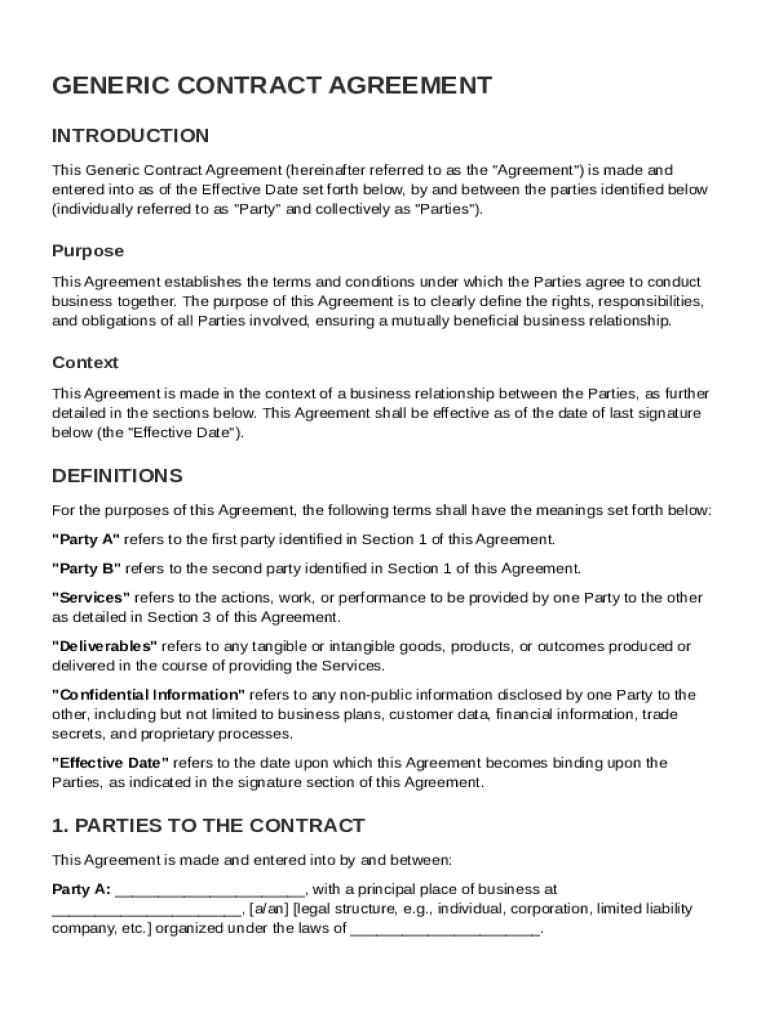







Definition and Meaning of a Generic Contract Template
A generic contract template is a pre-designed document framework used to establish agreements between two parties. It outlines essential terms such as scope of work, compensation, confidentiality, and other legal obligations. This standardized format allows for easy customization to fit specific business needs while ensuring all the necessary legal provisions are addressed. By providing a clear structure, it helps both parties understand their rights and responsibilities, minimizing misunderstandings and disputes.
How to Use the Generic Contract Template
Utilizing a generic contract template involves several steps to tailor it to your specific situation. Begin by reviewing the template to understand its structure and contents. Identify sections that require customization, such as the purpose of the agreement, names of the parties involved, and specific terms of the transaction. Modify the template to reflect the unique details of your arrangement, ensuring all necessary legal components are included. Once finalized, both parties should review the document for accuracy before signing.
Steps for Customization
- Review the template for relevance to your business needs.
- Customize sections such as party names, scope of work, and compensation.
- Ensure legal terms align with the business context and jurisdiction.
- Review or consult with a legal advisor for compliance.
- Obtain signatures from both parties.
Key Elements of the Generic Contract Template
The generic contract template typically includes several core elements crucial to forming a binding agreement. These elements include:
- Introduction: Details the parties involved and the purpose of the agreement.
- Scope of Work: Clearly defines the tasks, deliverables, or services expected.
- Compensation: Outlines payment terms, including amount and schedule.
- Confidentiality: Details nondisclosure provisions to protect sensitive information.
- Indemnification: Specifies liability protections and responsibilities.
- Governing Law: States which legal jurisdiction governs the contract.
- Dispute Resolution: Provides mechanisms for resolving conflicts that may arise.
- Amendment Procedures: Explains how modifications to the contract can be made.
Steps to Complete the Generic Contract Template
Completing a generic contract template involves a systematic approach to ensure accuracy and legal compliance. Start by gathering all necessary information related to the parties and the transaction. Thoroughly fill out each section, starting with the introduction and moving through the compensation and scope of work. Review the confidentiality clauses and legal terms to make sure they align with your requirements. Upon completion, both parties should carefully examine the document before it is signed.
Key Steps
- Fill in the basic details like party names and agreement date.
- Detail the scope, deliverables, and expected outcomes.
- Specify payment terms and conditions.
- Finalize confidentiality and legal clauses.
- Conduct a final review and obtain necessary approvals or signatures.
Importance of Using a Generic Contract Template
The use of a generic contract template is crucial for several reasons. It provides a clear, structured format that simplifies the contract creation process, reducing the time and effort required to draft a legally sound document. This template ensures that all necessary legal elements are in place, helping prevent potential disputes and misunderstandings. Furthermore, it offers flexibility and adaptability, accommodating various types of agreements and business transactions.
Legal Use of the Generic Contract Template
Legal considerations are paramount when utilizing a generic contract template. The document must be tailored to comply with relevant laws and regulations in the governing jurisdiction. Parties should ensure the contract includes vital legal components, such as indemnification clauses, confidentiality agreements, and governing law provisions. Consulting with a legal professional is advisable to confirm that all aspects of the contract are enforceable and appropriately formulated.
Examples of Using the Generic Contract Template
Generic contract templates are versatile and applicable in multiple scenarios. For example, a freelance consultant may use the template to formalize a client agreement for project work. Similarly, two businesses entering a partnership might employ the template to outline terms related to joint ventures, including responsibilities and profit-sharing arrangements. Each scenario demonstrates how the core elements of a generic template can be adapted to fit different contexts while maintaining legal integrity.
State-Specific Rules for the Generic Contract Template
State-specific regulations can significantly impact the terms and enforceability of a generic contract template. Different states may have varying requirements for contract terms, such as usury laws affecting interest rates on loans or specific disclosure requirements in business agreements. To ensure compliance, review and adjust the template according to the state laws applicable to your agreement, possibly seeking legal advice to account for these variations accurately.




