






Definition and Purpose of a Training Service Agreement Template
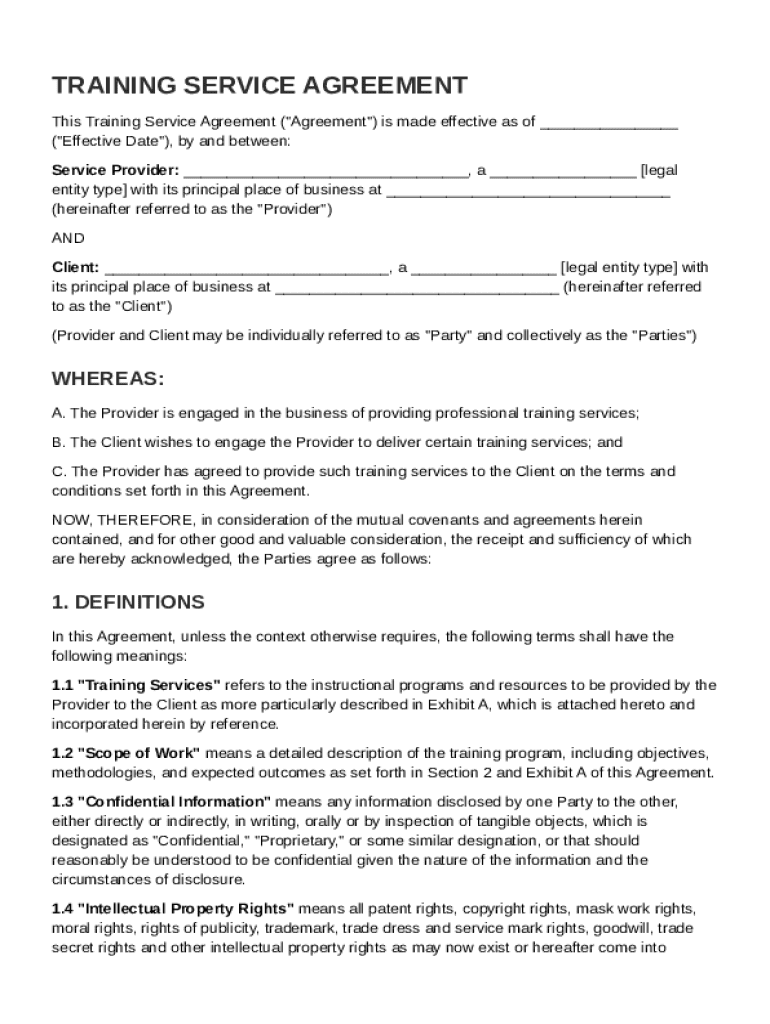
A Training Service Agreement Template is a standardized document that outlines the arrangement between a service provider and a client for rendering professional training services. It serves as a contractual foundation, detailing the terms and conditions under which the training services will be delivered. The agreement includes essential aspects such as the scope of services, payment terms, confidentiality obligations, and termination conditions. The primary aim is to safeguard the interests of both parties while ensuring that the training is delivered effectively. For example, it specifies the responsibilities each party must uphold, such as the training provider's duty to deliver content and the client's obligation to provide a conducive training environment.
How to Use the Training Service Agreement Template
- Download and Open: Initially, obtain the template, which is often available in formats compatible with popular document editors like Microsoft Word and Google Docs.
- Review Initial Content: Read through the template to understand the pre-filled sections, adjusting as necessary to fit specific needs.
- Customize Sections: Modify sections such as names of the parties involved, training session specifics, and any bespoke requirements.
- Consult Legal Expertise: Before finalizing, it’s advisable to consult with a legal expert to ensure all legal language correctly reflects the intended agreement.
- Finalize and Distribute: Once completed, distribute the agreement to all parties involved for signatures, ensuring all conditions are agreed upon and legally binding.
Steps to Complete the Training Service Agreement Template
- Identify the Parties: Clearly state the names and contact information of both the service provider and the client.
- Define the Scope: Outline the specific training services offered, including content, duration, delivery method, and location.
- Specify Compensation: Include detailed payment terms, such as fees, payment schedule, and any compensation for additional expenses.
- State Responsibilities: Detail the tasks and responsibilities each party is accountable for during the contract term.
- Include Confidentiality Clauses: Add terms to protect sensitive information shared between parties.
- Outline Termination Conditions: Clearly define how the agreement can be terminated, including notice periods and any associated penalties.
- Review and Sign: Ensure both parties have reviewed the document, agreed to the terms, and provided signatures.
Key Elements of the Training Service Agreement Template
-
Scope of Work: Describes in detail the training services to be rendered.
-
Term and Termination: Specifies the duration of the agreement and the conditions under which it may be terminated.
-
Fees and Payment Terms: Outlines the cost of services and the agreed method of payment.
-
Confidentiality: Ensures all proprietary information and data shared remain confidential.
-
Intellectual Property Rights: Defines ownership rights regarding any materials created or used during training.
-
Dispute Resolution: Describes how disputes will be handled, such as through mediation or arbitration.
Who Typically Uses the Training Service Agreement Template
This template is commonly used by businesses and individuals in the corporate training sector and other professional fields where training is part of the service offering. Typical users include freelance trainers, training companies, and educational institutions that provide specialized courses. It can also be utilized by organizations that hire external trainers to upskill their workforce. For instance, a tech company hiring an IT training expert would likely use this contract to outline the engagement specifics.


Legal Use of the Training Service Agreement Template
Ensuring legal compliance, the template is designed to adhere to U.S. contract laws. All parties should ensure the agreement includes essential legal terms to avoid potential disputes. Because training agreements often involve handling proprietary content and data privacy, integrating appropriate clauses for intellectual property and confidentiality is crucial. Legal review by a qualified professional ensures the contract complies with regional laws and fully protects client and provider interests.
State-Specific Rules for the Training Service Agreement Template
Variations in state laws impact contractual agreements, including training service agreements. Each state may have specific regulations regarding contract enforceability, intellectual property rights, and worker classification (such as independent contractor vs. employee status). Users must be aware of these legal nuances to assure state compliance. For example, some states might mandate that the client has the right to terminate the contract if the service quality falls below agreed standards.
Important Terms Related to the Training Service Agreement Template
- Service Provider: The entity responsible for delivering training services.
- Client: The individual or organization receiving the training services.
- Deliverables: Specific items or outcomes the service provider agrees to deliver.
- Liability: Legal responsibility for any losses or damages arising from the agreement.
- Indemnification: Protection against certain losses or liabilities, typically specified in the agreement to protect one party from bearing the full cost of claims or losses.
- Force Majeure: A clause that absolves parties from liability or obligation when an extraordinary event or circumstance beyond their control occurs.