






Definition and Meaning
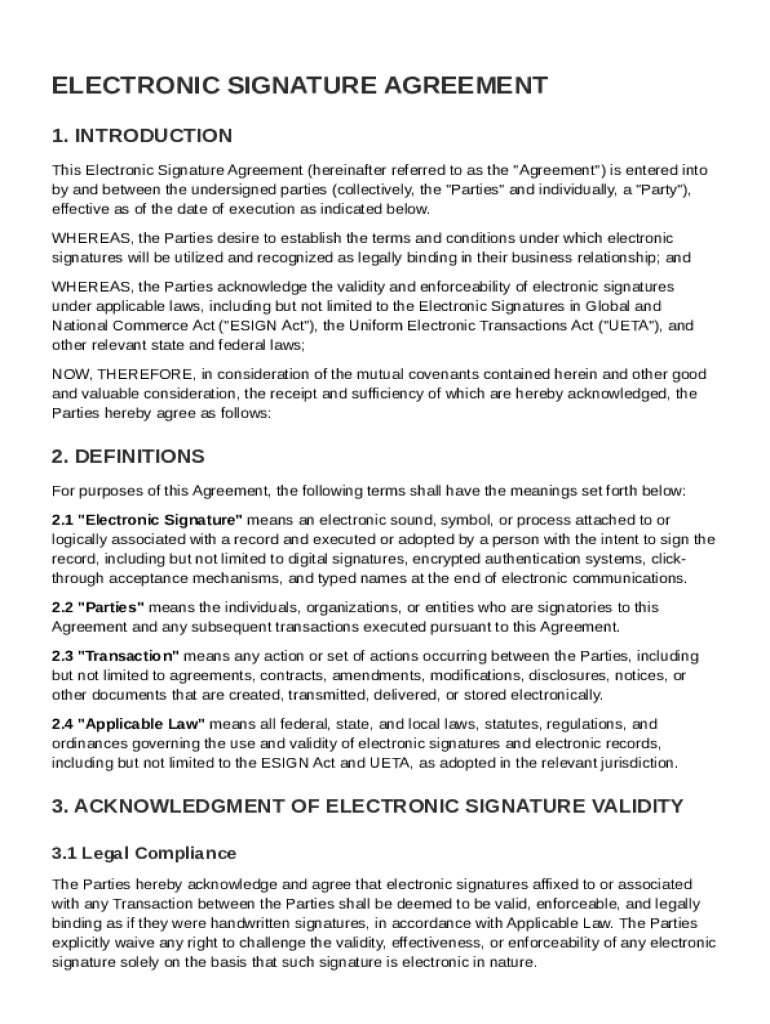
An Electronic Signature Agreement Template outlines the terms under which parties agree to use electronic signatures as legally binding in various transactions. This document serves as an essential legal backdrop, confirming the validity and enforceability of electronic signatures. It specifies the obligations of each party concerning the use of electronic signatures, ensuring adherence to security measures and communication of any changes in the agreement. The template is designed to provide clarity and consistency in how electronic signatures are implemented, acknowledged, and recognized in a business context.
Key Components
- Validity of Signatures: Establishes that electronic signatures have the same legal effect as traditional handwritten signatures under applicable laws.
- Security Measures: Specifies the responsibilities for safeguarding electronic signature processes, including data protection protocols.
- Notification of Changes: Outlines procedures for informing all parties of modifications to the agreement.
- Governing Law: Identifies which jurisdiction's laws govern the agreement's interpretation and enforcement.
How to Use the Electronic Signature Agreement Template
Utilizing an Electronic Signature Agreement Template involves several steps to ensure all parties are comfortable with its terms. Here's a guide on how to effectively use the template:
- Review the Template: Read through the agreement thoroughly to understand each clause and provision.
- Customize the Content: Tailor any sections that need specific adjustments related to the parties involved or the nature of the transaction.
- Consult Legal Counsel: Before proceeding, consult with a legal expert to ensure full compliance with relevant laws and regulations.
- Distribute for Review: Share the customized agreement with all stakeholders for their input and approval.
- Final Agreement: Once all parties have agreed to the terms, proceed to execute the agreement with electronic signatures.
Practical Example
Consider a scenario where a business uses the template to establish terms with a new partner. After customizing the agreement to reflect their transaction details, both parties use electronic signatures to sign the document, ensuring a legally binding contract is in place.
Key Elements of the Electronic Signature Agreement Template
The template includes several critical elements designed to clarify and systematize the use of electronic signatures:
- Party Identification: Clearly specifies who the signing parties are, including their roles.
- Signature Methods: Describes acceptable forms of electronic signatures, such as typed names, scanned signatures, or others.
- Record Keeping: Details how electronic document and signature histories will be maintained.
- Limitation of Liability: Sets forth any limitations on liability concerning issues that may arise from electronic signature use.
Considerations for Different Business Types
Different businesses might have varying requirements. For example, a company handling sensitive client data might emphasize stringent security protocols, while a small business might focus on the cost-effectiveness and efficiency that electronic signatures provide.
Who Typically Uses the Electronic Signature Agreement Template
The template is commonly used by a wide range of businesses and individuals who need to formalize agreements electronically. It's especially prevalent among:
- Small to Medium Enterprises (SMEs): For streamlining contract management without incurring high costs.
- Legal and Financial Firms: To expedite the signing process while maintaining legal compliance.
- Remote Teams: Facilitating easy and quick contract completion irrespective of geographical locations.


Legal Use of the Electronic Signature Agreement Template
The use of electronic signatures through such a template is compliant with U.S. legislation like the ESIGN Act, which grants electronic signatures the same legal standing as their ink-and-paper counterparts. It ensures that all electronically signed documents are admissible in court, provided they meet certain conditions of reliability and intention.
Practical Implications
Using the template, a business can confidently engage in electronic transactions knowing they are legally protected. This facilitates smoother transactions and reduces turnaround times for signing documents.
State-Specific Rules for the Electronic Signature Agreement Template
While electronic signature laws are largely consistent across the United States, some states have specific requirements or additional provisions that users should be aware of:
- California: Requires particular adherence to consumer consent disclosures.
- New York: Has additional document retention guidelines for electronic signatures.
- Florida: Includes specific e-notarization protocols for certain document types.
Addressing State Variations
To comply effectively, it's advisable to incorporate state-specific clauses into the template or consult legal professionals familiar with local regulations to tailor the document appropriately.
Steps to Complete the Electronic Signature Agreement Template
Completing the template involves a systematic approach to ensure accuracy and legal sufficiency:
- Gather Necessary Information: Collect details on all parties involved and the nature of the agreement.
- Customize Template: Adjust the template to reflect the transaction specifics, including any state-specific legalities.
- Review Legal Terms: Ensure understanding and agreement on key clauses such as liability and governing law.
- Circulate for Approval: Share with all parties for final review and modifications if necessary.
- Execute with Signatures: Finalize the agreement with electronic signatures, ensuring all parties have retained copies for their records.
Example Workflow
In a remote work environment, a manager shares the electronic signature agreement with the team to formalize their roles. After everyone's approval and signatures, the document is stored digitally for future reference.
Software Compatibility and Integration
The Electronic Signature Agreement Template is designed to seamlessly integrate with digital platforms such as DocHub, ensuring a smooth and efficient workflow.
Key Features
- Direct Import and Export: Users can easily import the agreement template into platforms like Google Drive or Dropbox and export completed documents for storage.
- Real-Time Collaboration: Supports multiple users editing and reviewing documents simultaneously, fostering effective teamwork.
- Mobile Accessibility: Allows users to complete agreement processes from any location, providing unmatched convenience.
Practical Applications for Businesses
With such integration capabilities, businesses can reduce dependency on paper documents, improve efficiency, and manage document workflows in a more organized and secure manner.