
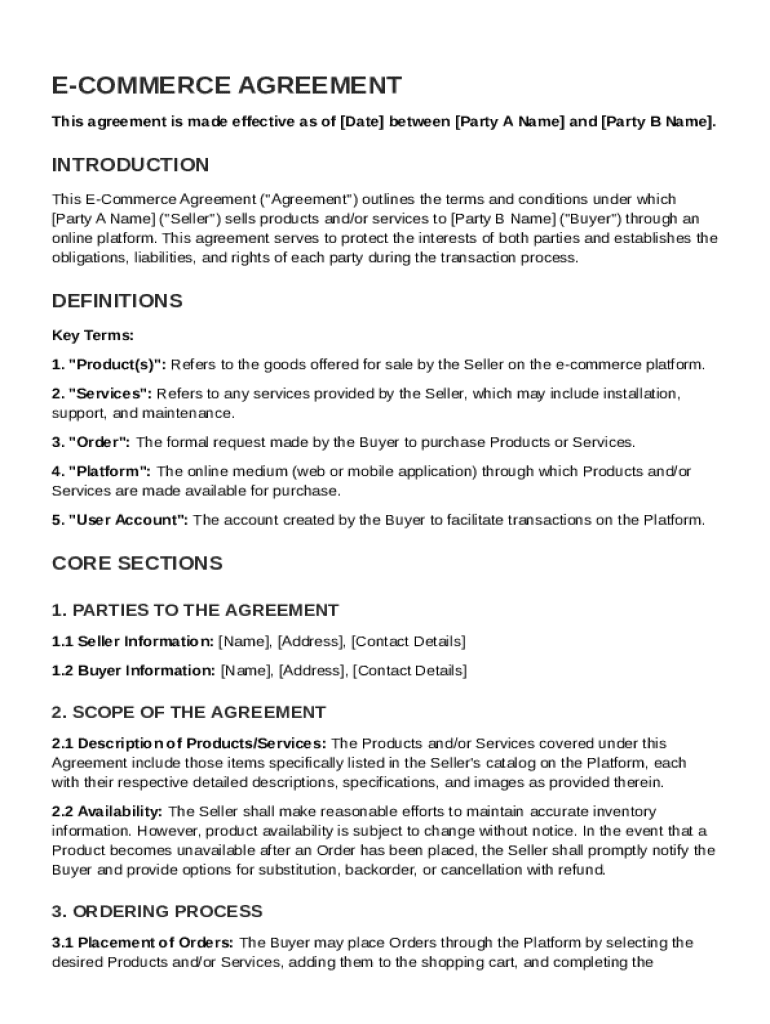







Definition & Meaning
An E-Commerce Agreement Template serves as a legal framework for online transactions between a Seller and a Buyer on digital platforms. This template outlines the rights, responsibilities, and obligations of each party involved in an e-commerce transaction. It encompasses crucial components like payment terms, shipping procedures, return policies, warranties, and intellectual property rights. By setting these parameters, the agreement ensures clarity in the transactional process and reduces potential disputes, offering a streamlined method for businesses to operate safely in the digital marketplace.
Key Elements of the E-Commerce Agreement Template
The template includes various critical elements essential for effective e-commerce transactions:
- Terms of Sale: Details the conditions under which the seller offers products or services, including price, quantity, and delivery expectations.
- Payment Methods: Specifies accepted payment forms, invoicing timelines, and any late payment penalties.
- Shipping and Delivery: Outlines responsibilities concerning shipping timelines, delivery methods, and carrier information.
- Return and Refund Policy: Provides clear guidelines on how returns are handled, including timeframes and refund procedures.
- Intellectual Property: Protects the seller’s rights to content, trademarks, and patents involved in the transaction.
- Confidentiality: Mandates that both parties keep sensitive information confidential.
- Dispute Resolution: Establishes processes for resolving disagreements, potentially including mediation or arbitration.
Important Terms Related to E-Commerce Agreement Template
Understanding the terminology within the template is vital for proper execution and compliance:
- Seller: An individual or entity selling goods or services online.
- Buyer: An individual or entity purchasing goods or services online.
- Governing Law: The local, state, or federal laws applicable to the agreement.
- Force Majeure: Clauses that relieve parties from liability in unforeseen events.
- Liability Limitation: Restricts the extent to which one party can be held responsible for damages.
Steps to Complete the E-Commerce Agreement Template
Completing the E-Commerce Agreement Template involves several steps to ensure all legal requirements and business needs are met:
- Identify Parties: Clearly define who the Seller and Buyer are, including contact information.
- Customize Terms: Tailor the terms of sale, payment methods, and delivery conditions specific to your business model.
- Incorporate Policies: Embed return, refund, and warranty policies relevant to your offerings.
- Review Legal Provisions: Ensure that intellectual property rights and confidentiality clauses are appropriately addressed.
- Finalize Agreement: After customization and review, both parties should sign the completed document to formalize the agreement.
Legal Use of the E-Commerce Agreement Template
The template must comply with applicable laws and regulations to be legally enforceable. U.S. federal laws, including the Electronic Signatures in Global and National Commerce Act (ESIGN Act), govern the legitimacy of electronic transactions. Furthermore, state-specific commercial laws may apply, requiring alterations in template details according to the location of the business. Engaging legal counsel to vet the agreement ensures all provisions align with statutory obligations and provides additional protection against possible non-compliance penalties.
Examples of Using the E-Commerce Agreement Template
Businesses such as online retail stores, digital service providers, and subscription-based companies often employ e-commerce agreements to solidify transactions:
- Retailers: Use agreements to define the sale of goods, warranty provisions, and return policies.
- Service Providers: Implement agreements to outline deliverables, service timelines, and payment milestones.
- Subscription Platforms: Offer legal structures detailing recurring payment processes and cancellation terms.
Who Typically Uses the E-Commerce Agreement Template
The template is essential for various business types and sizes engaging in online commerce:
- Small Businesses: Establishes clear transactional protocols without extensive legal resources.
- Large Enterprises: Ensures consistent operational standards across multiple product lines.
- Startups: Secures a legal foundation while building market presence and credibility.


State-Specific Rules for the E-Commerce Agreement Template
Given that each U.S. state can impose distinct commercial regulations, e-commerce agreements might vary based on location:
- California: Known for stringent data protection laws, requiring explicit consent for using consumer data.
- New York: May impose additional sales tax documentation requirements.
- Texas: Offers more lenient liability clauses, affecting agreement flexibility.
Adhering to state-specific rules not only ensures compliance but also supports smoother enforcement and operational continuity.




