






Definition and Purpose of a Meeting Agreement Template
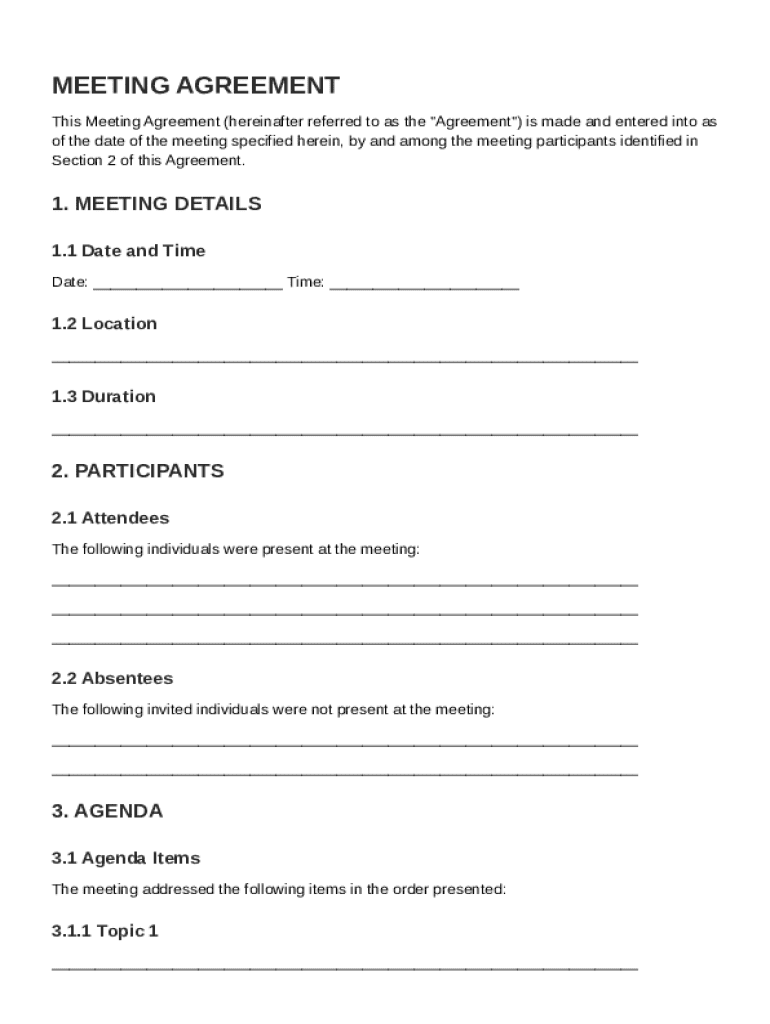
The Meeting Agreement Template is a standardized document used to define and record the specifics of a meeting. It encompasses crucial details such as the date, time, location, participants, agenda items, and any decisions or action items agreed upon during the meeting. This document serves as an official record, ensuring all participants have a clear, mutual understanding of the meeting's outcomes and next steps. By capturing these elements, the template fosters accountability and provides a reliable reference for future meetings or discussions.
Key Elements of the Meeting Agreement Template
The Meeting Agreement Template is composed of several vital components that help structure the documentation process:
-
Meeting Details: This section captures the basic information about the meeting, including its date, time, and location.
-
Participant Information: Lists all the individuals attending the meeting, ensuring clarity on who is involved in the discussions.
-
Agenda Items: A structured list of topics to be covered during the meeting, providing a roadmap for the discussions.
-
Decisions Made: Documents any resolutions or agreements reached during the meeting, serving as a reference for all participants.
-
Action Items: Details the specific tasks or actions agreed upon, including responsible parties and deadlines, to ensure follow-through.
-
Next Steps: Outlines any further actions or meetings required to continue or complete the discussed topics.
-
Additional Notes: Any other relevant information or observations that need to be documented for clarity or future reference.
How to Use the Meeting Agreement Template
Utilizing the Meeting Agreement Template effectively requires an understanding of its structure and purpose. Start by inputting the meeting's general information followed by a comprehensive list of participants. Clearly define each agenda item and allocate sufficient space to capture any decisions or actions. After the meeting, review and update the document to include all outcomes, ensuring that each section accurately reflects the discussions and agreements made. This updated document should then be distributed to all participants for acknowledgment.
Steps to Complete the Meeting Agreement Template
-
Initiate the Template: Start by opening a new document using the template format on DocHub or any compatible software.
-
Populate Basic Information: Fill out the date, time, location, and participant details.
-
Detail Agenda Items: List all topics that will be covered during the meeting.
-
Document Decisions and Actions: As the meeting progresses, record resolutions and any assigned tasks with deadlines.
-
Review and Finalize: After the meeting, update the template to ensure all agreements and action items are included.
-
Distribute for Acknowledgment: Share the completed document with all participants to confirm their understanding and agreement with its content.
Legal Use of the Meeting Agreement Template
In the U.S., the Meeting Agreement Template serves not only as an organizational tool but also as a legally binding document if signed by all participants. By signing, parties acknowledge their agreement to the record of discussions and decisions. This can be particularly useful for corporate environments where documented decisions must reflect collective understanding and consent. For enhanced legal validity, ensure electronic signatures collected in DocHub comply with the ESIGN Act, making them widely accepted in official contexts.
Who Typically Uses the Meeting Agreement Template
This template is versatile and can be used across various sectors and levels of an organization:
-
Corporate Teams: To track strategy meetings, project updates, and collaborative sessions.
-
Nonprofits: For board meetings and volunteer coordination.
-
Educational Institutions: In staff meetings, parent-teacher conferences, or committee discussions.
-
Government Agencies: To document town hall meetings, policy discussions, or inter-agency collaborations.
Each use case capitalizes on the template’s ability to maintain transparency and consistency in documenting discussions and decisions.


Examples of Using the Meeting Agreement Template
Here are a few scenarios illustrating the practical application of the Meeting Agreement Template:
-
Project Kick-off Meeting: A tech startup uses the template to set clear goals and responsibilities, ensuring alignment among all team members from the outset.
-
Quarterly Business Review: A manufacturing company documents performance assessments, strategic decisions, and actionable insights, ensuring ongoing business improvement.
-
Community Planning Meeting: City council members use the template to ensure all public concerns are documented and addressed in subsequent sessions.
-
Annual General Meeting: A nonprofit organization leverages the template to record discussions around financials, strategic initiatives, and volunteer operations.
Software Compatibility and Integration
DocHub's Meeting Agreement Template can be seamlessly integrated with various software tools, enhancing its accessibility and functionality. It is compatible with widely-used platforms like Google Workspace, allowing organizations to import or export documents effortlessly. This integration facilitates real-time collaboration and updates within team environments using Google Drive or Gmail. Additionally, its compatibility with file formats such as DOC, PPT, XLS, and more ensures that the template adapts flexibly to diverse documentation needs across different software ecosystems.