Type text, add images, blackout confidential details, add comments, highlights and more.
02. Sign it in a few clicks
Draw your signature, type it, upload its image, or use your mobile device as a signature pad.
03. Share your form with others
Send chp 809 via email, link, or fax. You can also download it, export it or print it out.
How to use or fill out chp 809 form with our platform
Ease of Setup
DocHub User Ratings on G2
Ease of Use
DocHub User Ratings on G2
Click ‘Get Form’ to open the CHP 809 form in the editor.
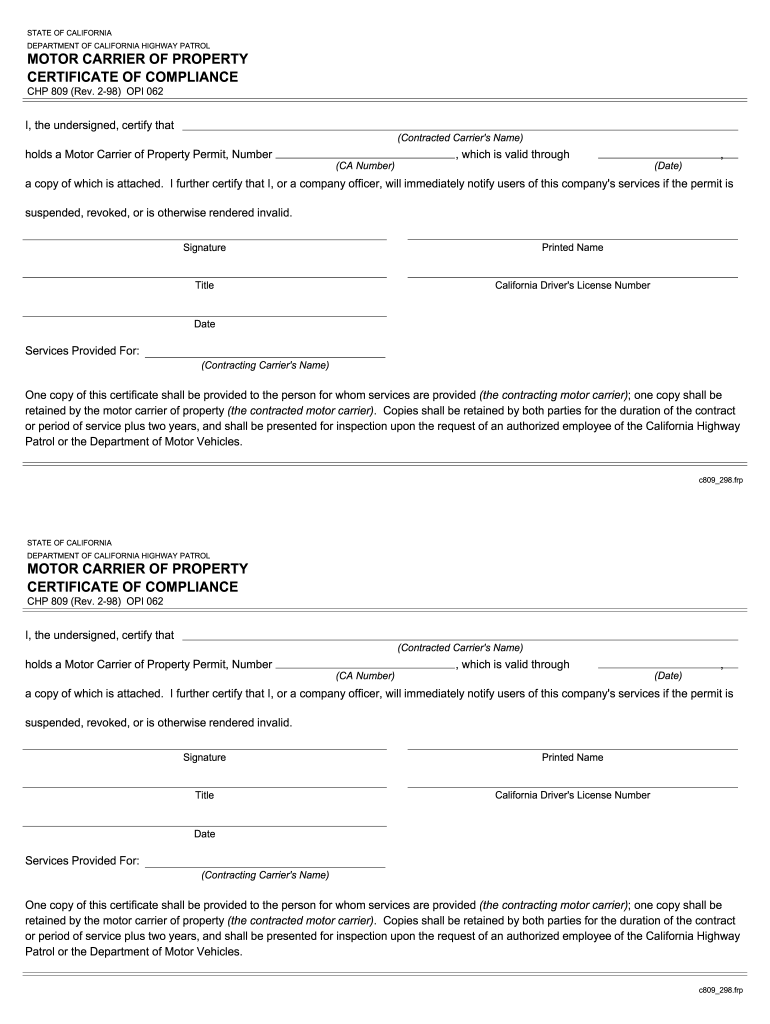
Begin by entering the Contracted Carrier's Name in the designated field. This identifies the entity holding the Motor Carrier of Property Permit.
Next, input the CA Number, which is your Motor Carrier of Property Permit number. Ensure this is accurate as it validates your compliance.
Fill in the expiration Date of your permit. This indicates how long your permit remains valid.
In the Signature field, sign your name or have a company officer do so. This certifies that you acknowledge and accept responsibility for notifying users if the permit status changes.
Enter your Printed Name and Title to provide clarity on who is completing this certification.
Include your California Driver's License Number for identification purposes.
Finally, specify the Services Provided For by entering the Contracting Carrier's Name. This connects your services to the appropriate party.
Start using our platform today to fill out and manage your CHP 809 form online for free!
H L Culbreath Bayside power station - Global Energy Monitor
Jan 30, 2026 HL Culbreath Bayside power station is an operating power station of at least 2294-megawatts (MW) in Tampa, Hillsborough, Florida, United States.Read more
CHP 809 (Rev. 4-16) OPI 062. I, the undersigned, DocHub that holds a Motor One copy of this certificate shall be provided to the person for whomRead more
All applicants must provide the email addresses of three professional references who will receive a notification to submit a recommendation form electronically.Read more
Cookie consent notice
This site uses cookies to enhance site navigation and personalize your experience.
By using this site you agree to our use of cookies as described in our Privacy Notice.
You can modify your selections by visiting our Cookie and Advertising Notice.