






Definition & Meaning
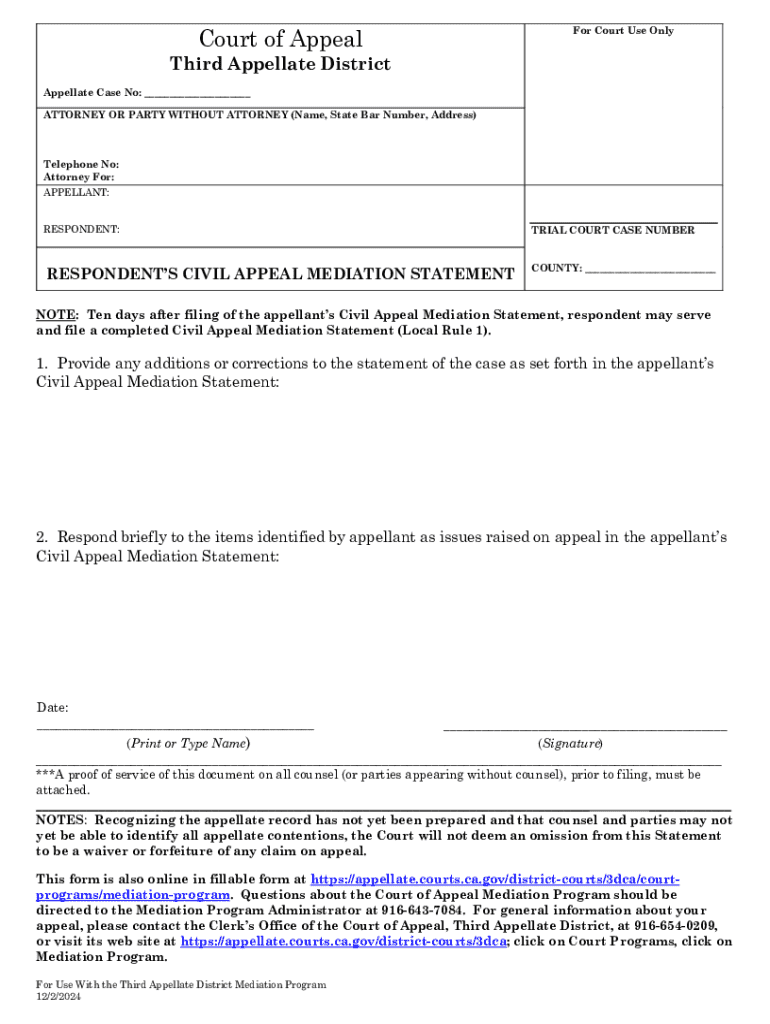
The "Respondent's Civil Appeal Mediation Statement" is a document used in legal proceedings, specifically within the appellate process in civil cases. It is primarily used by the respondent to provide input on the appellant’s mediation statement, enabling a structured dialogue during the mediation phase of an appeal. This document comprises sections that allow the respondent to correct any discrepancies in the case statement presented by the appellant and respond to issues raised therein. The aim is to facilitate a fair and transparent mediation process in civil appeals.
Key Elements of the Respondent's Civil Appeal Mediation Statement
The mediation statement is composed of several crucial sections that respondents need to meticulously complete for an accurate and comprehensive response. Key elements include:
- Case Information: Basic details about the case, such as the case number, court, and involved parties.
- Corrections to Case Statements: A section where respondents can correct any inaccuracies in the appellant's statement.
- Responses to Issues Raised: Allows respondents to address specific issues or claims brought forward by the appellant.
- Contact Information: Contact details for further inquiries about the mediation program.
These elements ensure that respondents have the means to contribute effectively to the mediation process.
Steps to Complete the Respondent's Civil Appeal Mediation Statement
- Review the Appellant's Statement: Begin by thoroughly reviewing the appellant’s mediation statement to identify areas requiring response or correction.
- Fill Out Case Information: Enter the necessary case details accurately, ensuring that all identifiers match the official records.
- Make Corrections: Use the designated section to address any errors in the appellant's case statement.
- Respond to Issues: Articulate your responses to the issues raised by the appellant, ensuring clarity and precise legal argumentation.
- Provide Contact Information: Ensure all contact details are current to facilitate effective communication throughout the appeal process.
- Submit the Document: Follow the appropriate submission method as dictated by the court or jurisdiction involved, whether it's online, through mail, or in person.
This process encourages a comprehensive and organized approach in responding to an appeal.
Importance of the Respondent's Civil Appeal Mediation Statement
Utilizing this document correctly can significantly impact the outcome of a mediation process in a civil appeal. It ensures that the respondent's perspective is heard and considered, which can correct potential misunderstandings or biases that may arise from the appellant’s statement. By clarifying complex legal and factual issues at this stage, the mediation helps prevent prolonged litigation and facilitates a more efficient resolution.
Legal Use of the Respondent's Civil Appeal Mediation Statement
In legal contexts, the Civil Appeal Mediation Statement serves as a formal avenue for respondents to present their side during the appeal's mediation phase. The statement is critical for ensuring that the appellate process is balanced and that both parties' arguments are systematically examined. Legally, it prevents waiving claims if omissions are made and provides structured feedback on the appellant's arguments.
Who Typically Uses the Respondent's Civil Appeal Mediation Statement
The form is predominantly used by respondents involved in civil cases at the appellate level. Lawyers representing respondents will complete the form, ensuring that it encompasses all necessary legal arguments and corrections to the appellant’s statement. This document might be utilized in various civil dispute contexts, from family law appeals to commercial litigation cases.


State-Specific Rules for the Respondent's Civil Appeal Mediation Statement
Rules governing the use and submission of this mediation statement can vary by state. Each state’s appellate courts may have specific guidelines regarding document format, submission deadlines, and procedural requirements. It's essential for respondents and their legal representatives to familiarize themselves with these jurisdiction-specific rules to avoid any procedural missteps that could delay or negatively impact their appeal process.
Form Submission Methods (Online / Mail / In-Person)
Depending on the jurisdiction, this mediation statement can often be submitted through multiple channels:
- Online: Many jurisdictions provide electronic filing systems that allow for the submission of mediation statements directly through a court's official portal.
- Mail: Traditional mail remains an option, requiring timely mailing to satisfy court deadlines.
- In-Person: In some cases, physical submission at the court clerk's office may be required or preferred.
These varied submission methods are designed to accommodate different preferences and technical capabilities of parties involved in the appeal.