







Definition & Meaning
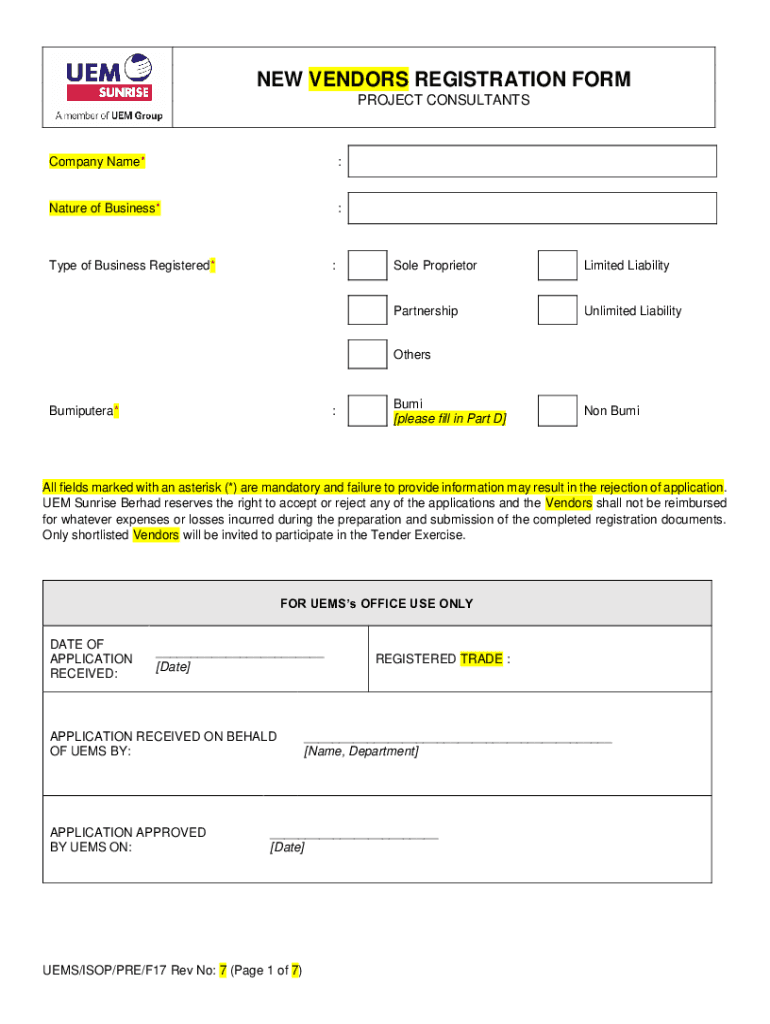
The "New Vendors Registration Form - UEM Sunrise Berhad" is a document utilized by UEM Sunrise Berhad to facilitate the onboarding of new vendors, particularly project consultants. This form serves as a comprehensive resource, collecting all necessary information and documentation required to register a company as a vendor with the organization. It covers details such as company particulars, financial information, director data, and, where applicable, Bumiputera status. This form is crucial for vendors who wish to engage in business activities with UEM Sunrise Berhad, ensuring that the vendor complies with corporate and legal standards.
Steps to Complete the Form
-
Gather Required Information: Before you begin, collect all necessary company details, including registration number, tax information, and banking details. Ensure you have access to financial statements and director information.
-
Fill Out Company Particulars: Provide full legal name, business registration number, and contact information. This section is mandatory and must be accurate to avoid delays.
-
Financial Details: Include key financial data such as annual turnover and net income. Accurate financial representation is critical for assessment and approval.
-
Director Information: List details of company directors, including names, identification, and contact information. This establishes accountability and transparency in business dealings.
-
Bumiputera Status: If applicable, indicate the company's Bumiputera status and provide relevant documentation or certifications.
-
Declarations and Signatures: Complete any declarations required, ensuring that the form is signed by authorized personnel. This step is critical to validate the authenticity of the provided information.
-
Review and Submit: Double-check all information for accuracy. Submit the completed form through the preferred method specified by UEM Sunrise Berhad, such as mail, electronic submission, or in-person delivery.
Required Documents
- Company Registration Certificate: Proof of legal incorporation and operation.
- Financial Statements: Recent audited financial statements providing insight into the company’s financial health.
- Tax Identification Documents: Verification of tax registration and compliance.
- Proof of Bumiputera Status: Documentation required if claiming Bumiputera status.
- Director Identification Proof: Government-issued IDs or equivalent documents for company directors.
Key Elements of the Form
- Company Information: Core details about the business, including name, structure, and contact data.
- Financial and Tax Information: Essential for understanding the company's financial stability and tax compliance.
- Director and Ownership Details: Required for transparency in governance and accountability.
- Bumiputera Affirmation: Section specific for companies claiming this status, critical for eligibility in certain government projects.
- Declarations and Signatures: Final confirmation of the information's authenticity, legally binding through signatures.
Who Typically Uses the Form
Project consultants and businesses seeking to establish a vendor relationship with UEM Sunrise Berhad typically use this form. It is especially relevant for those in construction, design, engineering, and other project-based services. This process ensures all vendors can meet the corporate requirements and engage in a professional partnership with UEM Sunrise.


Legal Use of the Form
Completion and submission of this registration form are legally binding. The form must be filled with honesty and integrity, as any misrepresentation of facts or omission can lead to rejection or legal consequences. It ensures the vendor's adherence to UEM Sunrise’s standards and legal requirements, creating a transparent business environment.
Form Submission Methods
- Online Submission: Through UEM Sunrise’s official vendor registration portal, for those leveraging digital convenience.
- Mail: For vendors preferring physical submission, adhere to provided mailing instructions.
- In-Person Delivery: Direct submission to UEM Sunrise’s procurement office, suitable for proximity-based applications.
Software Compatibility
Electronic submissions of the form can usually be supported by various document management software, including:
- DocHub: Tool for editing and filling forms digitally, ensuring accuracy before submission.
- Adobe Acrobat: For PDF-formatted forms, offers form-fill and saving capabilities.
- Microsoft Word: If an editable form version is available, Word handles most document types effectively.
These applications help streamline the completion and submission process, reducing potential errors and ensuring a smooth registration workflow.
Examples of Using the Form
Consider a project consultancy seeking to partner with UEM Sunrise for a new development. By correctly completing the "New Vendors Registration Form," the consultancy provides all necessary information, enabling a seamless vetting process and fostering trust and collaboration. Accurate presentation of financial data and director details aligns with the corporation's standards, facilitating potential future contracts and engagements.




