






Definition & Meaning
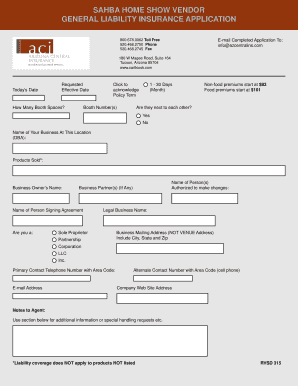
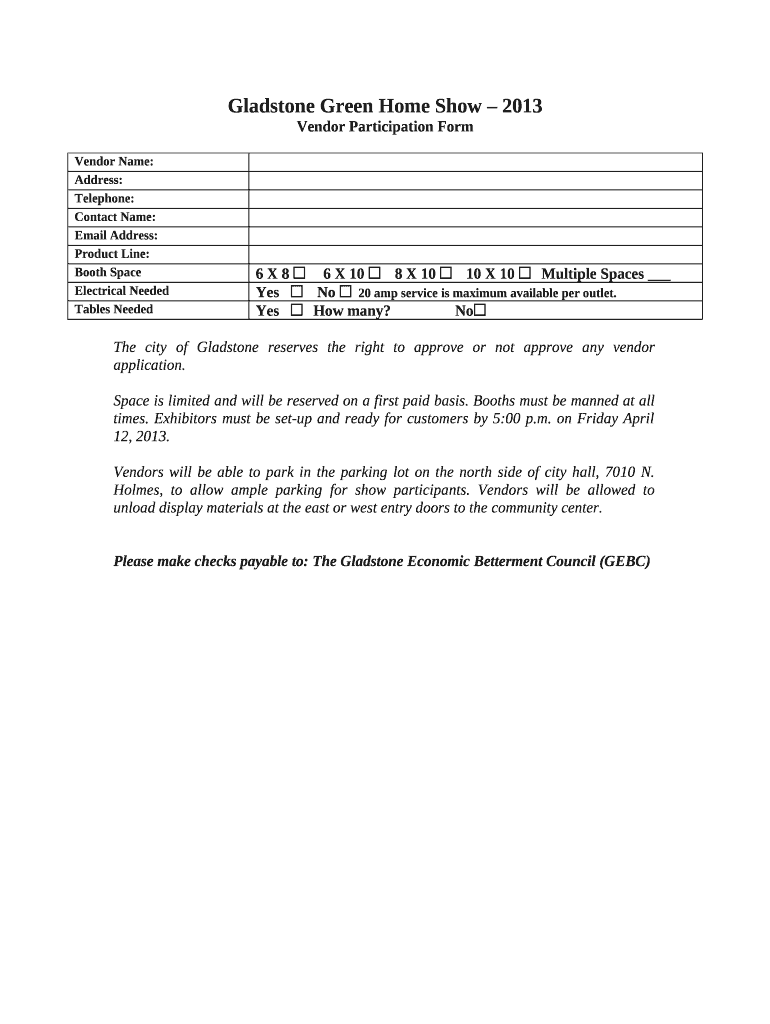
The Vendor Participation Form is an essential document for those entities or individuals looking to participate in events like trade shows, exhibitions, or community gatherings. This form typically serves as a formal agreement between the event organizer and the vendor, stipulating terms such as booth space, fees, and participation requirements. It outlines the obligations and rights of both parties, ensuring clarity and preparedness for a successful event. Vendors utilize this form to officially register their participation, express any specific needs such as electrical access or additional facilities, and commit to the event's guidelines and timelines. This form is instrumental in organizing large-scale events by confirming vendor roles and facilitating a structured setup.
How to Obtain the Vendor Participation Form
Vendors can usually acquire the Vendor Participation Form directly from event organizers. This is often facilitated through an event's official website, where downloadable PDF versions of the form are available. Alternatively, organizers may email the form upon request or as part of the event's initial communication package. Access to the Vendor Participation Form may also be provided via platforms specializing in event management, which streamline the distribution and collection of essential documents. Additionally, forms might be available physically at the organizer's designated offices. As such, vendors should confirm the preferred method of form distribution as part of the registration process, ensuring they receive and complete the form correctly.
Steps to Complete the Vendor Participation Form
- Read Guidelines: Thoroughly review the instructions and guidelines provided with the form to ensure understanding of all requirements.
- Fill Vendor Information: Enter basic details about your business, such as name, contact information, and product or service descriptions.
- Select Booth Preferences: Indicate preferred booth size and location; state additional needs like electricity or internet access.
- Agree to Terms: Carefully read and consent to the event's terms and conditions, often entailing cancellation policies, setup times, and booth maintenance rules.
- Calculate Fees: Determine the total participation cost, including booth space and any additional services, and prepare for payment submission.
- Attach Required Documents: Attach any supplementary documents requested, like product brochures or proof of insurance.
- Submit the Form: Follow the specified submission process, whether online, via mail, or through in-person delivery; ensure that all sections are completed and attachments are included.
Key Elements of the Vendor Participation Form
- Vendor Details: Includes name, address, contact information, and business type.
- Event Details: Specifies event name, date, and location alongside setup and takedown times.
- Booth Specifications: Covers information on booth size and any special arrangements necessary for equipment or display.
- Fee Structure: Details participation fees, booth costs, and additional charges.
- Terms and Conditions: Enumerates the do's and don’ts for vendors, rules about booth conduct, and liability clauses.
- Payment Instructions: Provides instructions for payment method, deadline, and receipt confirmation.
- Title and Signature Section: To be signed by an authorized representative, confirming acceptance of the terms and agreement to participate.
Why Should You Use the Vendor Participation Form?
The Vendor Participation Form is crucial for legal clarity, ensuring both vendors and organizers are aligned on event expectations. It formalizes commitment, providing a reference for conflict resolution if disagreements arise. This form aids in resource planning and allocation for the event, as organizers can ascertain vendor needs in advance. From an operational perspective, the form facilitates a smooth registration process, confirming details about booth allocation and payment tracking. Moreover, it helps vendors assess if the event meets their promotional objectives, given the clear overview of costs and included services. Using the form enhances the logistical planning and execution of the event for all involved parties.
Important Terms Related to Vendor Participation Form
- Booth Allocation: The specific space assigned to a vendor for displaying their products or services.
- Cancellation Policy: Rules governing the withdrawal of a vendor from the event, subject to conditions and refund eligibility.
- Setup and Takedown: Specific times allocated for vendors to arrange and dismantle their booths around the event timeline.
- Liability Waiver: A clause that limits the event organizer's responsibility for vendor losses or damages during the event.
- Exhibitor Services: Additional resources or amenities, like electricity or internet, provided by the event organizers for a fee.
Legal Use of the Vendor Participation Form
The Vendor Participation Form often acts as a binding agreement, setting legal expectations between vendors and event organizers. It delineates the rights and responsibilities of both parties, often including a liability clause to protect organizers from certain damages. When completed and signed by both parties, it may hold legal standing, especially in cases of dispute regarding booth allocations, service delivery, or compliance with event regulations. Additionally, the form may specify jurisdictional stipulations, indicating which state's laws will govern any legal disputes. Ensuring compliance with these terms is essential to avoid legal repercussions.
Form Submission Methods
Vendors typically have several options for submitting the Vendor Participation Form. The most common methods include online submissions through the event's website or via email, allowing for easy tracking and prompt confirmation. Some organizers may still accept submissions by mail, providing a physical mailing address, or, for local vendors, in-person submissions at designated offices. Electronic submission often expedites the process, facilitating immediate feedback or requests for additional information. Understanding the preferred submission method is vital to ensure the form is received and processed in a timely manner, avoiding delays or forfeiture of participation.
Form Variants and Alternatives
Beyond the standard Vendor Participation Form, some events may offer variants tailored to different types of vendors, such as food and beverage providers, artists, or non-profit organizations, reflecting the unique requirements of each category. Additionally, there may be simplified versions for returning vendors, where previously submitted information remains valid. These form variants often aim to accommodate specific regulatory needs, such as health department approvals for food vendors, thereby easing compliance for participants. Such alternatives and custom forms ensure that the documentation process is as efficient and structured as possible to streamline vendor application and participation at diverse events.