




01. Edit your eoir case status online
Type text, add images, blackout confidential details, add comments, highlights and more.

Type text, add images, blackout confidential details, add comments, highlights and more.

Draw your signature, type it, upload its image, or use your mobile device as a signature pad.

Send eoir change of address via email, link, or fax. You can also download it, export it or print it out.

Start using our platform today for free to streamline your eoir change of address process!
At DocHub, your data security is our priority. We follow HIPAA, SOC2, GDPR, and other standards, so you can work on your documents with confidence.
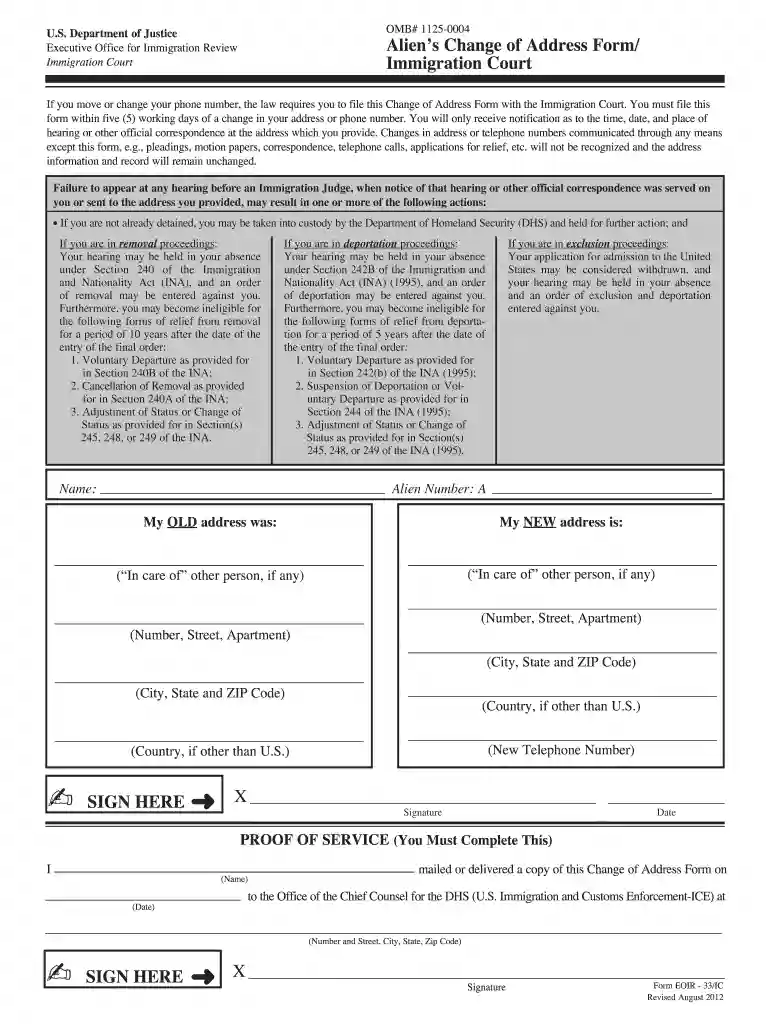
You must file this form with the immigration court within five working days of the change to your contact information, or your receipt of a charging document.Read more
直接存储器存取 (DMA) 控制器. 内核:. 四个 DMA,各配有四条通道. 高性能、低功耗 TMS320C55x 定点数字信号处. 理器. 三个 32 位通用 (GP) 定时器.Read more
(2) Within five days of any change of address, the alien must provide written notice of the change of address on Form EOIR-33 to the Immigration Court where theRead more


