01. Edit your i can't see my ielts result online online
Type text, add images, blackout confidential details, add comments, highlights and more.
02. Sign it in a few clicks
Draw your signature, type it, upload its image, or use your mobile device as a signature pad.
03. Share your form with others
Send idp ielts results pdf via email, link, or fax. You can also download it, export it or print it out.
How to use or fill out online IELTS result with our platform
Ease of Setup
DocHub User Ratings on G2
Ease of Use
DocHub User Ratings on G2
Click ‘Get Form’ to open the online IELTS Enquiry on Results Form in the editor.
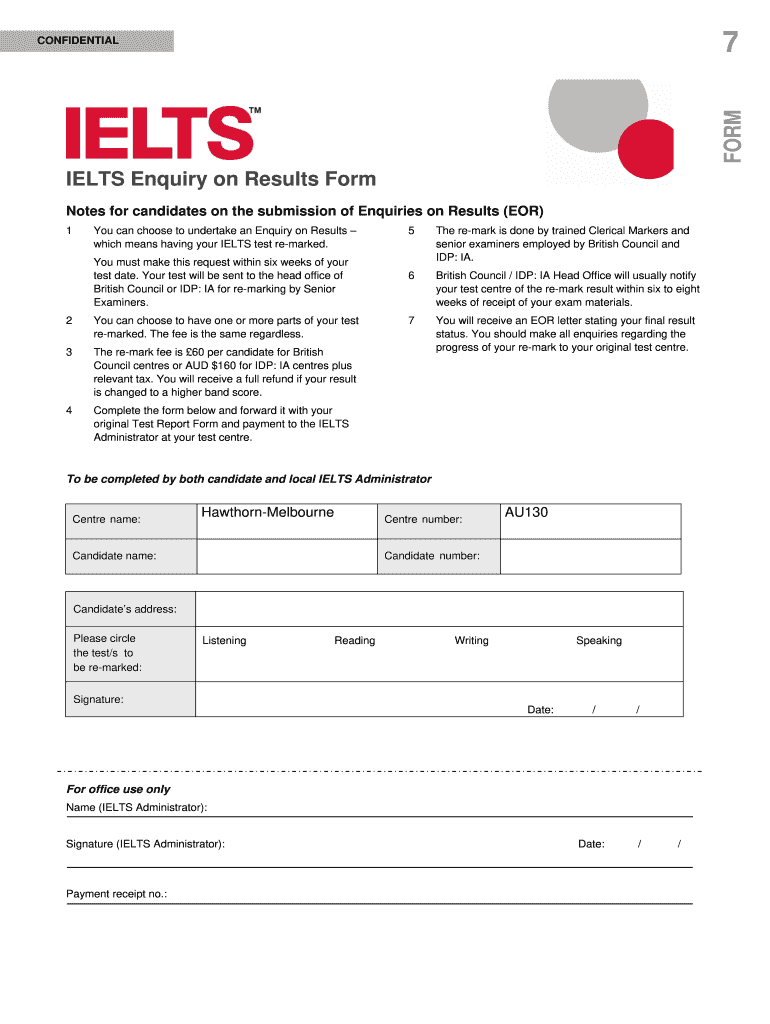
Begin by entering your personal details. Fill in your name, candidate number, and address accurately to ensure proper identification.
Select the test parts you wish to have re-marked by circling 'Listening', 'Reading', 'Writing', or 'Speaking'. You can choose one or multiple sections.
Sign and date the form. Ensure that both fields are completed as they are essential for processing your enquiry.
Attach your original Test Report Form and payment details. Make sure to check the fee applicable for your test centre before submission.
Once completed, forward the form to the IELTS Administrator at your test centre for processing.
Start using our platform today for free to streamline your IELTS result enquiry process!
IELTS result loginCheck IELTS resultBritish Council IELTS result check onlineIELTS result check British CouncilIDP IELTS result TRF downloadBritish Council result check onlineCheck IELTS result with TRF numberIELTS results service
Security and compliance
At DocHub, your data security is our priority. We follow HIPAA, SOC2, GDPR, and other standards, so you can work on your documents with confidence.
See your IELTS Results online. Score results are available online 13 days after your paper-based test or 1-5 days after your computer-delivered test.Read more
by A Score Cited by 3 The study reported here provides IELTS AcademicTOEFL iBT concordance tables for each test section score (Reading, Listening, Speaking, and Writing) and theRead more
Cookie consent notice
This site uses cookies to enhance site navigation and personalize your experience.
By using this site you agree to our use of cookies as described in our Privacy Notice.
You can modify your selections by visiting our Cookie and Advertising Notice.