




01. Edit your form online
Type text, add images, blackout confidential details, add comments, highlights and more.

Type text, add images, blackout confidential details, add comments, highlights and more.

Draw your signature, type it, upload its image, or use your mobile device as a signature pad.

Send it via email, link, or fax. You can also download it, export it or print it out.
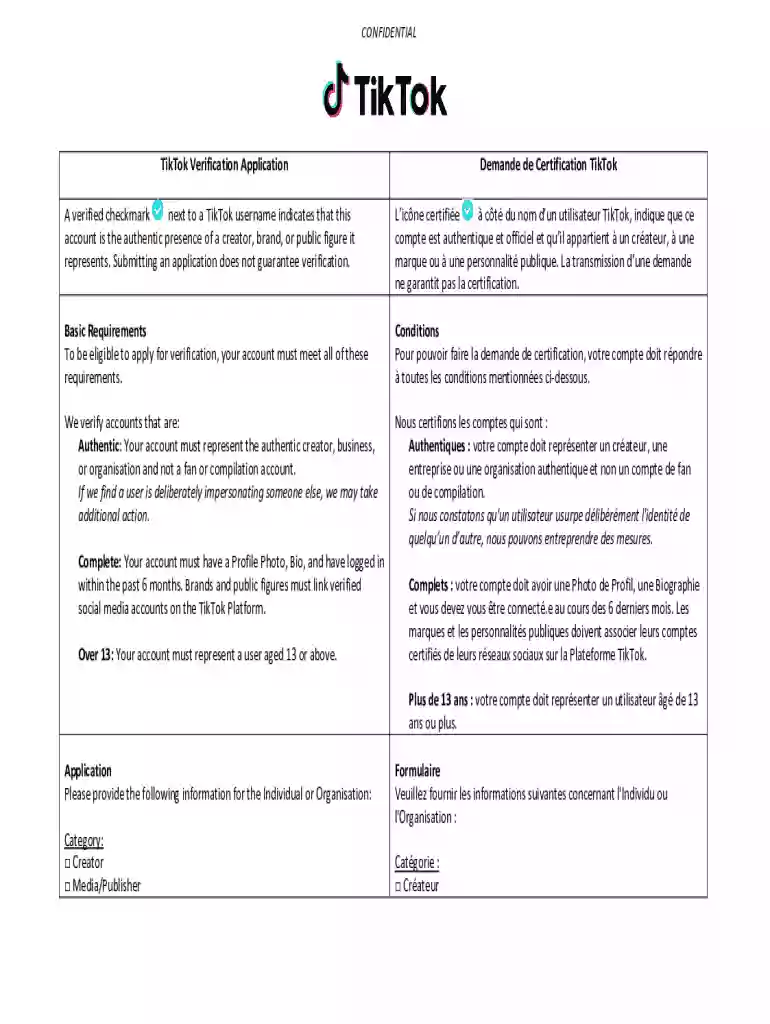
The TikTok verification application is a formal process through which users of the TikTok platform can request official account verification. Verification is symbolized by a blue checkmark next to the account name, indicating authenticity. This process is designed to confirm the identity of prominent users, including public figures, brands, and creators, ensuring their audience that the content they are viewing comes from a legitimate source.
The application involves a set of criteria, primarily focusing on factors such as authenticity, completeness of profile details, and age restrictions. An applicant must demonstrate that their account is original and not an impersonation. Verification does not guarantee increased visibility on the platform, but it does enhance credibility and trust from the audience.
To use the TikTok verification application, account holders must prepare by ensuring that their account meets TikTok’s baseline eligibility criteria. These typically include maintaining a substantial follower count, being active on the platform with regular content updates, and complying with TikTok’s community guidelines and terms of service.
The application process itself is relatively straightforward. Users need to navigate to their account settings, find the option for verification requests, and fill out the necessary form. This form will require personal information to verify the applicant's identity. TikTok often requests government-issued identification to authenticate the application. Providing accurate and complete information will increase the chances of success.
Verify Profile Information:
Account Activity:
Application Access:
Provide Identification:
Submit Application:
Await Confirmation:
Authenticity: Refers to the requirement for the applicant to prove that they are the genuine owner of the account in question.
Verification Badge: The official blue checkmark shown next to a verified account’s name.
Profile Completeness: Ensures that all parts of the account, such as profile picture and bio, are filled out accurately.
Identity Verification: Process requiring documents like a passport or driver’s license to prove the user’s identity.
User Identification: Legal documents confirming the identity of the account owner.
Follower Engagement: Evidence of an active audience and significant interaction with content.
Content Originality: The account must predominantly feature original content produced by the applicant.
Compliance with Community Guidelines: Strict adherence to TikTok’s platform rules and policies.
The application process for TikTok verification involves careful preparation and submission of relevant documents and information. After the application is submitted, TikTok evaluates each request on a case-by-case basis. Generally, the review process can take anywhere from a few days to two weeks. During this time, TikTok assesses not only the documentation provided but also the user's adherence to community guidelines and the overall impact and reach of the account.
Submitting false information or otherwise attempting to deceive TikTok during the verification process can result in serious consequences, including account suspension or outright denial of future verification requests. It's vital that users provide accurate data and avoid any form of manipulation to maintain their standing on the platform.
Applicants must be prepared to submit various personal documents, including but not limited to:
Government-issued ID: Such as a passport, driver's license, or state ID.
Proof of Account Ownership: This may entail screenshots of connected social media platforms where you are already verified.
Providing these documents aids in a robust verification process that ensures both the security of the platform and trustworthiness to the TikTok community.
At DocHub, your data security is our priority. We follow HIPAA, SOC2, GDPR, and other standards, so you can work on your documents with confidence.


No, you cannot request verification on TikTok. However, they select your account and confer a verified status based on your activity, engagement rates, etc. CanRead more
Attorney General Sunday Announces Lawsuit Against TikTok for Misrepresentations that Permit Age-13+ Rating in App Stores. AUGUST 11, 2026 Technology Read more


