Ohio state unemployment forms 2026

Get Form
unemployment login weekly claim Preview on Page 1

Here's how it works

01. Edit your unemployment login weekly claim online
Type text, add images, blackout confidential details, add comments, highlights and more.
02. Sign it in a few clicks
Draw your signature, type it, upload its image, or use your mobile device as a signature pad.
03. Share your form with others
Send ohio unemployment login via email, link, or fax. You can also download it, export it or print it out.

How to use or fill out Ohio State Unemployment Forms with Our Platform

Form edit decoration
9.5
Ease of Setup
DocHub User Ratings on G2
9.0
Ease of Use
DocHub User Ratings on G2
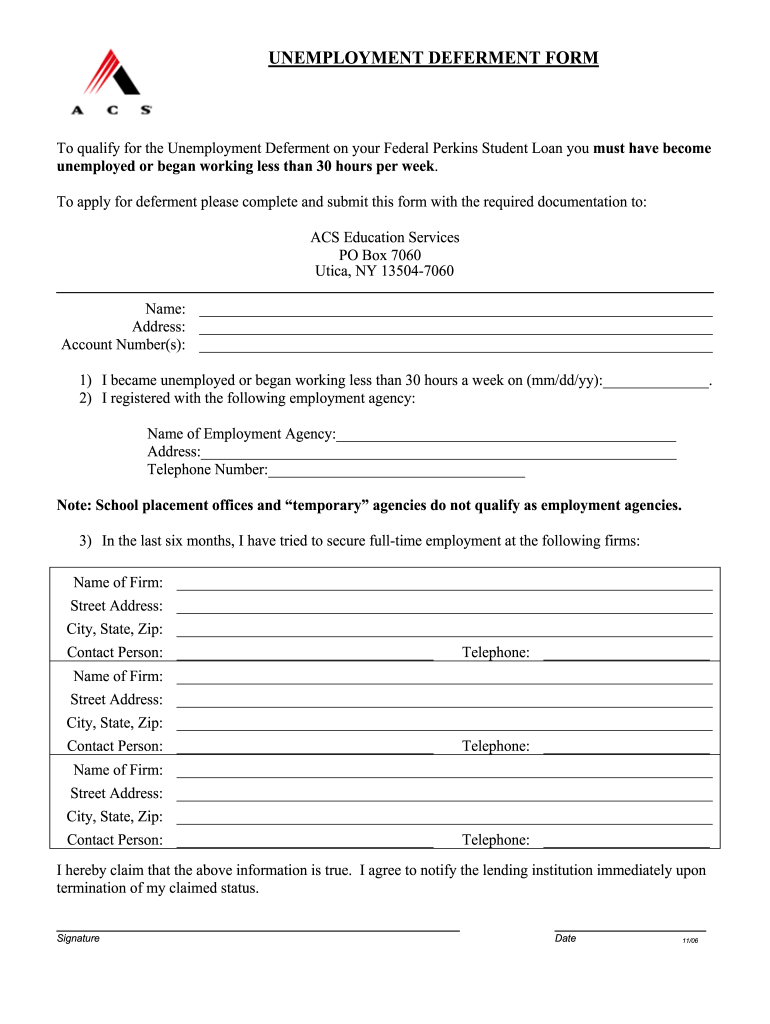
  1. Click ‘Get Form’ to open the Ohio State Unemployment Deferment Form in the editor.
  2. Begin by entering your personal information, including your name and address, in the designated fields.
  3. Fill in your account number(s) accurately to ensure proper identification of your loan.
  4. Indicate the date you became unemployed or started working less than 30 hours a week by filling in the mm/dd/yy format.
  5. Provide details of the employment agency you registered with, including its name, address, and telephone number. Remember that school placement offices do not qualify.
  6. List any firms where you have sought full-time employment in the last six months. Include their names, addresses, contact persons, and telephone numbers for each firm.
  7. Review all entered information for accuracy before signing and dating the form at the bottom.

Start using our platform today to fill out your Ohio State Unemployment Forms easily and for free!

be ready to get more

Complete this form in 5 minutes or less

Get form

Got questions?

We have answers to the most popular questions from our customers. If you can't find an answer to your question, please contact us.
Contact us
The Opportunity Cost While you remain on unemployment, other job seekers are taking jobs, learning new skills, growing their network, and getting promoted. You also miss out on the opportunity to establish yourself as a serious employee and gain the experience you need to be successful in your career.
Be prepared to provide the following information when you file a new application: Your Social Security number and drivers license (or state ID) number. The Social Security numbers and dates of birth of any dependents, including children and your spouse.
To apply online, go to unemployment.ohio.gov and follow the steps listed below. If you dont have access to a computer, you can apply by calling 1-877-644-6562. Call center hours are 8 a.m. to 5 p.m. Monday through Friday. Note that it is not possible to apply for unemployment benefits in person.
be ready to get more

Complete this form in 5 minutes or less

Get form