Real Estate Title Standards - Nebraska State Bar Association 2026

Get Form
nebraska title standards Preview on Page 1

Here's how it works

01. Edit your nebraska title standards online
Type text, add images, blackout confidential details, add comments, highlights and more.
02. Sign it in a few clicks
Draw your signature, type it, upload its image, or use your mobile device as a signature pad.
03. Share your form with others
Send title standards via email, link, or fax. You can also download it, export it or print it out.

How to use or fill out Real Estate Title Standards - Nebraska State Bar Association with our platform

Form edit decoration
9.5
Ease of Setup
DocHub User Ratings on G2
9.0
Ease of Use
DocHub User Ratings on G2
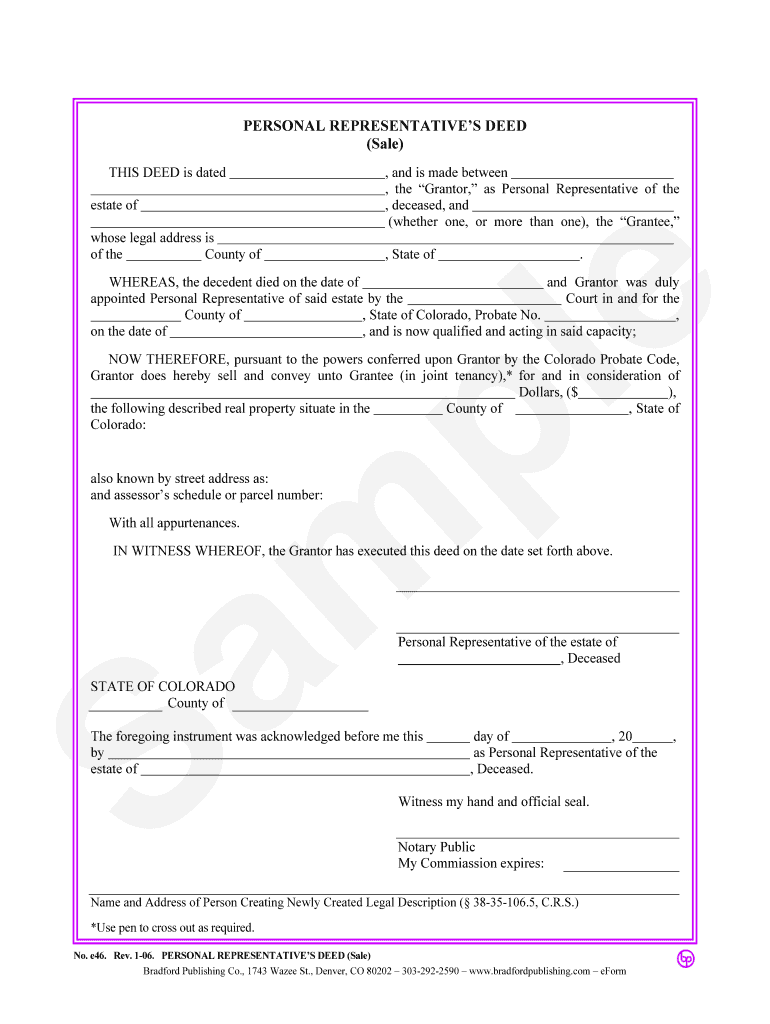
  1. Click ‘Get Form’ to open the Real Estate Title Standards document in the editor.
  2. Begin by entering the date of the deed at the top of the form. This is crucial for establishing the timeline of the transaction.
  3. Fill in the legal address of the estate and specify the county where it is located. Ensure accuracy to avoid any legal complications.
  4. Identify yourself as the Grantor, providing your name and confirming your role as Personal Representative of the deceased's estate.
  5. Complete details regarding the decedent, including their date of death and probate information, which validates your authority to act on behalf of the estate.
  6. Specify the consideration amount for the property being conveyed, ensuring it reflects any agreed-upon terms between parties.
  7. Describe the real property being sold, including its street address and parcel number, to ensure clear identification.
  8. Finally, sign and date the document as Grantor. If required, have it acknowledged by a notary public to finalize its legality.

Start using our platform today for free to streamline your document editing and signing process!

be ready to get more

Complete this form in 5 minutes or less

Get form

Got questions?

We have answers to the most popular questions from our customers. If you can't find an answer to your question, please contact us.
Contact us

You need to use only trusted software solutions with strong data protection compliance to approve your paperwork electronically. DocHub is just the type of service you need! It stores data on Amazon Web Servers and complies with all necessary security requirements and eSignature regulations, so it’s a trusted way to eSign your Real Estate Title Standards - Nebraska State Bar Association or other documents with this tool.

With DocHub, you have several convenient methods to edit your Real Estate Title Standards - Nebraska State Bar Association online. You can drag and drop the form and edit it straight at the DocHub website or use our browser extension to fill out your form immediately. On top of that, you can edit your PDF on your phone, as DocHub is compatible with all the accessible mobile platforms.

Security and compliance

At DocHub, your data security is our priority. We follow HIPAA, SOC2, GDPR, and other standards, so you can work on your documents with confidence.

Learn more
ccpa2
pci-dss
gdpr-compliance
hipaa
soc-compliance
be ready to get more

Complete this form in 5 minutes or less

Get form