




Here's how it works



How to use or fill out school escrow association scholarship application with our platform

- Click ‘Get Form’ to open the school escrow association scholarship application in the editor.
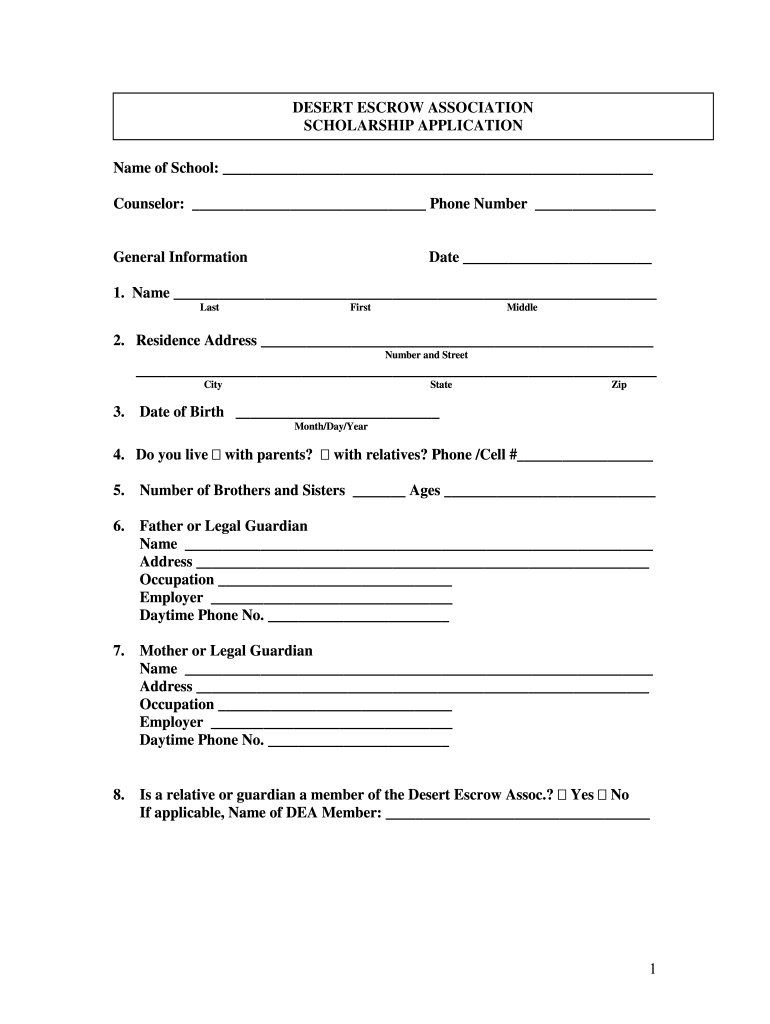
- Begin by filling in your personal information. Enter your name, residence address, and date of birth in the designated fields. Ensure accuracy as this information is crucial for identification.
- Next, provide details about your family background. Indicate whether you live with parents or relatives and list the number of siblings along with their ages.
- Complete the sections regarding your parents or guardians, including their names, addresses, occupations, and contact numbers. This information helps the committee understand your support system.
- In the education section, list your high school graduation date and your college choices for the upcoming year. Be sure to include a proposed major and a brief description of your future plans.
- Detail your high school activities, work experience, and any honors received. This showcases your involvement and achievements to the scholarship committee.
- Finally, attach any required documents such as a photograph and transcripts. Review all entries for completeness before submitting.
Start using our platform today to easily complete your scholarship application online for free!
It's free
Got questions?
How can I generate an electronic signature on my school escrow association scholarship application from Google Chrome?
Managing your forms with DocHub this way is extremely straightforward after you have downloaded its extension for Google Chrome. Navigate to the Chrome Web Store and install DocHub - Sign PDF from Gmail to obtain it. Give our tool access to your Google account, and then open an email with the school escrow association scholarship application attached and point to the file with your cursor - the DocHub extension key will automatically show up there. Click on it to open your document in our editor. Make any essential edits, complete the blanks, and click Sign to create your legally-binding eSignature.
How do you edit school escrow association scholarship application from Google Drive?
If you store your paperwork in Google Drive, there is no need to download your school escrow association scholarship application on your computer and upload it back to our editor. A much simpler way is to install a browser extension created by DocHub to streamline this flow. The extension allows editing PDFs right in your browser. Alternatively, you may integrate your DocHub and Gmail accounts for more efficient editing.
Security and compliance
At DocHub, your data security is our priority. We follow HIPAA, SOC2, GDPR, and other standards, so you can work on your documents with confidence.
Learn more




