




Here's how it works



How to use or fill out louis armstrong worksheet pdf with our platform

- Click ‘Get Form’ to open the louis armstrong worksheet PDF in the editor.
- Begin by entering your name and date at the top of the form. This personalizes your worksheet and helps keep track of submissions.
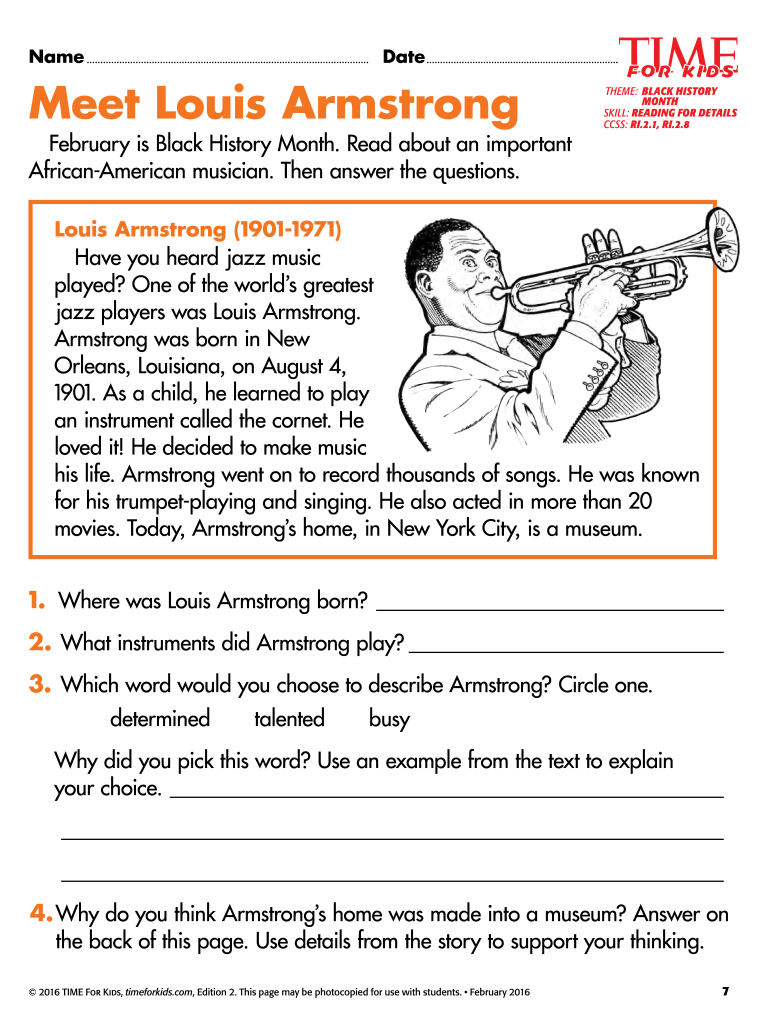
- Read through the provided text about Louis Armstrong carefully. This section contains important details that will help you answer the questions accurately.
- For question 1, type in the location where Louis Armstrong was born. Refer back to the text for this information.
- In question 2, list the instruments that Armstrong played. Make sure to check the text for any specific mentions.
- For question 3, circle one word that best describes Armstrong from the options given. You can use our platform's editing tools to easily make this selection.
- In question 4, provide a thoughtful response on why you think Armstrong’s home became a museum. Use details from the text to support your answer, writing on the back if necessary.
Start using our platform today to fill out your louis armstrong worksheet PDF for free!
It's free
Got questions?
How do I sign my jazz worksheets pdf for free?
Most eSignature services require users to have a paid subscription. With DocHub, there are two ways for you to add an electronic signature to your jazz worksheets pdf at no cost:
- You can do it during a 7-day trial period;
- You can sign up for a free plan.
The second option, though, has limitations on the number of signatures, sign requests, emails, and documents for editing available per month. You can check for full information here.
How do you get jazz history worksheets pdf for my state?
If you are looking for a state-specific jazz history worksheets pdf sample, you will find it in our DocHub Forms & Templates catalog. Use the search field, enter your form’s name, and search through the results for your state. You may also filter out irrelevant results while exploring our catalog by categories.
Security and compliance
At DocHub, your data security is our priority. We follow HIPAA, SOC2, GDPR, and other standards, so you can work on your documents with confidence.
Learn more




