






Definition & Meaning
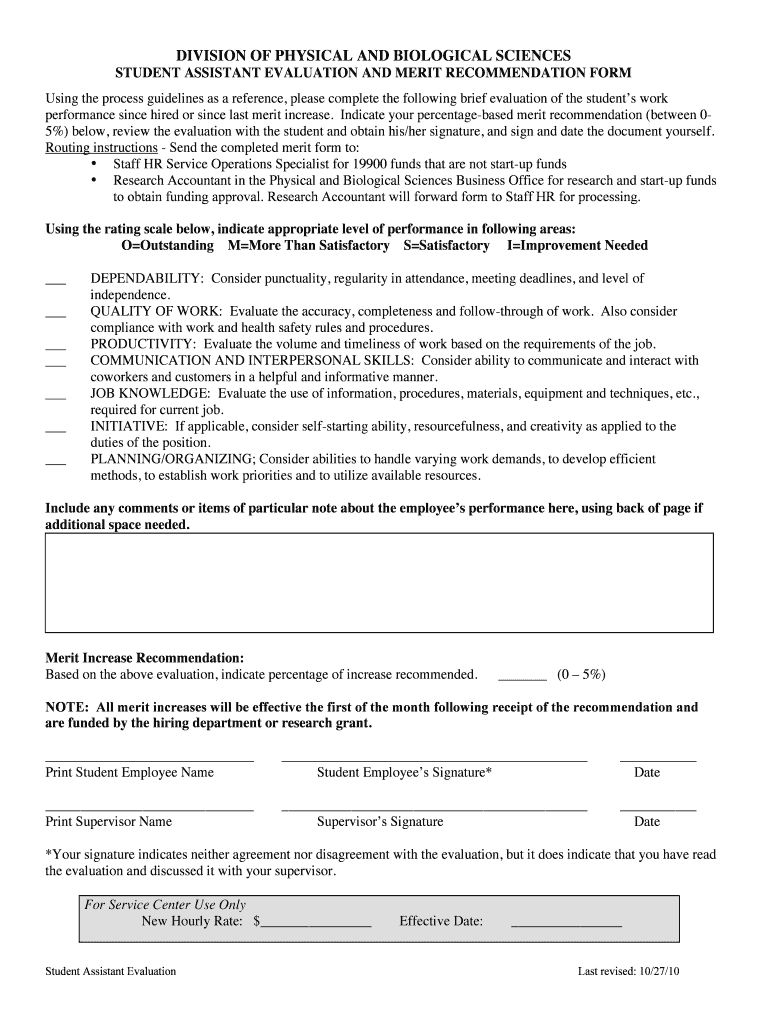
The "Form (PDF) - Business Office" is a structured document widely used within business operations to facilitate the smooth handling of administrative tasks and financial documentation. It primarily functions as a tool to streamline processes in a business office by organizing data, tracking transactions, or maintaining records. These forms often encompass a range of templates tailored to different needs, including budget proposals, transaction records, and personnel evaluations.
In practical terms, such a form consolidates essential business information into one accessible document, which simplifies internal communication and adherence to organizational protocols. It serves as a pivotal component in managing office workflows effectively, ensuring that all necessary data is harmonized and readily available for decision-making processes.
Steps to Complete the Form (PDF) - Business Office
-
Gather Required Information: Before completing the form, collect all necessary documents and data, such as employee details, financial entries, and departmental budgets.
-
Review Form Instructions: Read any instructions included with the form carefully to understand specific requirements or sections that must be completed.
-
Fill Out General Information: Start by entering basic details, such as the business name, date, and any identification numbers required.
-
Complete Specific Sections: Address each section of the form thoroughly. For financial documents, this may involve entering figures, while employee-related forms require personal and role-specific information.
-
Attach Supporting Documents: If required, attach any supporting documentation, like receipts or reports, to corroborate the information.
-
Review and Verify Entries: After completing the form, review it to ensure accuracy and completeness, making any necessary corrections.
-
Obtain Necessary Approvals: Depending on the form type, secure any required signatures or approvals from relevant personnel or departments.
-
Submit the Form: Finally, submit the form through the designated channel, whether online, by mail, or in person, as specified.
Why Should You Use Form (PDF) - Business Office
Implementing the "Form (PDF) - Business Office" within your organization can lead to several positive outcomes. Foremost, it promotes organizational consistency by standardizing procedures across different departments, making it easier to track and manage workflows. This standardization also enhances transparency, as all stakeholders have access to the same structured information.
Additionally, using such forms can minimize errors since they often provide precise fields for each required data point, reminding users to fill out all necessary information before proceeding. This reliability is crucial for maintaining accurate business records, legal compliance, and efficiency in operations.
Key Elements of the Form (PDF) - Business Office
- Header Section: Includes business identification information such as name, address, and contact details.
- Data Entry Fields: Structured areas for inputting detailed information, customized according to the form's purpose (e.g., budget figures, personnel details).
- Instructions: Clear guidelines to assist users in correctly completing each section.
- Signature Line: Space for necessary authorizations or consents from relevant parties.
- Attachment Section: Designated area or instructions on how to attach supplementary documents.
- Footer Information: May contain additional notes, reference numbers, or disclaimers pertinent to the form's usage.
Who Typically Uses the Form (PDF) - Business Office
These forms are primarily utilized by office administrators, accountants, HR personnel, and managers engaged in business operations. Their role in facilitating communication and documentation across various departments makes them invaluable tools for ensuring seamless interactions in a business office environment. Business owners and executives might also use these forms to review and approve financial plans, personnel evaluations, and other critical documents to guide decision-making processes.


How to Obtain the Form (PDF) - Business Office
Accessing the "Form (PDF) - Business Office" can typically be done via several methods:
- Online Platforms: Many businesses utilize platforms like DocHub to generate and fill out PDF forms with ease. Through such services, users can download specific templates that meet their business needs.
- Company Intranet: Organizations often house these forms on internal networks where employees can access them as needed.
- Manual Distribution: In some cases, forms may be distributed in meetings or upon request by office management for specific processes.
- Email Requests: Businesses might provide forms in response to emailed requests from internal departments or external partners.
State-Specific Rules for the Form (PDF) - Business Office
State regulations may affect how business forms are completed and filed, particularly if they involve financial disclosures, employee records, or taxation information. Companies operating in multiple states must ensure compliance with each state’s specific rules concerning the data collection and documentation processes.
For example, forms related to financial transactions may have distinct reporting and recording requirements determined by state tax laws. Similarly, HR forms must adhere to statewide labor regulations for information confidentiality and employee rights.
Legal Use of the Form (PDF) - Business Office
The "Form (PDF) - Business Office" must be utilized within the boundaries of applicable laws and business regulations to protect the organization and its employees. This includes data privacy laws, which require secure handling and storage of personal information collected via these forms. Legal compliance is essential not only to avoid penalties but also to maintain the integrity and confidentiality of sensitive business and personnel data.
To ensure proper use, companies often integrate compliance checks into form submission processes and provide employee training on legal requirements associated with form completion and handling.