01. Edit your form online
Type text, add images, blackout confidential details, add comments, highlights and more.

Type text, add images, blackout confidential details, add comments, highlights and more.

Draw your signature, type it, upload its image, or use your mobile device as a signature pad.

Send it via email, link, or fax. You can also download it, export it or print it out.
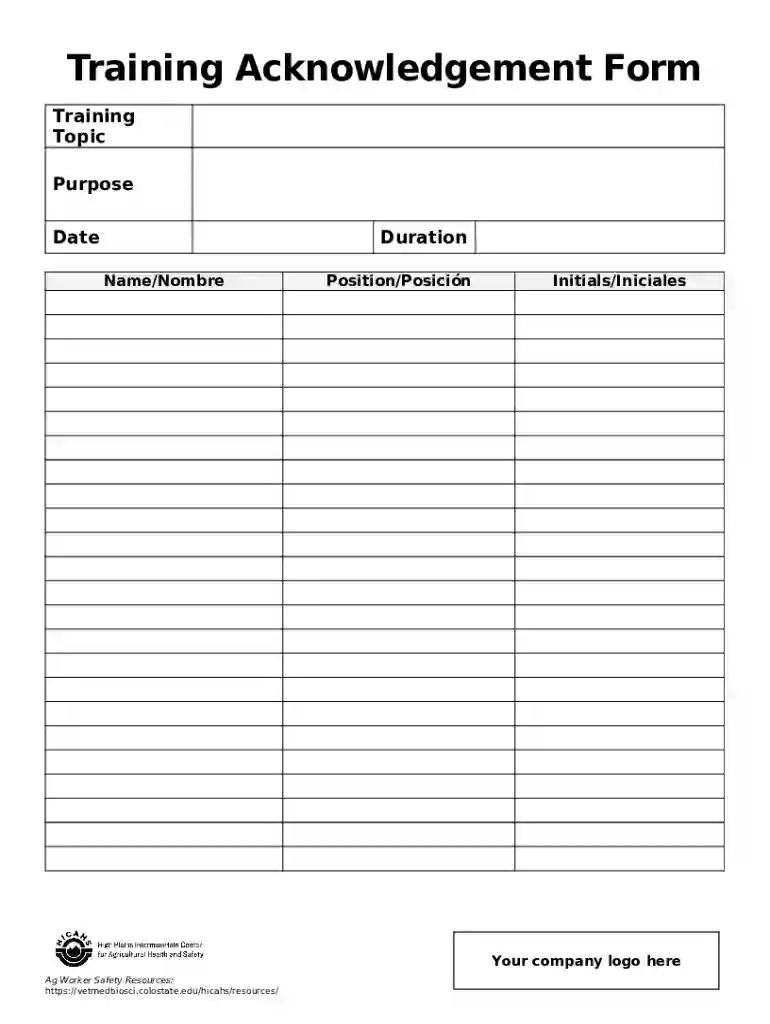
The "Training Acknowledgement Form Template for Google Forms" is essentially a standardized digital document utilized for capturing acknowledgements from participants who have completed a specific training session. This type of form records critical information such as the training topic, purpose, date, duration, participant's name and position, as well as the facilitator's name and signature. The use of Google Forms for creating such a template offers the benefits of easy accessibility and streamlined data collection, making it an effective solution for organizations looking to monitor and document training activities.
To use the Training Acknowledgement Form Template in Google Forms, organizations should start by customizing the template to fit their specific training needs. First, access the template through Google Forms and make a copy to personalize. Then, edit the fields to include relevant details such as training topics, dates, and facilitator information. Add sections where participants can input their name, position, and any other relevant data. Once the form is set up, distribute the link to participants via email or embed it on your organization's internal portal for easy access. This method allows for real-time data collection and easy tracking of participant acknowledgement.
A company conducting mandatory compliance training can distribute the Training Acknowledgement Form Template to gather confirmations from all employees. Additionally, a university might use the form after workshops to ensure students have understood the presented material. Such examples illustrate how varied organizations can employ the template to suit their specific acknowledgment needs across different scenarios.
In the United States, the use of a Training Acknowledgement Form is a recognized method of documenting that participants have received necessary training, which may be essential in compliance audits or certificate issuance processes. Electronic signatures captured through platforms like Google Forms or DocHub are legally binding under the ESIGN Act, providing assurance that the acknowledgments collected are legitimate and enforceable.
The Training Acknowledgement Form Template is fully compatible with Google Workspace, which facilitates seamless use with Google Drive, Docs, and Sheets. Additionally, it integrates effectively with third-party applications such as DocHub for more advanced document editing and signing features. This compatibility ensures a smooth workflow for users within different digital ecosystems, enhancing overall efficiency and accessibility.
The digital version of the Training Acknowledgement Form offered through Google Forms provides distinct advantages over paper versions. Digitally capturing acknowledgments is quicker, more reliable, and environmentally friendly. It enables immediate data accessibility and compilation, reducing time spent on manual entry and minimizing errors. In contrast, paper forms can be cumbersome to manage, store, or retrieve, particularly in large volumes.
Organizations across various sectors, including corporate businesses, educational institutions, and government agencies, typically use this form. Human resources departments often employ it to ensure compliance with company training mandates. Learning and development teams also leverage this tool to collect feedback and closure on training programs, ensuring that participants have duly acknowledged their learnings.


At DocHub, your data security is our priority. We follow HIPAA, SOC2, GDPR, and other standards, so you can work on your documents with confidence.