01. Edit your consent letter for oci application online
Type text, add images, blackout confidential details, add comments, highlights and more.
02. Sign it in a few clicks
Draw your signature, type it, upload its image, or use your mobile device as a signature pad.
03. Share your form with others
Send form of the medicine via email, link, or fax. You can also download it, export it or print it out.
How to use or fill out medicine schedule form with our platform
Ease of Setup
DocHub User Ratings on G2
Ease of Use
DocHub User Ratings on G2
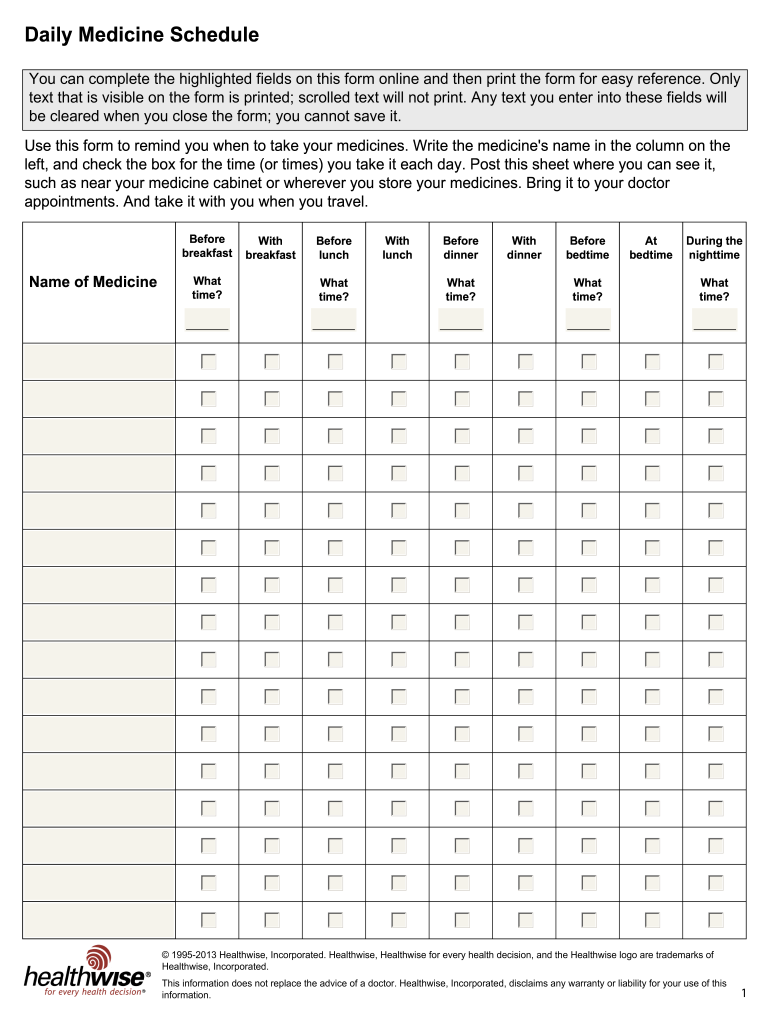
Click ‘Get Form’ to open the Daily Medicine Schedule in the editor.
In the first column, enter the name of each medicine you take. This helps keep track of your medications.
For each medicine, check the corresponding boxes for the times you take them: before breakfast, with breakfast, before lunch, and so on. This visual reminder will assist you in adhering to your schedule.
Make sure to note any specific times in the 'What time?' fields next to each meal or bedtime entry. This ensures clarity on when to take each medication.
Once completed, print the form for easy reference. Place it somewhere visible, like near your medicine cabinet.
Start using our platform today for free and streamline your medicine management!
Medicine requires eight weeks of advance notice. If an elective is not on a students COM schedule prior to the start date, they will not receive credit for it.Read more
The therapy must be an integral component of a documented medical treatment plan and ordered in writing by an authorized practitioner. It is theRead more
Cookie consent notice
This site uses cookies to enhance site navigation and personalize your experience.
By using this site you agree to our use of cookies as described in our Privacy Notice.
You can modify your selections by visiting our Cookie and Advertising Notice.