Definition & Meaning
The term "form online" refers to the digital version of documents or questionnaires that can be accessed and completed via the internet. This method allows individuals and organizations to fill out forms electronically without the need for printed versions, ensuring a more efficient and environmentally friendly approach. Forms online can encompass a wide array of applications, from government documents to personal data collection.
Types of Forms Available Online
- Government Forms: These include tax returns, visa applications, and social services documents.
- Business Forms: Corporate filings, employment applications, and HR-related paperwork.
- Educational Forms: Student application forms, financial aid documents, and course registration forms.
- Health-Related Forms: Medical history or consent forms for procedures.
Significance
- Reduces paper usage, contributing to environmental conservation.
- Increases accessibility, allowing users from remote locations to fill forms without physical travel.
- Enhances data accuracy by incorporating validation checks to ensure the information is correctly entered.
How to Use the Form Online
Using forms online involves accessing a digital platform where these forms are hosted, filling them out directly on the web interface, and sometimes submitting them online. The process is typically designed to be intuitive, enhancing user experience while minimizing the need for technical expertise.
Basic Steps
- Access the Form: Go to the official website or platform that hosts the form.
- Fill Out the Form: Enter required information in the provided fields; many forms offer error-checking features.
- Review Your Entries: Check for any errors or omissions that need to be corrected before submission.
- Submit the Form: Use the "submit" button (if completing online forms) or follow instructions for printing and mailing if necessary.
Considerations
- Ensure you have a stable internet connection to avoid interruptions during the process.
- Have any required documents or information on hand to facilitate seamless form completion.
Steps to Complete the Form Online
Completing forms online typically involves a structured, step-by-step approach to ensure all necessary sections are accurately filled out.
Detailed Breakdown
Preparation:
- Gather all relevant documents and information needed for the form, such as identification details or financial records.
Navigation:
- Familiarize yourself with the layout of the online form, noting mandatory fields and optional sections.
Input:
- Carefully enter information into the respective fields, paying close attention to requirements for formats (e.g., date formats, SSNs).
Verification:
- Use built-in tools to validate entries, ensuring data correctness and completeness.
Submission:
- After reviewing all information, submit the form. Ensure you receive confirmation of submission either via email or on-screen notification.
Follow-Up:
- Keep records of your submission and any confirmation numbers or emails received, these will be crucial for any future inquiries or follow-ups.
Legal Use of the Form Online
Understanding the legality of online forms is crucial, especially for documents concerning personal, corporate, or governmental matters. Many forms completed online are legally binding, with the same validity as their paper counterparts.
Compliance
- E-Signature Legislation: Forms completed online often require electronic signatures, which are legally binding under U.S. laws such as the ESIGN Act.
- Data Protection Laws: Ensure the online platform complies with data protection regulations like GDPR or CCPA to safeguard personal information.
Benefits
- Authenticity and non-repudiation through audit trails and checks built into many online form systems.
- Time efficiency by eliminating the need for physical signatures and document mailing.
Key Elements of the Form Online
Each form online has specific components designed to capture information accurately and comprehensively.
Typical Components
- Title and Purpose: Clear identification of the form type and its intended application.
- Personal Information Section: Fields for name, address, contact information, and other identifying details.
- Form-Specific Sections: Depending on the purpose, areas for financial, legal, or health information may be included.
- Sign-off: A section for electronic signature or approval to confirm the information provided is accurate.
Enhancing Clarity
- Use clear instructions to guide form fillout.
- Include examples or tooltips where necessary to clarify complex fields.
Sectoral Differences
- Government: Citizens use online forms extensively for tax filings, social security applications, and other administrative purposes.
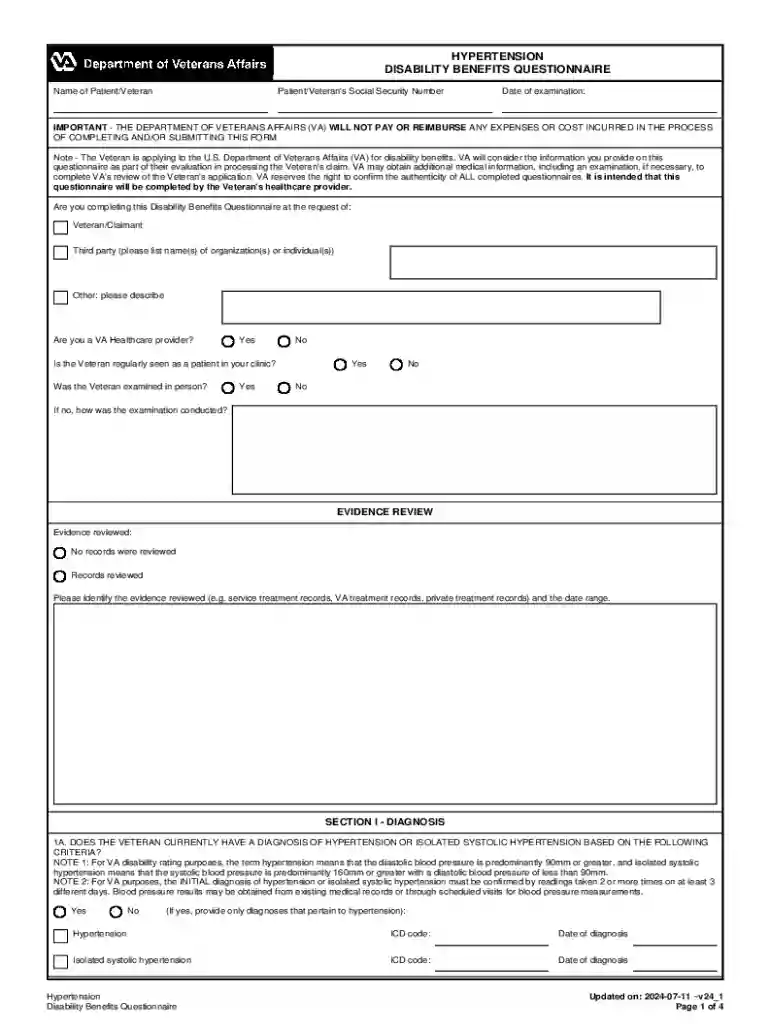
- Healthcare: Patients and providers use forms online for scheduling, billing, and medical data collection.
State-Specific Rules for the Form Online
The use of online forms can vary based on state regulations, which may impose specific requirements or additional steps for online submissions.
Potential Variations
- Notarization Requirements: Some states may require online forms to be notarized digitally, involving extra steps.
- Filing Fees: Online submission might necessitate different fee structures compared to paper-based submissions.
- Specific Deadlines: Compliance with state-imposed deadlines for submission of certain forms can vary.
Importance of Compliance
- Being aware of state-specific regulations ensures timely and accepted form submission.
- Access state governmental resources or online platforms offering guidance on compliance.
Examples of Using the Form Online
Forms online are widely used across diverse scenarios, demonstrating their flexibility and utility.
Real-World Applications
- Job Applications: Many employers now require online forms for employment applications, which streamline the recruitment process.
- Tax Filing: Individuals and businesses increasingly use e-forms for IRS submissions, making the tax filing process more efficient.
- Vendor Registrations: Companies often require vendors to fill out forms online to initiate service contracts or partnerships.
Case Studies
- A Large Corporation: Implemented online forms to handle employee records, which reduced processing time by 50% and improved accuracy.
- A Healthcare Provider: Transitioned to using online forms for patient intake, increasing the number of patients processed daily without the need for additional administrative staff.
With these structured blocks, the content provides a comprehensive guide to understanding and effectively using forms online, suited to various needs and sectors.