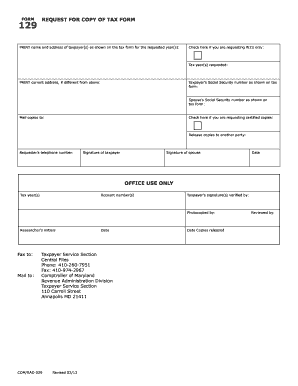
Definition and Meaning
OMB 0 is a designated form number used by government agencies for tracking and processing purposes. The “OMB” stands for the Office of Management and Budget, which is responsible for overseeing the federal budget and ensuring efficient use of resources. The specific form 0 is generally associated with applications, permits, or reports required for specific operations, including identity verification or base access in military contexts. This form plays a crucial role by standardizing procedural documentation, thereby facilitating compliance and security.
How to Use the OMB 0
Understanding how to use the OMB 0 is essential for efficient processing. To begin, identify if this form is necessary for your situation, which often involves access or permissions within military or government facilities. Carefully review the instructions provided with the form to ensure accurate completion. Typically, you will need to fill out sections regarding personal information, current status, and the purpose for access or identification. Always utilize a professional tool like DocHub for editing and signing the document, ensuring all data is securely managed.
How to Obtain the OMB 0
To obtain the OMB 0 form, check with the issuing government agency's official website or their administrative offices. Often, these forms are available for download directly from the website, allowing you to print or fill them out digitally. In specific contexts such as military bases, forms may be distributed during onboarding processes or orientation sessions. For digital handling, platforms like DocHub offer seamless import of forms from email attachments or cloud services, facilitating efficient documentation workflows.
Steps to Complete the OMB 0
-
Read the Instructions: Begin by thoroughly reading the instructions accompanying the form to understand the requirements and steps involved.
-
Fill in Personal Information: Enter your full name, contact details, and any other identifying information as specified on the form.
-
Provide Documentation: Attach necessary documents for identity verification, such as a driver’s license, passport, or other state-issued IDs.
-
State the Purpose: Clearly describe the purpose of the application or request, specific to the form OMB 0.
-
Sign the Form: Utilize a tool like DocHub to add legally binding electronic signatures.
-
Review and Submit: Carefully review the completed form for accuracy before submission. Submission can be done online, by mail, or in person, depending on the issuing agency’s requirements.
Important Terms Related to OMB 0
- Base Access Pass: Authorization required for entry into restricted military zones.
- Identity Proofing: The process of verifying a person's identity through documentation.
- Authority and Purpose: Refers to the legal backing and reason for the form's existence.
- Voluntary Participation: Some forms may not be mandatory, but withholding information might limit access or services.
Who Typically Uses the OMB 0
The OMB 0 form is typically used by individuals seeking access to military installations, either for professional duties or other authorized purposes. These users can include military personnel, civilian employees, contractors, and occasionally, family members. Security personnel within military bases also utilize this form to verify and approve entry.


Key Elements of the OMB 0
Filling out the OMB 0 requires attention to several key elements:
- Applicant Information: Accurate personal data, as misrepresentation can lead to rejection.
- Document Verification: Mandatory use of valid identification documents.
- Access Purpose: Clear and concise articulation of why access or identification is necessary.
- Acknowledgment and Signature: Confirmation that information provided is accurate to the best of the applicant’s knowledge.
Legal Use of the OMB 0
The legal use of the OMB 0 form is often aligned with security protocols needed for national defense. It ensures compliance with federal regulations regarding identification and access to sensitive areas. The legal framework supporting this form includes measures for protecting privacy and ensuring data is handled according to laws governing governmental procedures.
Required Documents
Applicants must typically provide several documents alongside the OMB 0 form. These include:
- Government-Issued ID: Such as a passport or driver’s license.
- Supporting Documents: Such as employment or military assignment letters.
- Additional Verification: May include background checks or proof of employment, depending on access level requested.
Applicants should ensure that all documents are current, valid, and relevant to the particulars of the form.
Form Submission Methods
OMB 0 offers flexibility in submission:
- Online: Many agencies allow electronic submission via secure portals.
- Mail: Physical copies can be mailed, ensuring to retain proof of mailing and receipt.
- In-Person: Direct submission at the designated office, usually applicable for initial applications or when personal verification is necessary.
Each method has its benefits, and choosing the correct one depends on your access level and available resources.
Penalties for Non-Compliance
Failure to comply with the requirements of the OMB 0 can result in:
- Denied Access: Immediate revocation of entry privileges.
- Fines or Penalties: Depending on the seriousness of the non-compliance or incorrect information.
- Legal Repercussions: Possible legal actions if false information is used for fraudulent access.
Applicants must carefully adhere to all instructions and provide honest, precise information to avoid these consequences.
Digital vs. Paper Version
Digital versions of the OMB 0 streamline the process of submission and management:
- Efficiency: Faster processing time and easy access through platforms like DocHub.
- Security: Enhanced encryption and authentication protocols.
- Environmentally Friendly: Reduces the need for paper, aligning with eco-friendly practices.
However, paper versions remain a requirement in cases where physical verification and traditional record-keeping are mandated.