01. Edit your how to apply for hesa certificate online
Type text, add images, blackout confidential details, add comments, highlights and more.
02. Sign it in a few clicks
Draw your signature, type it, upload its image, or use your mobile device as a signature pad.
03. Share your form with others
Send hesa certificate via email, link, or fax. You can also download it, export it or print it out.
How to use or fill out hesa application fee with our platform
Ease of Setup
DocHub User Ratings on G2
Ease of Use
DocHub User Ratings on G2
Click ‘Get Form’ to open the hesa application fee in the editor.
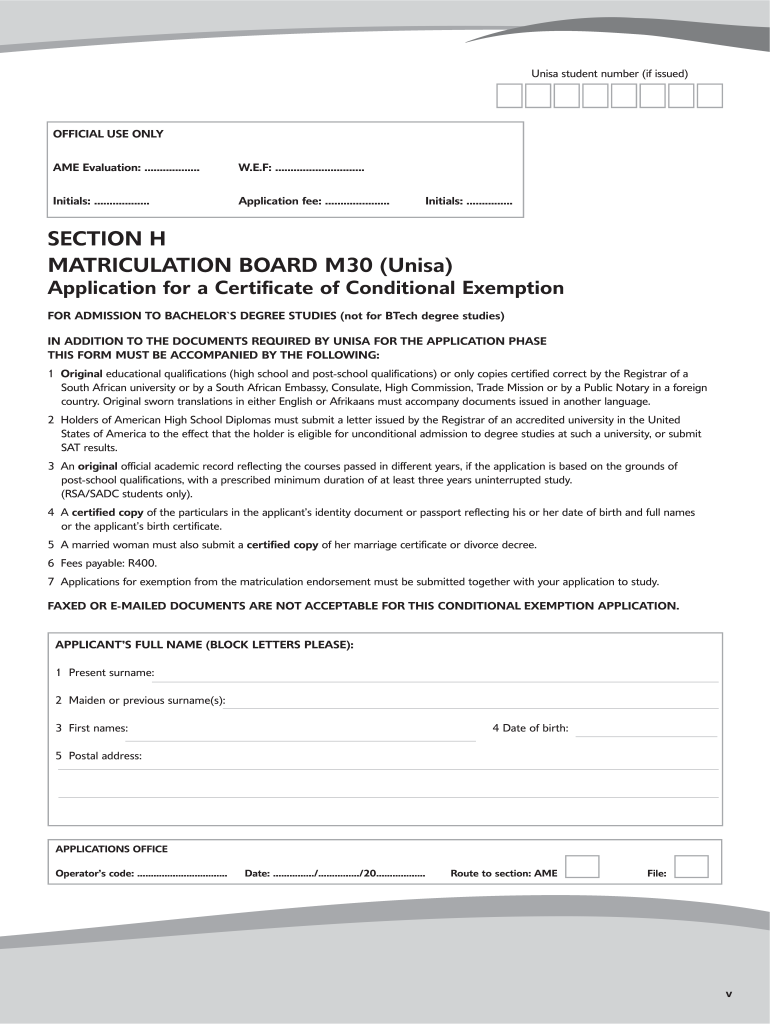
Begin by entering your Unisa student number if it has been issued. This helps in tracking your application.
Fill in your full name in block letters, including your present surname, maiden name (if applicable), and first names.
Provide your date of birth and postal address accurately to ensure proper communication regarding your application.
Detail your educational qualifications, including school certificates and any post-school qualifications. Make sure to include the name of the certifying body and year of completion.
Complete the checklist at the end of the form to confirm that all questions are answered, documents are attached, and signatures are provided.
Start filling out your hesa application fee today for free using our platform!
Hesa application fee waiverSalem State application fee waiverUSAF application feeHESA online applicationMatriculation Board fee Unisa meaningUniversity of San Francisco application feeWhat is a Matriculation Board feeMatriculation exemption fee meaning
Security and compliance
At DocHub, your data security is our priority. We follow HIPAA, SOC2, GDPR, and other standards, so you can work on your documents with confidence.
Fees and Financial Aid | Highlander Early Start Academy
No additional HESA Financial Aid Application needed! HESA Fees are due by August 4th. ; HESA Program Fee, $400.00 ; Single Document Fee, $75.00 ; Referendum FeeRead more
Home Improvements and Structural Alterations (HISA)
Feb 12, 2025 Use the Facility Locator to contact the local Prosthetic and Sensory Aids Service near you for individual inquiries and eligibility information.Read more
Cookie consent notice
This site uses cookies to enhance site navigation and personalize your experience.
By using this site you agree to our use of cookies as described in our Privacy Notice.
You can modify your selections by visiting our Cookie and Advertising Notice.