




Here's how it works



How to use or fill out Arkansas Contractor's Notice to Owner - Individual with DocHub

- Click ‘Get Form’ to open it in the editor.
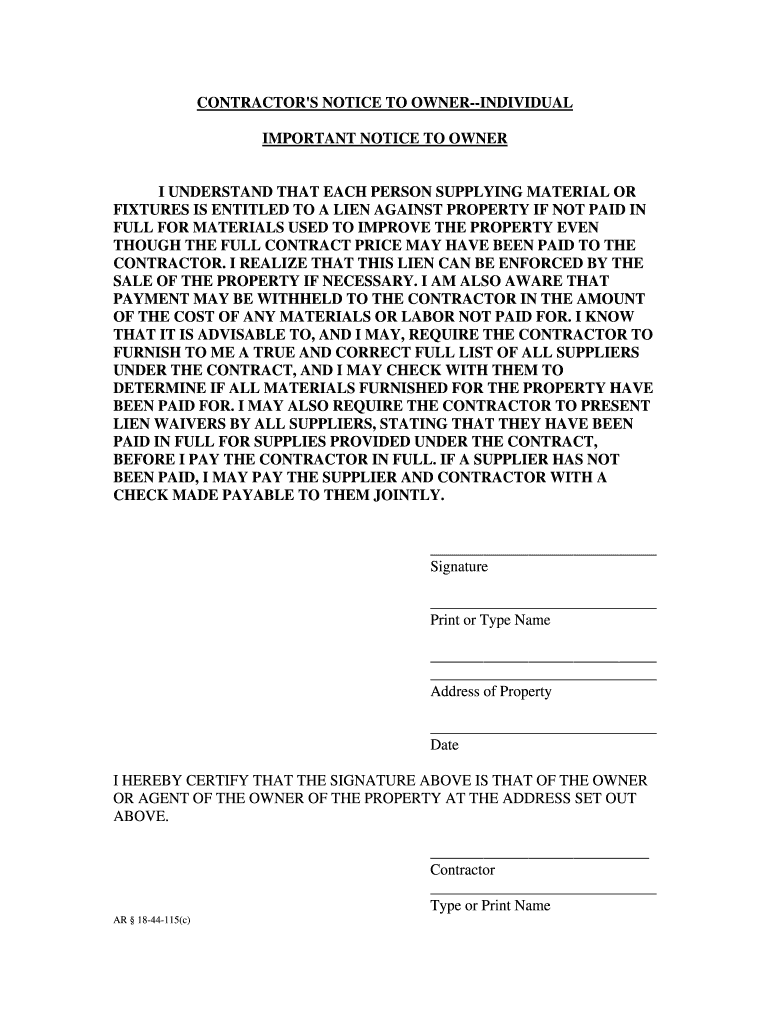
- Begin by entering your signature in the designated area, confirming your acknowledgment of the notice.
- Print or type your name clearly below your signature to ensure proper identification.
- Fill in the address of the property where the work is being performed, ensuring accuracy for legal purposes.
- Enter the date on which you are completing this notice, as it is crucial for record-keeping.
- If applicable, have the contractor sign and print their name in the provided fields to validate their involvement.
Start using our platform today to easily complete and manage your Arkansas Contractor's Notice to Owner - Individual for free!
It's free
Got questions?
How can I sign my arkansas licensed contractors on iOS?
With DocHub, you can rapidly approve your arkansas licensed contractors or any other paperwork on iOS, even without setting up additional applications. You can access your DocHub account from any web-connected browser and fill out and sign your form in any preferred method with just a couple of clicks.
How do you edit arkansas notice to owner on iOS?
You can easily edit fill out your arkansas notice to owner on any iOS gadget. Open an internet browser of your choice, visit the DocHub site, authorize or create a new account, upload your file for editing, and make your required adjustments. Our service is mobile-friendly, so using its functions on your phone will be a no-brainer, even on the first try.
How do you find out if there is a lien on a property in Arkansas?
How long do you have to file a lien in Arkansas?
How do I file a lien against a construction project in Texas?
Security and compliance
At DocHub, your data security is our priority. We follow HIPAA, SOC2, GDPR, and other standards, so you can work on your documents with confidence.
Learn more


