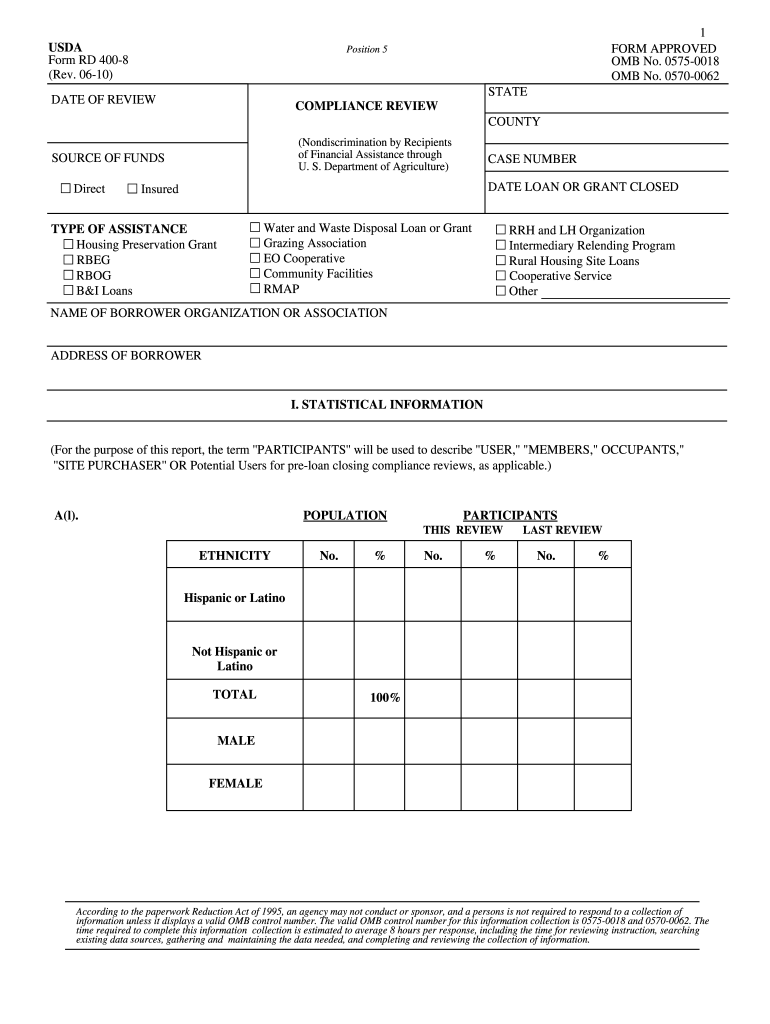
Usda rd form 400 8 2026

Get Form
usda rd form 400 8 Preview on Page 1

Here's how it works

01. Edit your form online
Type text, add images, blackout confidential details, add comments, highlights and more.
02. Sign it in a few clicks
Draw your signature, type it, upload its image, or use your mobile device as a signature pad.
03. Share your form with others
Send it via email, link, or fax. You can also download it, export it or print it out.

How to use or fill out USDA RD Form 400-8 with DocHub

Form edit decoration
9.5
Ease of Setup
DocHub User Ratings on G2
9.0
Ease of Use
DocHub User Ratings on G2
  1. Click ‘Get Form’ to open the USDA RD Form 400-8 in our platform.
  2. Begin by filling in the 'State' and 'County' fields at the top of the form, ensuring accurate information for compliance review.
  3. In the 'Source of Funds' section, select the appropriate funding type such as Direct or Insured, and provide your case number and loan/grant closure date.
  4. Complete the 'Statistical Information' section by entering participant demographics including ethnicity and gender. This data is crucial for compliance assessments.
  5. Proceed to 'Application Information', where you will input details about applications received, approved, rejected, and withdrawn. Ensure all numbers are accurate for reporting purposes.
  6. Review sections on accessibility requirements and community contacts to ensure all necessary information is provided. Use our editor's features to highlight any important notes or comments.

Start using our platform today to fill out your USDA RD Form 400-8 efficiently and for free!

be ready to get more

Complete this form in 5 minutes or less

Get form

Got questions?

We have answers to the most popular questions from our customers. If you can't find an answer to your question, please contact us.
Contact us

Sure, electronically drawing your signature is appropriate, but only if you utilize a tool that complies with industry regulations and policies. Consider DocHub, which guarantees eSignature validity under ESIGN and UETA requirements. All you need to eSign your usda rd form 400 8 is an account with DocHub and an internet connection. Once you open your paperwork in our editor, click Sign and select the Draw tool.

You may get and edit your usda rd form 400 8 online with the help of DocHub. Its straightforward but feature-rich design enables you to start productive work immediately after you sign up your account. Create your profile and add your file, and then our interface will guide you through our stress-free form completion experience.

Security and compliance

At DocHub, your data security is our priority. We follow HIPAA, SOC2, GDPR, and other standards, so you can work on your documents with confidence.

Learn more
ccpa2
pci-dss
gdpr-compliance
hipaa
soc-compliance
be ready to get more

Complete this form in 5 minutes or less

Get form