




Here's how it works

01. Edit your supplier ocp online
Type text, add images, blackout confidential details, add comments, highlights and more.

02. Sign it in a few clicks
Draw your signature, type it, upload its image, or use your mobile device as a signature pad.

03. Share your form with others
Send it via email, link, or fax. You can also download it, export it or print it out.
How to use or fill out dc master supplier form with our platform

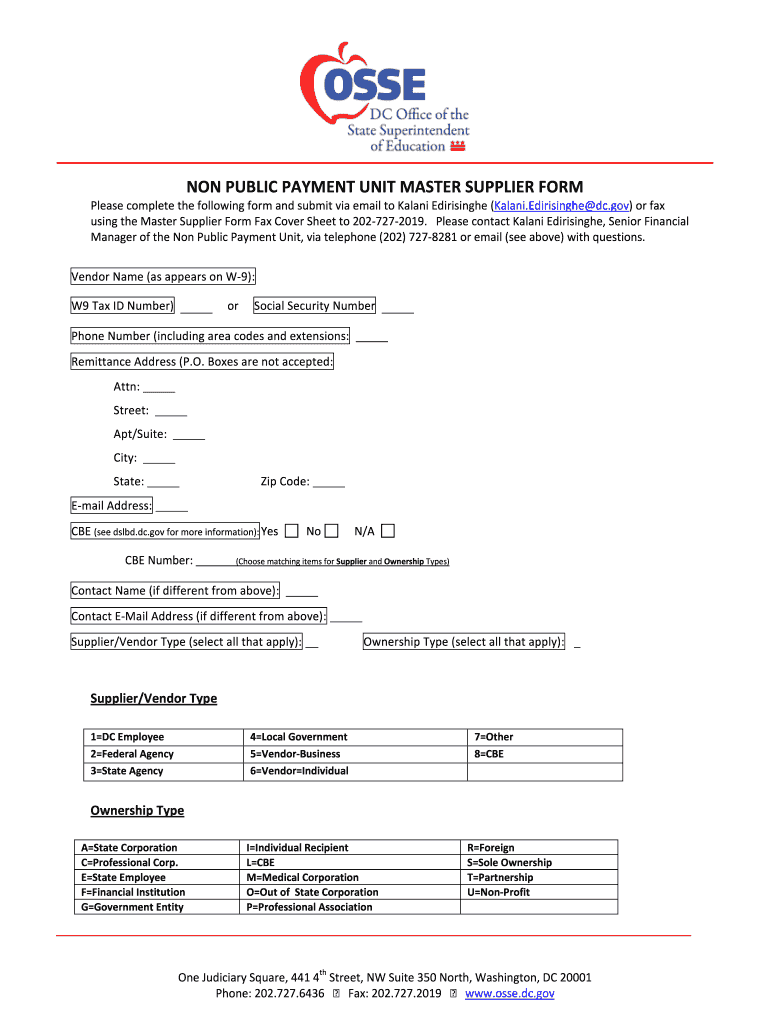
- Click ‘Get Form’ to open the dc master supplier form in the editor.
- Begin by entering the Vendor Name as it appears on your W-9. This is crucial for accurate identification.
- Input your W9 Tax ID Number or Social Security Number in the designated field, ensuring it is correct to avoid processing delays.
- Fill in your Phone Number, including area codes and extensions, to facilitate communication.
- Provide a complete Remittance Address. Note that P.O. Boxes are not accepted; include Attn, Street, Apt/Suite, City, State, and Zip Code.
- Indicate if you are a Certified Business Enterprise (CBE) by selecting 'Yes' or 'No' and provide your CBE Number if applicable.
- If there is a different Contact Name or Email Address from above, please fill those fields accordingly.
- Select all applicable Supplier/Vendor Types and Ownership Types from the provided options to ensure proper classification.
Start using our platform today to easily fill out and submit your dc master supplier form for free!
Fill out dc master supplier form online
It's free
It's free
Security and compliance
At DocHub, your data security is our priority. We follow HIPAA, SOC2, GDPR, and other standards, so you can work on your documents with confidence.
Learn more


