






Definition & Meaning
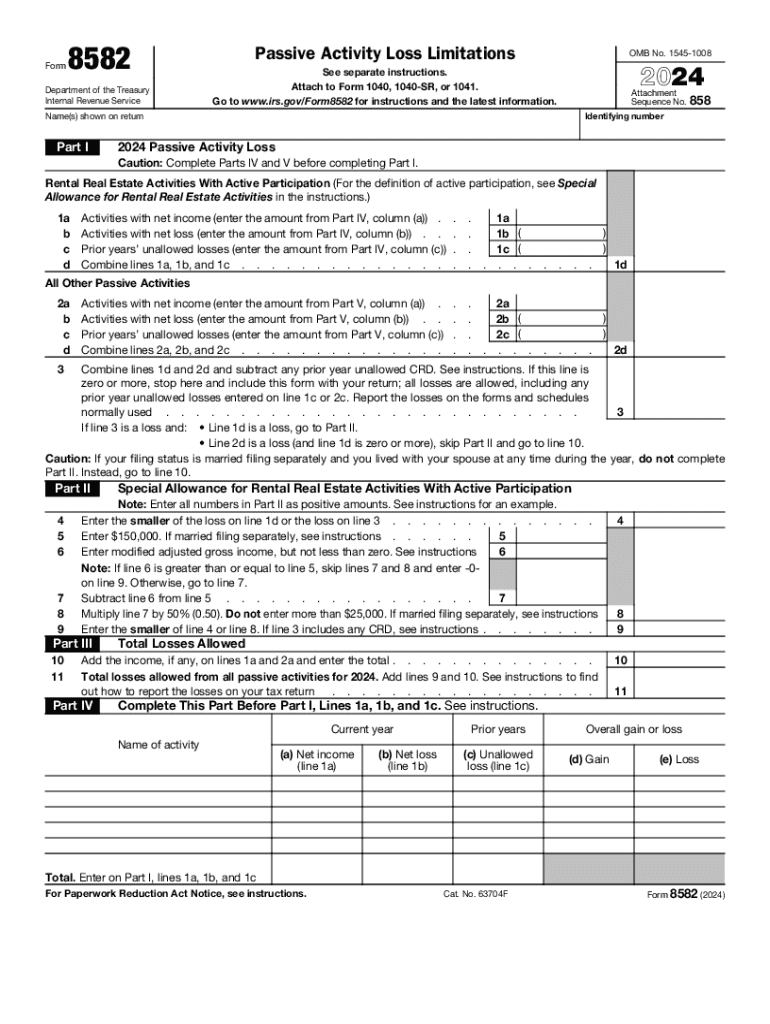
Form 8582, issued by the IRS, is used to report Passive Activity Loss Limitations. The primary purpose of this form is to allow taxpayers to detail their rental real estate activities and other passive activities, focusing on net income, net loss, and prior years' unallowed losses. The 2023 version is an update reflecting the current year's tax requirements. This form is crucial for individuals and businesses seeking to claim passive activity losses on their tax returns, ensuring compliance with IRS regulations.
How to Use the 2023 Form IRS 8582 Fill Online, Printable, Fillable, Blank
When using Form 8582 online, ensure you have access to a reliable document platform like DocHub, which offers the flexibility of filling out tax forms digitally. Users can import the form from various sources, complete it using fillable fields provided in the PDF, and save progress. Specific sections of the form guide users through calculating allowable losses, especially for different filing statuses. This system simplifies the usually complex process of reporting passive losses, allowing individuals to focus on accuracy in their submissions.
Steps to Complete the 2023 Form IRS 8582 Fill Online, Printable, Fillable, Blank
- Access the Form: Download the 2023 IRS Form 8582 from an official source or platform like DocHub.
- Fill Out Personal Information: Enter your name, address, and taxpayer identification number in the designated fields.
- Detail Passive Activities: Document rental real estate and other passive activity details, including income and loss data.
- Calculate Limits: Input figures related to prior years' unallowed losses and other necessary financial computations.
- Review and Save: Once filled out, review all information for accuracy, save changes, and prepare for submission.
- Submission: E-file through a secure portal or print and mail to the IRS as per filing instructions provided for your state.
Filing Deadlines / Important Dates
In general, the deadline for filing Form 8582 coincides with the standard tax filing deadline of April 15, unless an extension is granted. It's important to confirm any updated deadlines specific to the 2023 tax filing season. Extensions may be requested for individuals requiring additional time to complete their taxes, but these extensions must be filed by April 15. Stay informed of any changes in filing dates to avoid penalties.
Required Documents
To accurately complete Form 8582, gather all necessary documentation which includes:
- Records of rental income and expenses.
- Documentation of other passive activities.
- Details of prior passive activity losses.
- Relevant financial statements, such as balance sheets or income statements, especially if filing on behalf of a business entity.
- Personal identification and taxpayer details.
Key Elements of the 2023 Form IRS 8582 Fill Online, Printable, Fillable, Blank
- Part I: Identification and basic information about the taxpayer.
- Part II: Details on passive activity income, loss, and prior unallowed losses.
- Part III: Calculations for deriving allowable passive losses.
- Form Fields: Fillable fields for electronic and online completion, facilitating easy input of data.
IRS Guidelines
The IRS provides detailed instructions accompanying Form 8582, stipulating how to report passive activities and claim losses. Ensuring compliance entails adhering to guidelines about who can claim passive losses and under what conditions these losses may be deductible. The IRS documentation serves as a comprehensive guide for correct form completion and submission.
Penalties for Non-Compliance
Failure to accurately complete and submit Form 8582 by the deadline can result in penalties or interest charges from the IRS. Non-compliance may include omissions or inaccuracies in reporting passive activities and may affect eligibility for deductions, leading to an increased tax liability. It is crucial to ensure all reported information is accurate and timely.