







Definition & Meaning
The term "form online" refers to the ability to create, edit, manage, and submit various types of documents through internet-based platforms. These forms can encompass a wide array of uses, including tax filings, legal agreements, medical documents, and business forms. In the context of DocHub, users can create fillable forms that streamline data collection and enhance document workflows. The convenience of online forms lies in their accessibility and ease of use, allowing users to fulfill their document tasks efficiently from virtually any location with internet access.
How to Use the Form Online
Utilizing a form online through DocHub typically involves a few key steps to ensure that documents are completed, reviewed, and submitted correctly. First, users import their document into the platform from various sources such as their computer or cloud storage. After opening the document, they can access an array of editing tools to add text, images, or annotations. Users then insert fillable fields, depending on the form's requirements, such as text boxes for responses or signature fields for sign-offs. Once the form is completed, it can be shared for review, approved through electronic signatures, and then exported or stored securely.
How to Obtain the Form Online
Acquiring a form online involves accessing a digital document repository or platform, such as DocHub, that offers the specific template needed. Users can search for a template relevant to their task or upload an existing document they wish to transform into a fillable form. DocHub integrates with cloud services, making it simple to import forms stored in services like Google Drive. Once the form is on the platform, users can customize it as needed to meet their specific requirements.
Steps to Complete the Form Online
- Access the Platform: Open DocHub on any browser and log into your account.
- Import the Document: Upload the required form from your device or import it from a connected cloud storage service.
- Fill In Details: Utilize the platform’s form fields manager to add text boxes, checkboxes, and dropdown menus necessary for your form's completion.
- Review & Edit: Double-check the form for accuracy and completeness, using DocHub's editing tools to make any necessary adjustments.
- Add Signatures: Insert signature fields and apply your electronic signature, or request signatures from other parties if needed.
- Finalize & Submit: Once the form is complete and signed, export it for submission via email or upload it to the desired location.
Important Terms Related to Form Online
- Fillable Fields: Interactive areas within an online form where users can input data.
- Electronic Signature: A digital mark indicating agreement or approval of the contents within a document.
- Cloud Storage: Online services, such as Dropbox or Google Drive, where documents are stored and accessed.
- Security Protocols: Measures like encryption that protect document data from unauthorized access.
- Real-Time Synchronization: Updates to a document that occur simultaneously across various devices and users.
Legal Use of the Form Online
Online forms must comply with specific legal standards to ensure their authenticity and legality. DocHub offers legally binding electronic signatures compliant with the ESIGN Act, ensuring that signed documents are recognized in legal settings. By using secure encryption and authentication methods, the platform upholds the privacy and security of sensitive information, which is particularly vital when handling documents such as contracts, authorization forms, and disclosures. Users are advised to be aware of applicable legal standards when gathering information or requiring signatures online.
Key Elements of the Form Online
To maximize the effectiveness of an online form, certain elements must be included:
- Clear Instructions: Provide guidance on how to complete each section of the form to reduce errors and misunderstandings.
- Relevant Fields: Customize the form fields to match the specific data you need to collect, using text boxes for responses and checkboxes for options.
- Mandatory Markings: Highlight required fields to ensure all necessary information is obtained before submission.
- Signature Fields: Include designated areas for electronic signatures to confirm agreement with the document's terms.
- Review Sections: Allow users to review and confirm their inputs before finalizing the form.
Software Compatibility
DocHub is designed to be compatible with various software environments and document formats, ensuring broad usability:
- Integration with Google Workspace: Fully compatible with Google Drive and Gmail for streamlined document import and export processes.
- File Format Support: Ability to handle multiple formats, such as PDF, DOC, PPT, XLS, and TXT, allowing flexibility in document handling.
- Cross-Platform Access: Documents can be accessed and managed from any device with a web browser, enhancing usability for on-the-go requirements.
Examples of Using the Form Online
Online forms offer a variety of practical applications:
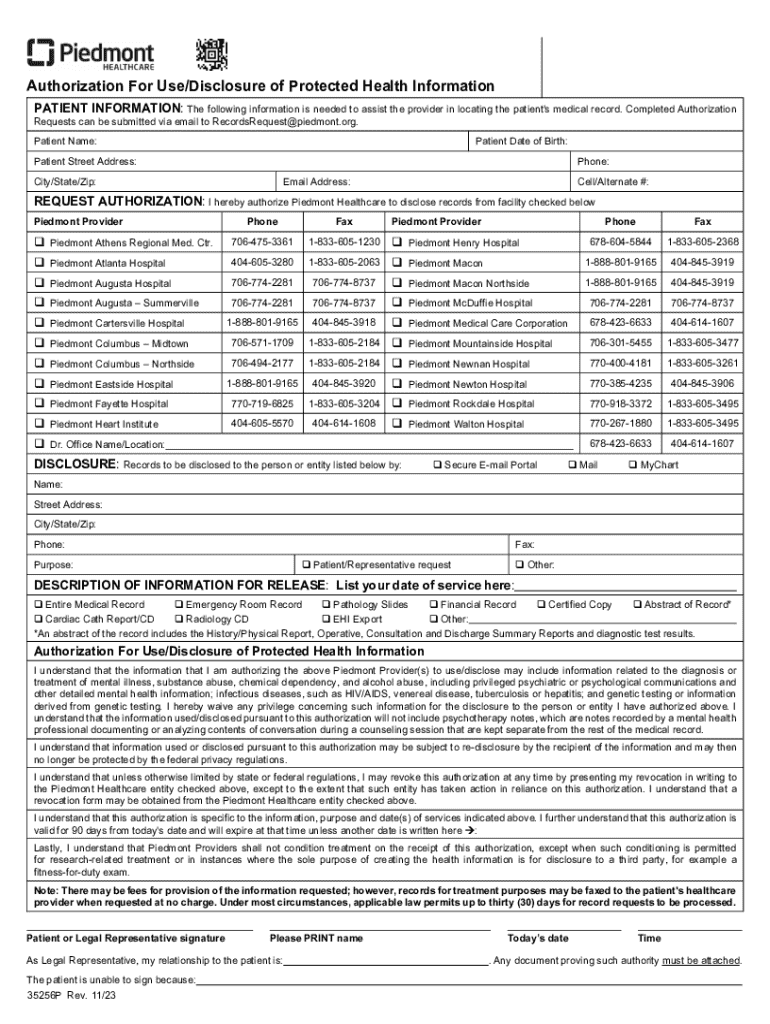
- Medical Records Authorization: Use an online form to authorize the release of medical records under privacy regulations.
- Job Applications: Companies can gather applicant details using customized online forms that streamline the hiring process.
- Event Registrations: Event organizers utilize forms to collect attendee information, preferences, and payment details securely.
- Legal Contracts: Parties involved can fill out and sign legal contracts online, speeding up the agreement process without in-person meetings.




