01. Edit your mn m1m form online
Type text, add images, blackout confidential details, add comments, highlights and more.

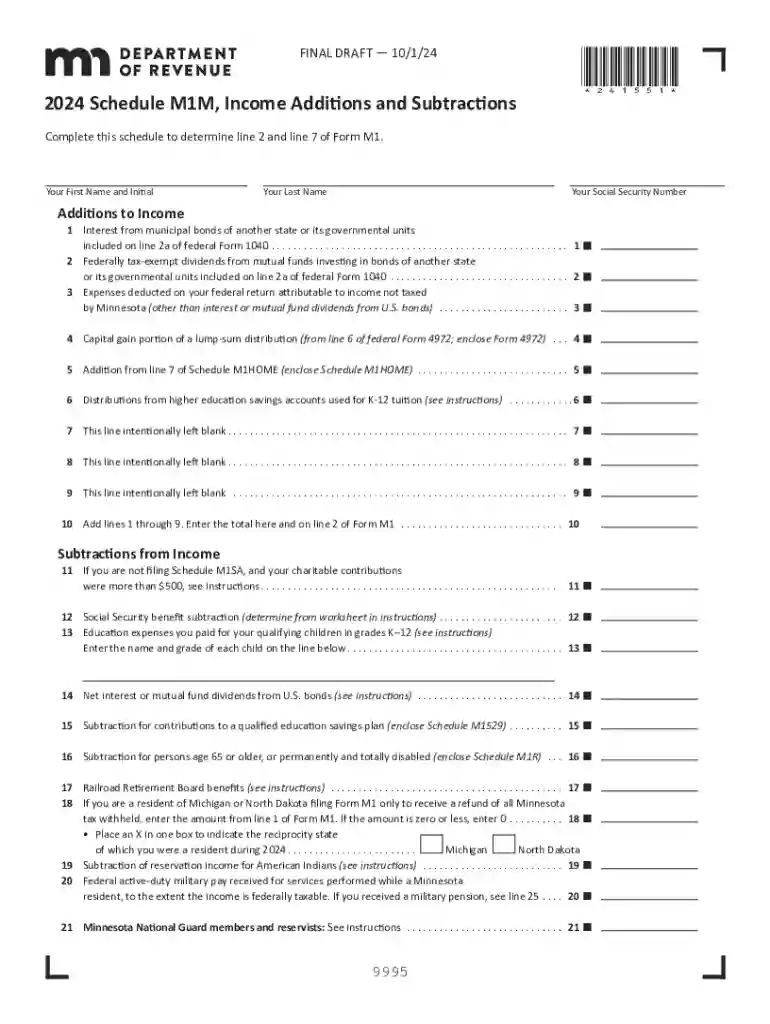
Type text, add images, blackout confidential details, add comments, highlights and more.

Draw your signature, type it, upload its image, or use your mobile device as a signature pad.

Send m1m form via email, link, or fax. You can also download it, export it or print it out.
Understanding the term "form online" is essential for anyone who deals with digital documentation in professional or personal settings. This term refers to the digital versions of traditional paper forms that can be completed, submitted, and managed over the internet. Unlike paper forms, online forms offer a dynamic and interactive experience, enabling users to fill out entries, select options, and even perform calculations in real-time. The accessibility of online forms allows users to conveniently manage their documentation from virtually anywhere, provided there is internet access. This concept is pivotal in the movement toward digitalization, as it enhances efficiency, reduces paperwork and storage needs, and streamlines processes for both individuals and organizations.
Utilizing forms online involves several straightforward steps that demystify paperwork processes. When beginning to fill out a form online, you typically start by accessing the form through a specified platform or website such as DocHub. Online platforms often provide a direct interface for filling out the form, offering guidance on required fields and input types.
Entry Fields: Users interact with various types of fields such as text boxes for comments, dropdowns for selection, and checkboxes for multiple-choice questions. Each field will guide the user on the type of data required.
Navigation: Online forms typically include navigation tools, such as back and next buttons, allowing users to move through multi-page forms seamlessly without losing information.
Validation: Many online forms automatically validate the information entered, preventing errors that might occur during manual review.
This interactive environment ensures that users can complete the form accurately without the pressure of time constraints, enabling them to revisit and edit entries before final submission.
Completing an online form requires a systematic approach to ensure all information is accurate and complete. Here’s a step-by-step guide:
Access the Form: Navigate to the online platform hosting the form. This is often through a secure login page.
Fill Out Entries: Enter the required details in each specified field. The form typically highlights compulsory fields with an asterisk (*) or a specific color.
Review and Verify: Double-check all entered information for accuracy. Use any available validation tools to ensure all fields are correctly filled.
Attach Documents: If the form requires supporting documents, upload them in the specified formats (e.g., PDF, DOCX).
Submit the Form: Once complete, submit the form. Most online forms include a “Submit” button at the end of the process.
Confirmation: After submission, a confirmation message or email is typically sent, indicating that the form has been successfully received.
This structured process helps minimize errors and ensures the submitted form is complete and compliant with required specifications.
Online forms are designed with essential components that facilitate the completion and submission of information digitally. Understanding these elements is crucial for anyone filling out or designing forms online:
Input Fields: These include text entry boxes, radio buttons, dropdown lists, and checkboxes that collect user information.
Instructions: Clear guidelines are often provided to help users fill out the form correctly, reducing the risk of submission errors.
Privacy Statements: Most forms include statements ensuring the security of personal data and compliance with privacy regulations.
Submit Button: A prominently displayed button that allows users to send their completed form instantly.
Save and Resume: Some forms offer the option to save progress and resume later, ensuring users do not lose their data if they need to pause.
Understanding these elements helps users navigate forms efficiently, ensuring a smooth completion process from start to finish.
The digital nature of online forms does not undermine their legal standing. Many forms used online, particularly for legal or official purposes, must comply with specific regulations to ensure their validity:
ESIGN Act Compliance: In the U.S., the Electronic Signatures in Global and National Commerce Act (ESIGN) supports the legal recognition of electronic signatures, making them as valid as handwritten ones for most transactions.
Secure Authentication: Online forms often require secure login credentials or two-factor authentication to verify the identity of the user, ensuring that submissions are legally binding.
Data Protection: Legal online forms must comply with data protection laws, ensuring the confidentiality and integrity of the information submitted.
By adhering to these standards, online forms maintain their legality and authenticity, providing the same reliability as their paper counterparts.
Various individuals and organizations rely on forms online to streamline processes and improve efficiency. These users include:
Businesses: From small startups to large corporations, businesses use online forms for employee onboarding, client feedback, and customer service inquiries.
Government Agencies: Public sectors have adopted online forms for applications, tax filings, and compliance reporting.
Educational Institutions: Schools and universities utilize online forms for admissions, enrollment, and student assessments.
The universal applicability of online forms makes them indispensable across multiple sectors and industries.


Effective online form usage sometimes depends on compatibility with other software. Many online platforms ensure their forms can seamlessly integrate with widely used software systems such as:
Google Workspace: Easily import and export files, integrating with Google Docs and Sheets for enhanced functionality.
Accounting and Tax Software: Platforms like TurboTax and QuickBooks allow users to automate data entry and reporting processes with integrated online forms.
Software compatibility ensures that data management is efficient, allowing for streamlined workflows and reduced redundancy across platforms.
When online forms are used in the context of tax documentation, adherence to IRS guidelines is crucial. The IRS often updates its policies to reflect technological advancements in document submission:
Electronic Signature Validity: The IRS accepts electronic signatures on certain tax forms, provided they meet legal standards.
Filing Deadlines: Ensure online submission aligns with specified deadlines to avoid penalties. The IRS sometimes provides automated reminders for upcoming due dates.
Document Retention: Maintain copies of submitted forms electronically for future reference or audit purposes.
Staying informed about IRS guidelines helps taxpayers ensure compliance, accuracy, and legality in their submissions.
We've got more versions of the mn m1m form form. Select the right mn m1m form version from the list and start editing it straight away!
At DocHub, your data security is our priority. We follow HIPAA, SOC2, GDPR, and other standards, so you can work on your documents with confidence.