




01. Edit your form online
Type text, add images, blackout confidential details, add comments, highlights and more.

Type text, add images, blackout confidential details, add comments, highlights and more.

Draw your signature, type it, upload its image, or use your mobile device as a signature pad.

Send it via email, link, or fax. You can also download it, export it or print it out.
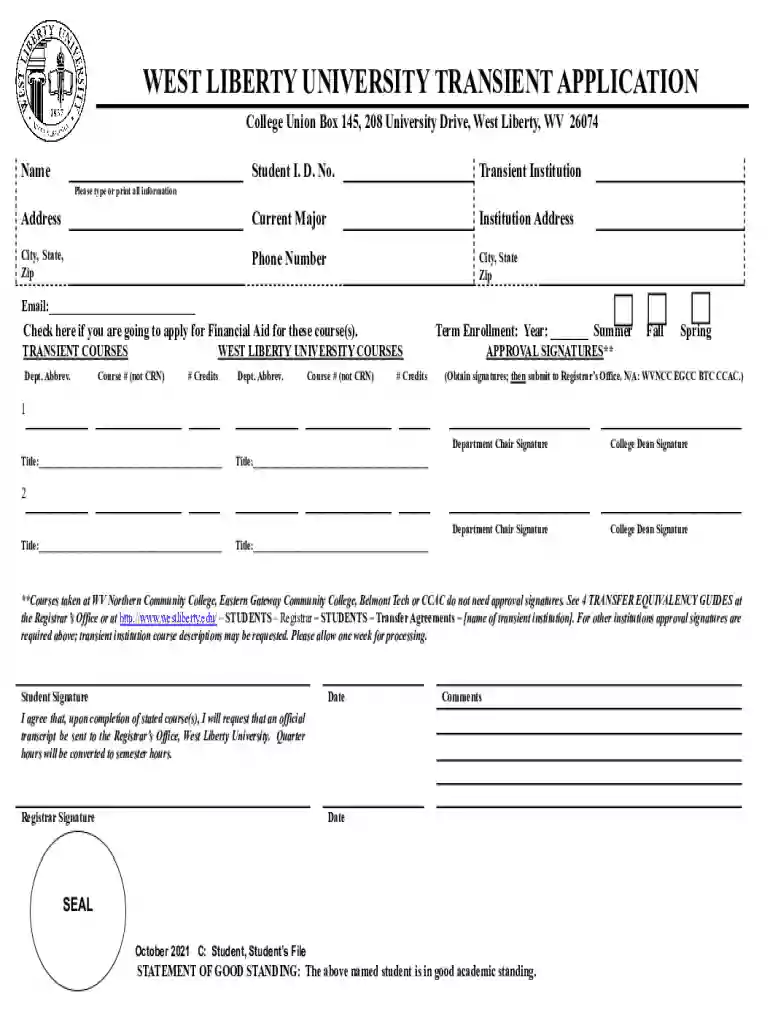
Forms from the Registrar's Office are official documents utilized primarily by educational institutions to manage various aspects of student and academic administration. These forms cover a wide range of functions, such as course registration, enrollment verification, grade reporting, transcript requests, and graduation applications. Understanding the specific purpose of each form is crucial for students and administrators as it ensures that required tasks are completed effectively and accurately. For instance, a transcript request form is used to formally request an official copy of a student's academic record, crucial for applying to other institutions or verifying qualifications for employment.
Understanding the correct method to use forms from the Registrar's Office is essential for accuracy and efficiency. Each form typically provides detailed instructions on filling it out. Students must follow these instructions, providing information like name, student ID, and specific details relevant to the form's purpose. For example, when filling out a course add/drop form, students need to include course codes and ensure that their changes are within the allowed time frame. Reviewing the completed form for accuracy before submission is crucial, as errors or incomplete sections can cause delays.
Completing forms from the Registrar's Office involves several steps to ensure precision and validity:
Understanding key elements within forms from the Registrar's Office helps streamline their completion:
Navigating forms necessitates understanding certain terms frequently used in academic administration:
When completing forms from the Registrar's Office, certain supporting documents might be necessary:
Submitting forms accurately is crucial to ensure they are processed efficiently:
The rules and regulations governing the use of Registrar's Office forms can vary by state due to differing educational frameworks:
This comprehensive overview of forms from the Registrar's Office ensures that students, administrators, and other stakeholders understand their purpose, usage, and the critical details necessary for completion and submission.
We've got more versions of the Forms - Registrar's Office form. Select the right Forms - Registrar's Office version from the list and start editing it straight away!
At DocHub, your data security is our priority. We follow HIPAA, SOC2, GDPR, and other standards, so you can work on your documents with confidence.
Forms are fillable online, and can be printed, filled out, and returned to the Registrars Office. Phone: (972) 721-5221. Hours 8:00 a.m. - 5:00 p.m. Monday -
Form Center Registrars Office Loading. Registrars Office. Box 869 114 N. Broad Street Salem, VA 24153


