




01. Edit your idaho ged youth waiver online
Type text, add images, blackout confidential details, add comments, highlights and more.

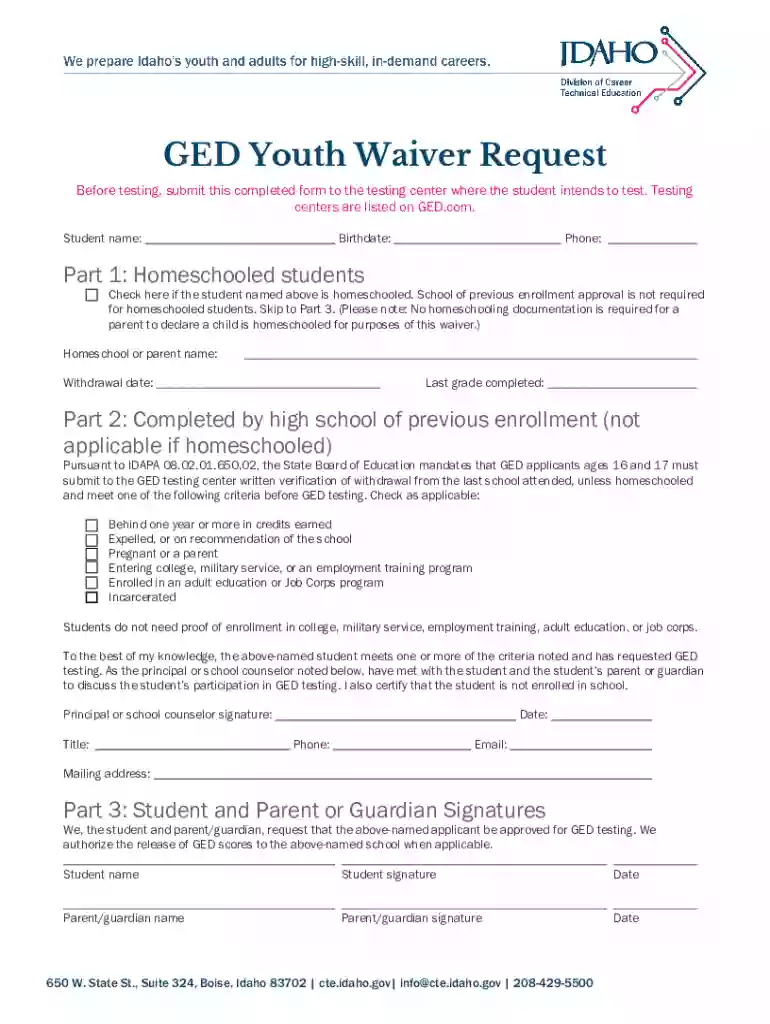
Type text, add images, blackout confidential details, add comments, highlights and more.

Draw your signature, type it, upload its image, or use your mobile device as a signature pad.

Send idaho ged youth waiver form via email, link, or fax. You can also download it, export it or print it out.
The GED Youth Waiver Request is a crucial document for students aged 16 and 17 who aspire to take the General Educational Development (GED) test in the state of Idaho. This form serves to facilitate the process by overriding the typical age requirement for test-takers, allowing younger students, particularly those who are homeschooled or previously enrolled in a high school program, to attempt the GED exam earlier. It includes necessary signatures from parents, guardians, and school officials, ensuring that everyone involved consents to this educational progression.
To obtain the GED Youth Waiver Request form, students and their guardians should check with their local education authorities or the testing center where the GED is offered. Many educational institutions provide this form on their websites, making it accessible for download directly. Alternatively, those interested may visit or contact the local GED testing center to acquire a physical copy. It is essential to ensure that the form is the most current version, as using outdated documents might lead to processing delays.
The request is primarily targeted at students aged 16 and 17 who are not currently enrolled in high-school level education but are ready to advance their educational journey. These individuals might be homeschooled or have left traditional schooling environments. Eligibility often depends on the student's ability to demonstrate readiness for the GED test through academic performance and other criteria set by the local educational authorities. Parental consent and an endorsement from a school official are mandatory to validate the waiver.


Submitting the waiver necessitates several supporting documents:
While this content focuses on Idaho, it’s essential to acknowledge that rules can vary from state to state within the U.S. Some states may have different age requirements or educational prerequisites. Idaho specifically allows this waiver as a path for younger students; however, it’s advised to check with local education departments for any updates or exceptions applicable in other states.
Consider a homeschooled student eager to pursue higher education or vocational training earlier than their peers. By filling out the GED Youth Waiver Request, they can obtain the required endorsement to take the GED test before reaching the age of 18. Similarly, a student who has paused traditional schooling might use this waiver as a stepping stone to move forward academically without missing critical educational milestones.
The completed GED Youth Waiver Request form can be submitted through several channels:
Each method provides different levels of convenience and confirmation, with in-person visits offering the quickest feedback.
We've got more versions of the idaho ged youth waiver form. Select the right idaho ged youth waiver version from the list and start editing it straight away!
At DocHub, your data security is our priority. We follow HIPAA, SOC2, GDPR, and other standards, so you can work on your documents with confidence.

Apr 9, 2026 If you are between 16 and 18 years old, youll need to send a completed GED Youth Waiver form to your selected testing center before you canRead more
Testers between the ages of 16 and 18 must complete this Youth Waiver Request Form. Call 877-EXAM-GED (877-392-6433) Email questions to help@


