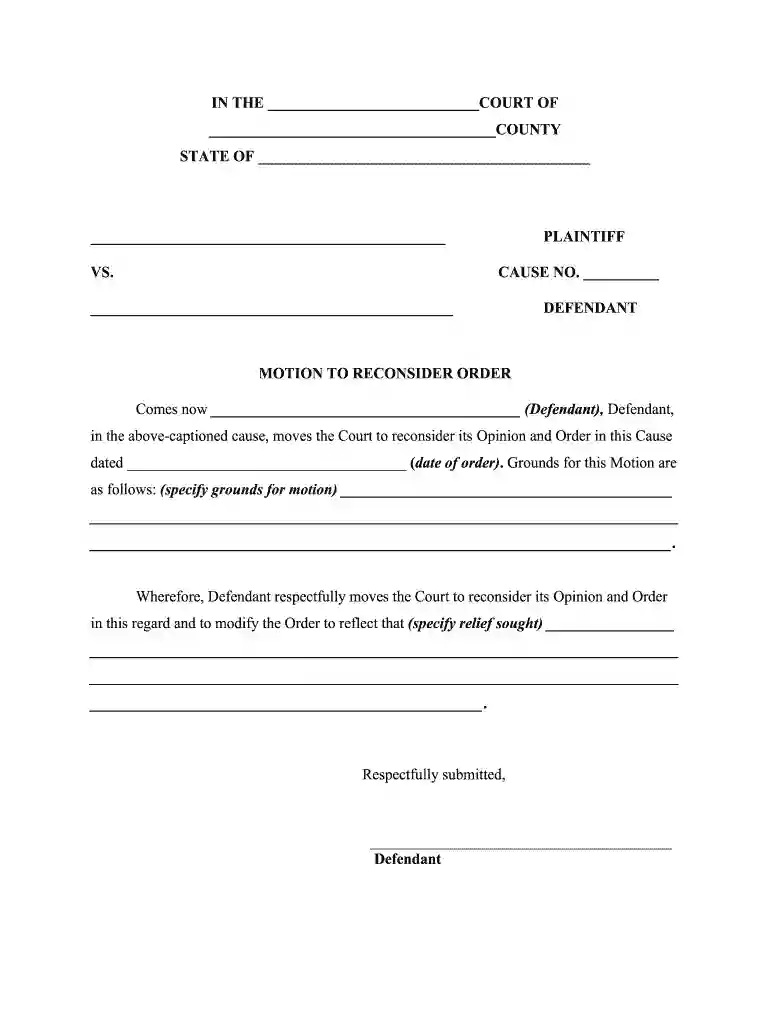
motion notice Preview on Page 1

Motion notice 2026

Here's how it works

  • 01. Edit your form online

    Type text, add images, blackout confidential details, add comments, highlights and more.

  • 02. Sign it in a few clicks

    Draw your signature, type it, upload its image, or use your mobile device as a signature pad.

  • 03. Share your form with others

    Send it via email, link, or fax. You can also download it, export it or print it out.

How to use or fill out motion notice with our platform

Form edit decoration
9.5
Ease of Setup
DocHub User Ratings on G2
9.0
Ease of Use
DocHub User Ratings on G2
  1. Click ‘Get Form’ to open the motion notice in the editor.
  2. Begin by filling in the court name and county at the top of the form. This ensures that your motion is directed to the correct jurisdiction.
  3. Next, enter the state where the court is located, followed by the names of the plaintiff and defendant. Make sure to include accurate details for clarity.
  4. In the section labeled 'MOTION TO RECONSIDER ORDER', specify your name as the defendant and provide the date of the original order you wish to reconsider.
  5. Clearly outline your grounds for reconsideration in the designated area. Be concise yet thorough to effectively communicate your reasons.
  6. State what relief you are seeking from the court in response to this motion. This should be a clear request for modification of the previous order.
  7. Complete the certificate of service section by entering your name as attorney, along with details of how you served a copy of this motion to opposing counsel.
  8. Finally, review all entries for accuracy before saving or exporting your completed document for submission.

Start using our platform today to streamline your document editing and ensure a smooth filing process!

be ready to get more

Complete this form in 5 minutes or less

Security and compliance

At DocHub, your data security is our priority. We follow HIPAA, SOC2, GDPR, and other standards, so you can work on your documents with confidence.

Related links

Rule 27. Motions | Federal Rules of Appellate Procedure

A motion must state with particularity the grounds for the motion, the relief sought, and the legal argument necessary to support it.Read more

Learn more
FL-640-INFO Information Sheet - California Courts

What do I use this form for? Use this form to ask the court to cancel (set aside) a default judgment that is based on earning capacity or presumed income.Read more

Learn more
If you believe that this page should be taken down, please follow our DMCA take down process here