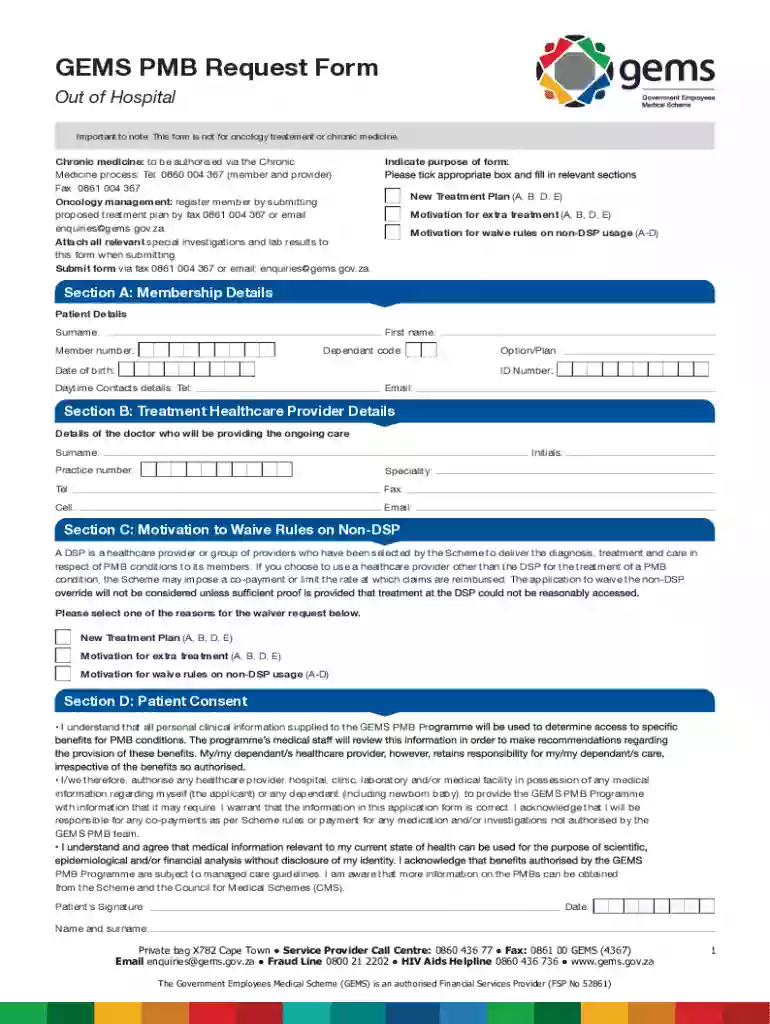
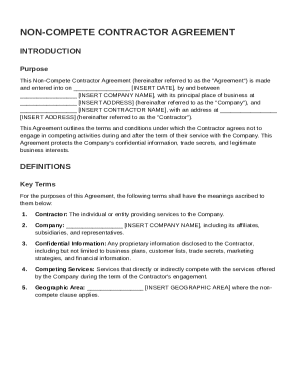
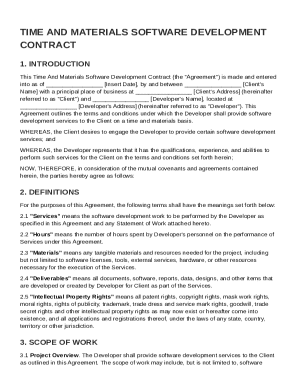
gems pmb request form Preview on Page 1

GEMS PMB Request Form 2026

Here's how it works

  • 01. Edit your gems pmb request form online

    Type text, add images, blackout confidential details, add comments, highlights and more.

  • 02. Sign it in a few clicks

    Draw your signature, type it, upload its image, or use your mobile device as a signature pad.

  • 03. Share your form with others

    Send gems pmb application forms via email, link, or fax. You can also download it, export it or print it out.

Definition & Meaning

The GEMS PMB Request Form is a specialized document used primarily by members to request pre-authorization for out-of-hospital healthcare services, excluding oncology and chronic medicine treatments. It serves as a structured communication between patients and healthcare providers to discuss the medical necessity of proposed treatments or the need for waivers when non-designated service providers (DSP) are employed. This form is essential in ensuring that treatment plans comply with prescribed benefits and aids in the thorough assessment of patient eligibility.

How to use the GEMS PMB Request Form

To effectively use the GEMS PMB Request Form, start by understanding its purpose. The form is intended to facilitate requests for out-of-hospital treatment plans. When filling it out, ensure that all sections related to patient information, healthcare provider details, and treatment motivations are completed accurately. Sections must be filled out with specific information to prevent delays in processing and approval. Providing clear and concise reasons for treatment requests or DSP waivers will greatly assist in swift processing.

Form Sections and Requirements

  • Patient Information: Include accurate personal details such as name, membership number, and contact information.
  • Healthcare Provider Details: List the provider’s name, practice number, and contact details.
  • Treatment Motivation: Elaborate on the necessity of the requested treatment or the rationale for seeking a waiver.

Steps to complete the GEMS PMB Request Form

  1. Gather Necessary Documents: Before starting, ensure you have all relevant medical documentation that supports your treatment request.
  2. Fill Out Patient Information: Carefully enter the patient’s details to ensure they match existing records.
  3. Provide Healthcare Provider Information: Accurately fill out the provider’s section to avoid any verification issues.
  4. Detail Treatment Motivation: Clearly state the reasons for the requested treatment and any supporting medical opinions.
  5. Attach Supporting Documents: Include all relevant medical records and documentation that substantiate the treatment’s necessity.
  6. Review and Sign: Double-check all entries for accuracy and ensure both the patient and provider have signed the form.

Common Mistakes to Avoid

  • Incomplete Information: Ensure all fields are filled out completely to prevent rejections.
  • Missing Signatures: Both patient and provider signatures are required to validate the form.
  • Incorrect Provider Details: Verify the practice number and contact information are correct to avoid delays.

Important Terms Related to GEMS PMB Request Form

Understanding pertinent terminology is crucial when dealing with the GEMS PMB Request Form. Key terms include:

  • PMB (Prescribed Minimum Benefits): These are specific medical conditions that health insurance is required by law to cover.
  • Non-DSP Waiver: A request to use a healthcare provider who is not on the designated service provider list.

Key Elements of the GEMS PMB Request Form

The form includes critical components that need careful attention:

  • Patient and Provider Details: Essential for identification and contact purposes.
  • Treatment Motivation: Justification for the requested treatment or waiver.
  • Signatures: Official authorization from both the patient and the healthcare provider.

Form Submission Methods (Online / Mail / In-Person)

Submit the GEMS PMB Request Form via several channels:

  • Email: Scan the completed form and email it to the designated address.
  • Fax: Use the fax number provided in the form instructions.
  • Mail: Send the physical form to the specified postal address, ensuring it is dispatched well before any deadlines.

Tips for Successful Submission

  • Timely Submission: Ensure forms are submitted well before the treatment date to allow ample processing time.
  • Keep Copies: Retain copies of all submitted documents for personal records and future reference.

Legal Use of the GEMS PMB Request Form

The form holds significant legal value, as it ensures compliance with healthcare provisions and prescribed benefits. It also provides records of agreed treatment plans and provider responsibilities, serving as an official document in any disputes. Ensuring complete and truthful information on the form is vital to avoid legal complications.

Examples of using the GEMS PMB Request Form

Healthcare scenarios often requiring the use of this form include:

  • Elective Surgery: Obtaining pre-approval for procedures not considered emergencies.
  • Specialist Consultations: When a specialist outside the DSP network is necessary.
  • Rehabilitation Services: Seeking approval for post-operative rehabilitation services outside typical coverage.

These scenarios highlight the form’s role in facilitating necessary medical interventions while ensuring compliance with insurance guidelines.

See more gems pmb request form versions

We've got more versions of the gems pmb request form form. Select the right gems pmb request form version from the list and start editing it straight away!

VersionsForm popularityFillable & printable
20234.8 Satisfied (60 Votes)
20214.3 Satisfied (52 Votes)
20124.4 Satisfied (51 Votes)

be ready to get more

Complete this form in 5 minutes or less

Security and compliance

At DocHub, your data security is our priority. We follow HIPAA, SOC2, GDPR, and other standards, so you can work on your documents with confidence.
be ready to get more

Complete this form in 5 minutes or less

Related links

GEMMA Real Time Computer Project Execution Plan

GeMS RTC. 3 Change Management. All changes to the project are requested through a Change Request Form and submitted to the. Project Manager. The Project

Learn more
Sprite60th anniversary drive

Aug 5, 2018 you can download and print the correct May 2018 V112 form from the DVLA. With FJ+ you can add to your policy from a range of cover options*

Learn more
Federal Register, Volume 64 Issue 165 (Thursday, August 26

Form 1583 would be disclosed to any member of the public upon request. One commenter stated ``I am horrified that anyone could walk into the (CMRA) or post

Learn more
If you believe that this page should be taken down, please follow our DMCA take down process here