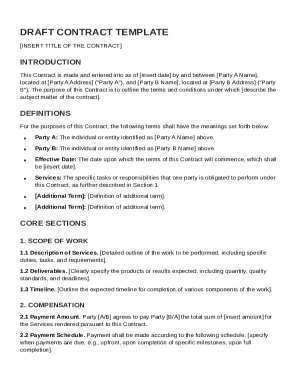
Definition and Meaning
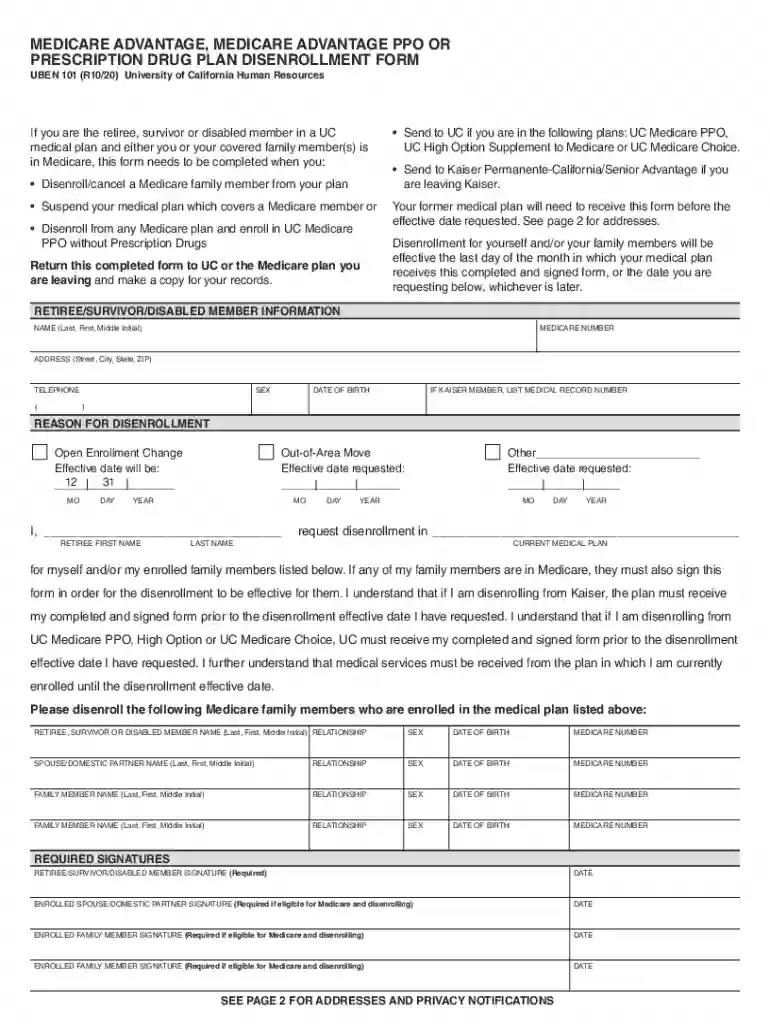
HR forms and publications on UCnet are essential documents used by the University of California for managing various human resources functions. These forms include employment applications, benefits enrollments, policy acknowledgments, and other vital HR tasks. They serve as official records for the university, ensuring compliance and clarity in employment processes.
Context and Purpose
- Primarily function within the HR framework for efficient administration.
- Include various formats to meet different HR needs, such as new hire paperwork or benefits information.
- Facilitate communication and record-keeping between the HR department and university employees.
How to Use the HR Forms and Publications
Users must follow specific guidelines to effectively utilize these documents, ensuring accurate completion and compliance with university policies.
General Usage Instructions
- Review the instructions accompanying each form carefully to understand the requirements.
- Gather all necessary information and supporting documents before completing any form.
- Follow any specific guidelines or instructions provided by the UCnet for particular forms.
Examples of Common Uses
- Completing new employee forms for onboarding.
- Updating personal information or benefits during open enrollment periods.
- Filing claims or requests for HR-related matters, such as leave or workplace accommodations.
How to Obtain the HR Forms and Publications
These documents are readily accessible from specific University of California online resources or through direct contact with HR departments.
Online Access
- Visit the UCnet website to download forms directly.
- Use search functionality to find specific forms related to your needs.
Physical Copies
- Request paper versions from the HR department if needed.
- Some forms may require personal pickup due to their confidential nature or the necessity of an in-person signature.
Steps to Complete the HR Forms
Accurate completion of these forms is crucial for smooth processing. Each form may have unique requirements, so attention to detail is essential.
Step-by-Step Instructions
- Review the Form: Read all sections for comprehensive understanding of requirements.
- Fill in Personal Information: Ensure all personal data is up to date, using legal names as recorded in university records.
- Provide Necessary Documentation: Attach or upload any supporting documents as needed.
- Verify Information: Double-check entries for accuracy before submission.
- Submit the Form: Follow the prescribed submission method, whether online, by mail, or in person.
Key Elements of the HR Forms
Each form contains fundamental components that require careful attention to ensure successful processing.
Essential Components
- Personal Information Section: Collects employee name, contact details, and identification numbers.
- Employment Status Details: Includes job title, department, and employment type (full-time, part-time, etc.).
- Acknowledgment and Signatures: Legal affirmations that the information provided is accurate and complete.
Important Terms Related to HR Forms
Understanding the terminology within these documents can assist in accurate and efficient completion.
Common Terms Explained
- Enrollment Period: The time frame when employees can update their benefits.
- Beneficiary Designation: Individuals chosen to receive benefits in the event of the employee's death.
- E-signature: An electronic alternative to a handwritten signature, ensuring legal authenticity.
Legal Use of the HR Forms
These forms must be used appropriately to comply with legal and institutional standards.
Legal Compliance
- Ensure that all information provided is truthful and accurate.
- Use forms solely for their intended HR purposes to maintain legal compliance.
- Unauthorized use or sharing of personal information from these forms can result in legal action.
Form Submission Methods
The University of California provides several methods to submit these HR documents, catering to diverse user needs.
Available Submission Options
- Online Submission: Fill and submit forms directly through the UCnet portal.
- Mail Submission: Send completed forms to the designated HR address.
- In-Person Submission: Deliver forms directly to the HR office for those requiring physical interaction or notarization.
Who Typically Uses the HR Forms
Various groups associated with the University of California may need to utilize these forms, each with specific requirements.

Target Users
- New Employees: For onboarding and setting up initial HR records.
- Current Staff: For updates to personal information or changes in benefits.
- Retirees: To manage retirement benefits and related documentation.
Penalties for Non-Compliance
Failure to accurately complete or submit these forms in a timely manner can have significant repercussions.
Consequences Explained
- Delayed Processing: Incorrect forms may result in processing delays affecting employment status or benefits.
- Legal Repercussions: Providing false information can result in disciplinary action under university policy or legal sanctions.
- Loss of Benefits: Missing deadlines for forms related to benefits can lead to forfeiting those benefits until the next enrollment period.