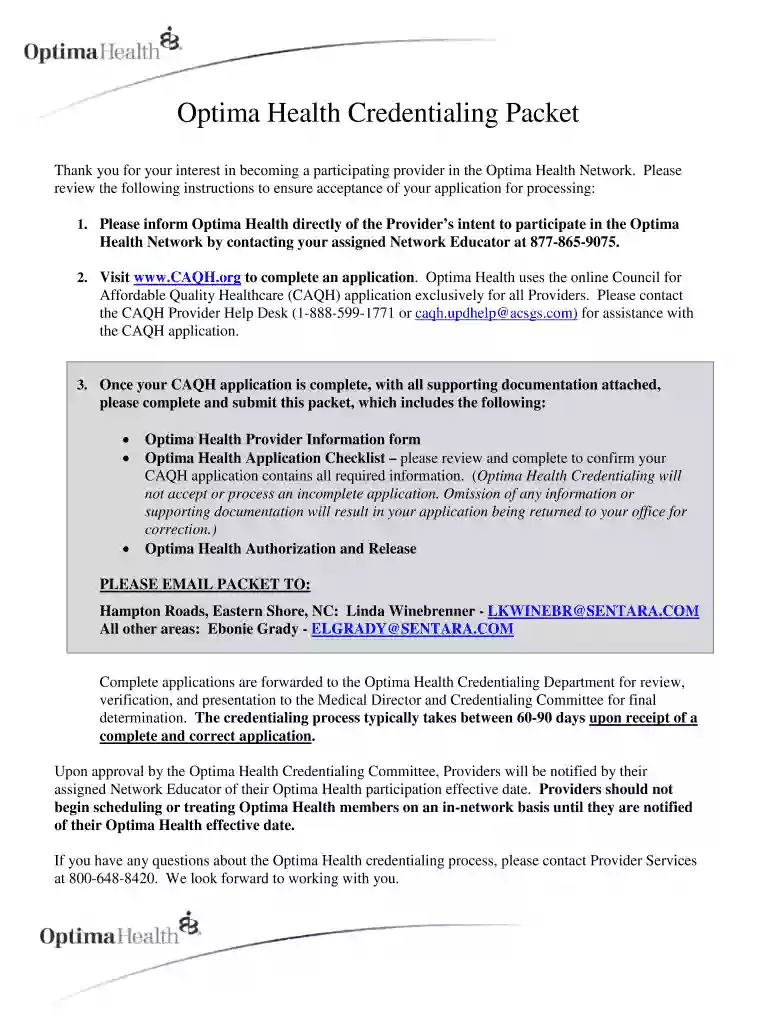
Type text, add images, blackout confidential details, add comments, highlights and more.

02. Sign it in a few clicks
Draw your signature, type it, upload its image, or use your mobile device as a signature pad.

03. Share your form with others
Send it via email, link, or fax. You can also download it, export it or print it out.

How to use or fill out optima credentialing with our platform
Ease of Setup
DocHub User Ratings on G2
Ease of Use
DocHub User Ratings on G2
Click ‘Get Form’ to open the Optima Credentialing Packet in the editor.
Begin by filling out the Provider Information form. Enter your Provider Name, CAQH Number, Individual NPI, and select your Provider Type and Specialty. If applicable, indicate if you will be a PCP and select your panel status.
Complete the Practice Name, Tax ID, Group NPI, and Vendor Numbers if known. Ensure to provide accurate Practice Address, Phone, Fax, and Email details.
Fill in the Office Credentialing Contact information including name, phone number, and email address.
Review the Application Checklist carefully. Initial each item confirming completion of required documents such as malpractice insurance history and education history.
Once all fields are completed accurately, save your document. You can then easily share it via email directly from our platform.
Start using our platform today for free to streamline your Optima credentialing process!
Jul 1, 2021 Within the pages of this Benefit Information Guide you will find answers to frequently asked questions about pre-authorization, emergencies,Read more
Oct 27, 2011 The Orange County Health System dba CalOptima is pleased to submit this application to be a site for Californias Dual Eligible Demonstration.Read more
Cookie consent notice
This site uses cookies to enhance site navigation and personalize your experience.
By using this site you agree to our use of cookies as described in our Privacy Notice.
You can modify your selections by visiting our Cookie and Advertising Notice.