




01. Edit your australia health care card online
Type text, add images, blackout confidential details, add comments, highlights and more.

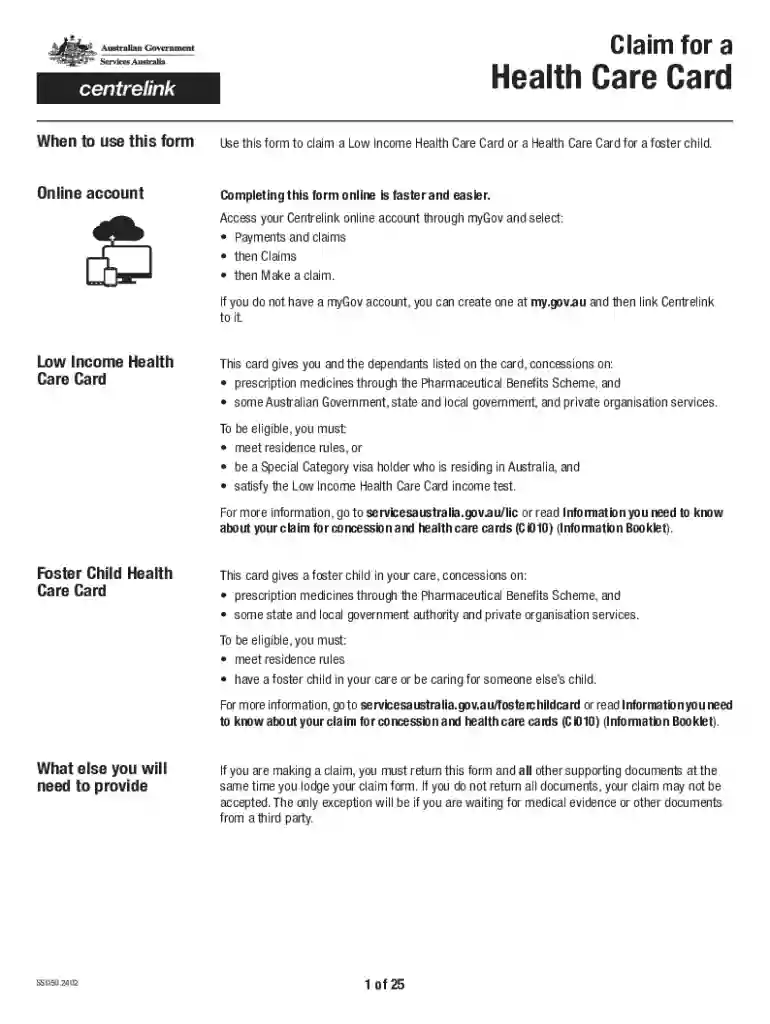
Type text, add images, blackout confidential details, add comments, highlights and more.

Draw your signature, type it, upload its image, or use your mobile device as a signature pad.

Send apply for a health care card via email, link, or fax. You can also download it, export it or print it out.
When utilizing an online form, you must follow a specific process to ensure accuracy and efficiency. Start by accessing the form through a trusted platform like DocHub. Once the form is open, input the required information directly into the fillable fields. Ensure that all fields are accurately completed to avoid any delays or issues. You can save your progress and return later, making it convenient if you require additional time to gather information. Before submission, review the entire form to verify all entries. This step is essential in minimizing errors that could complicate the processing or acceptance of your form.
Securing an online form can be straightforward when using platforms such as DocHub. Typically, entities offering these forms will have a dedicated portal or website where you can download or interact with the form. Ensure your internet browser is compatible with the platform to prevent any technical hitches. Many official and business documents are available for direct download or can be filled in and submitted entirely online, offering significant convenience. For continued ease, download any instructions or guides associated with the document to ensure proper handling.
Completing an online form requires attentiveness to detail. Begin by familiarizing yourself with the document by reading any instructions thoroughly. Make sure all necessary documents are ready before you start. Carefully fill in the form, making sure to adhere to any specific guidelines, such as providing documentation numbers or other unique identifiers. Many platforms allow for the correction of mistakes before final submission, which adds an additional layer of security against errors.
Understanding the key elements of an online form helps ensure accurate completion and submission. Most forms require personal information, such as your name, address, and contact details. Depending on the form's purpose, you might need to fill in detailed financial information, previous employment history, or other specific data. Some forms have mandatory fields that must be filled out to proceed. Knowing which elements are required and optional can make the process smoother and faster.
Forms completed online are usually subject to the same legal standards as paper documents. Ensuring that the data entered is accurate and truthful is crucial, as falsifying information can lead to legal consequences. It's essential to understand that electronic signatures on online forms like those facilitated through DocHub are legally binding and comply with relevant acts, such as the ESIGN Act in the United States. Thus, when signing digitally, it’s essential to fully read and understand the contents to which you are agreeing.
For many online forms, specific documents are necessary to validate the information provided within the form. Typically, you might need identification, financial records, or previous correspondence documents related to the subject matter of the form. Having these ready before starting the online process can significantly streamline completion. In some cases, document uploads are mandatory before submission can be finalized. Double-check the form’s requirements to ensure compliance with document provision.
There are significant differences between digital and paper versions of forms, primarily centered on convenience and efficiency. Completing forms online often saves time and resources, minimizing the need for physical copies and mailing expenses. Digital forms also allow for easier amendments and quick submissions. Additionally, security features in digital platforms can provide audit trails, ensuring that any amendments are tracked and verified. However, digital forms require electronic submission, which may not be suitable for everyone depending on their access to technology.
Failure to correctly comply with the instructions and requirements of specific online forms can result in delays or rejections. In some cases, particularly where legal or financial documents are concerned, non-compliance can lead to fines or additional penalties. Understanding all outlined requirements within the form and adhering to the deadlines is crucial to avoid such penalties. For instance, inaccurate financial declarations can lead to audits or legal inquiries. Always ensure full compliance by reading guidelines thoroughly and following all specified instructions.
We've got more versions of the australia health care card form. Select the right australia health care card version from the list and start editing it straight away!
At DocHub, your data security is our priority. We follow HIPAA, SOC2, GDPR, and other standards, so you can work on your documents with confidence.
While enrolled in the Health Care Reimbursement Account, you may continue to submit paper claims, use the Health Care Card, or upload claims online.Read more
Get help with Medi‑Cal. Learn how to apply, see if you qualify, explore your benefits, and find out how to keep your health care coverage.


