




01. Edit your yoga waiver release liability online
Type text, add images, blackout confidential details, add comments, highlights and more.

Type text, add images, blackout confidential details, add comments, highlights and more.

Draw your signature, type it, upload its image, or use your mobile device as a signature pad.

Send it via email, link, or fax. You can also download it, export it or print it out.
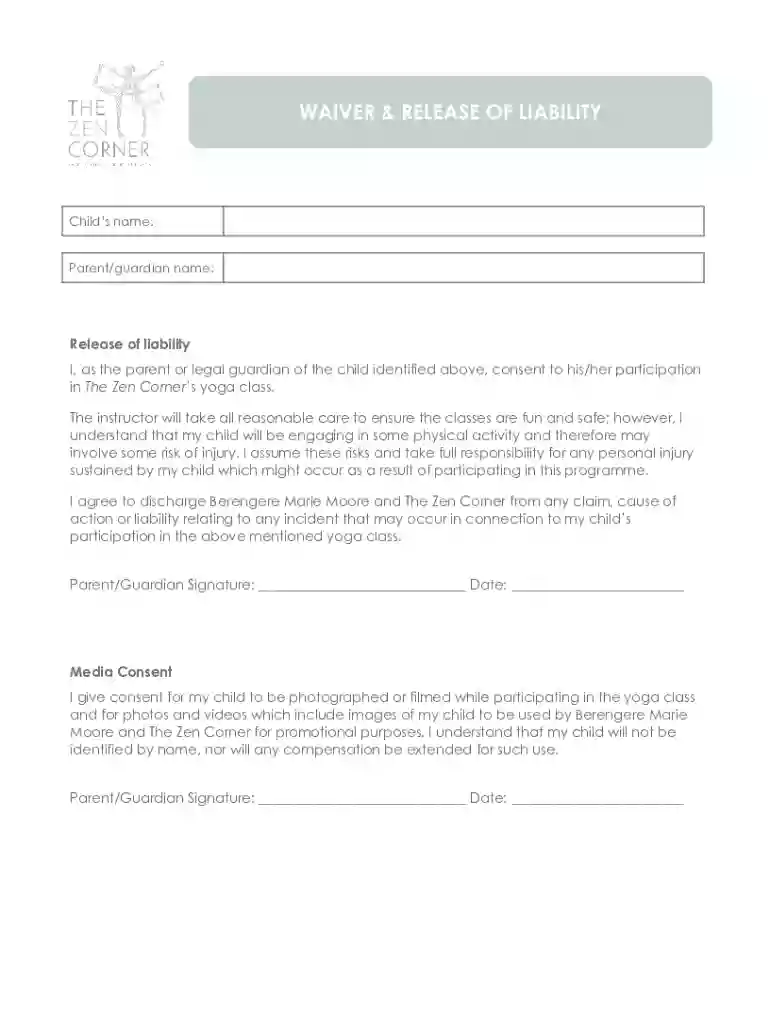
A Kids Yoga Waiver, often presented as a template in DOCX format, serves as a formal agreement that includes permission from a parent or guardian allowing their child to participate in yoga classes. This document is critical in acknowledging the potential risks associated with physical activities and includes a release of liability. By signing this waiver, the guardian agrees that the yoga instructor or the organizing institution is not held responsible for any injuries sustained during the classes. Furthermore, the waiver may also cover permission for media use, allowing the instructor or organization to capture and utilize images or videos of the child and ensuring these materials can be used for promotion without monetary compensation.
The legal validity of a Kids Yoga Waiver depends on its language and adherence to specific requirements for enforceability. Under U.S. law, such waivers must be clear, voluntarily executed, and with informed consent. The wording should explicitly state the risks involved and the extent of liability being waived. However, waivers cannot generally exclude liability for gross negligence, reckless conduct, or intentional harm. Guardians are advised to read the waiver thoroughly and consult a legal adviser if there are concerns about its scope or implications.


The Kids Yoga Waiver in DOCX format is compatible with numerous software applications, ensuring easy editing and sharing. Notable systems include Microsoft Word, Google Docs, and various PDF editors that support DOCX conversion. The widespread compatibility allows users to customize the waiver to suit specific needs and to circulate it electronically, streamlining agreement collection and archiving. The template's compatibility with online platforms like DocHub enhances its accessibility, allowing for digital signing and safe storage.
Understanding and utilizing a Kids Yoga Waiver properly serves both to protect the entities offering the program and to educate guardians about their rights and responsibilities.
At DocHub, your data security is our priority. We follow HIPAA, SOC2, GDPR, and other standards, so you can work on your documents with confidence.
Kids Holiday Party. Come make a holiday decoration to hang on your door or give as a gift. Kids Yoga. Kids Yoga is for children ages 410 years old. Its
by AL Sumner 2025 Cited by 16 This is the first study to explore the acceptability and impact of universal yoga and mindfulness interventions disadvantaged young adolescents


