




Here's how it works



How to use or fill out mass atomic worksheet with our platform

- Click ‘Get Form’ to open the mass atomic worksheet in the editor.
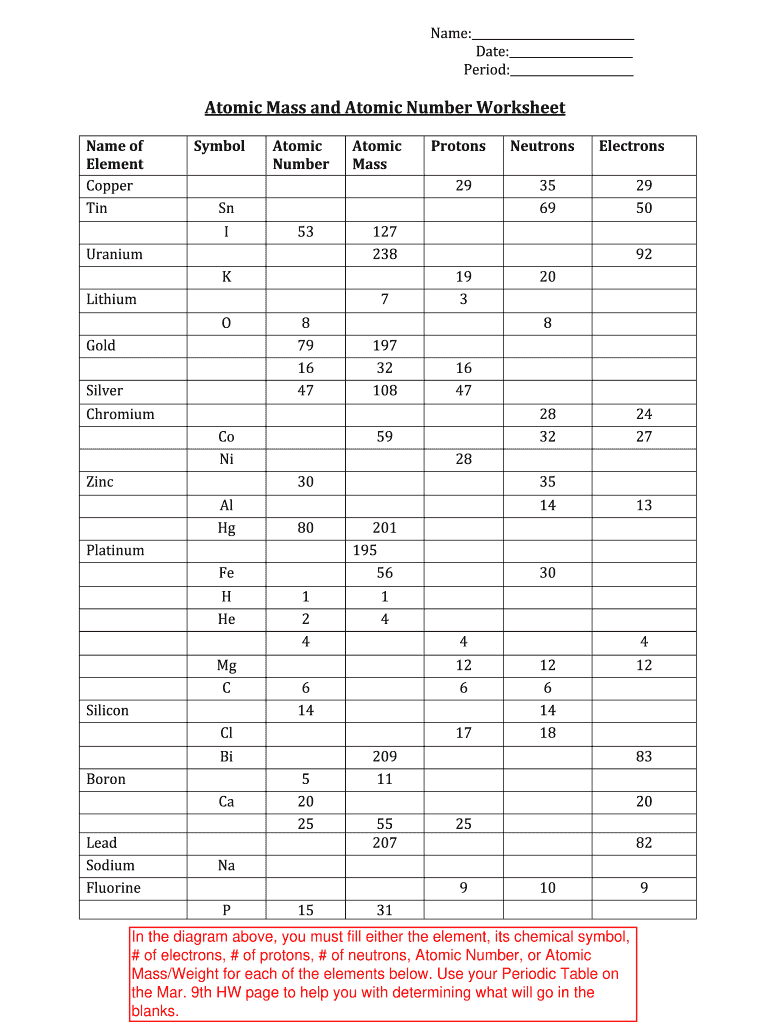
- Begin by entering your name, date, and period in the designated fields at the top of the worksheet.
- For each element listed, fill in the corresponding chemical symbol, atomic number, number of protons, neutrons, and electrons. Use your Periodic Table for accurate information.
- In the section for Atomic Mass and Atomic Number, ensure you accurately input these values for each element based on your research.
- Review all entries for accuracy before saving or exporting your completed worksheet.
Start using our platform today to effortlessly complete your mass atomic worksheet online for free!
It's free
Got questions?
Can I draw my eSignature to approve my atomic mass worksheet?
Sure, electronically drawing your signature is appropriate, but only if you use a tool that complies with industry regulations and policies. Try DocHub, which ensures eSignature validity under ESIGN and UETA requirements. All you need to eSign your atomic mass worksheet is an account with DocHub and an internet connection. When you open your paperwork in our editor, click Sign and select the Draw tool.
Can I print my atomic number and mass number worksheet with answers and complete it by myself?
When you choose analog ways of completing your atomic number and mass number worksheet with answers, you can easily download your file for printing. Search DocHub’s Forms & Templates catalog to get the exact document template you need and open it for editing or download it on your device in the format of your choice. It is easy to complete your form electronically and put your handwritten signature on it right after printing or eSign your document with DocHub.
Security and compliance
At DocHub, your data security is our priority. We follow HIPAA, SOC2, GDPR, and other standards, so you can work on your documents with confidence.
Learn more




