Travel declaration form puerto rico pdf 2026

Get Form
puerto rico travel declaration form pdf Preview on Page 1

Here's how it works

01. Edit your puerto rico travel declaration form pdf online
Type text, add images, blackout confidential details, add comments, highlights and more.

02. Sign it in a few clicks
Draw your signature, type it, upload its image, or use your mobile device as a signature pad.

03. Share your form with others
Send travel declaration form puerto rico via email, link, or fax. You can also download it, export it or print it out.

How to use or fill out travel declaration form puerto rico pdf with DocHub

Form edit decoration
9.5
Ease of Setup
DocHub User Ratings on G2
9.0
Ease of Use
DocHub User Ratings on G2
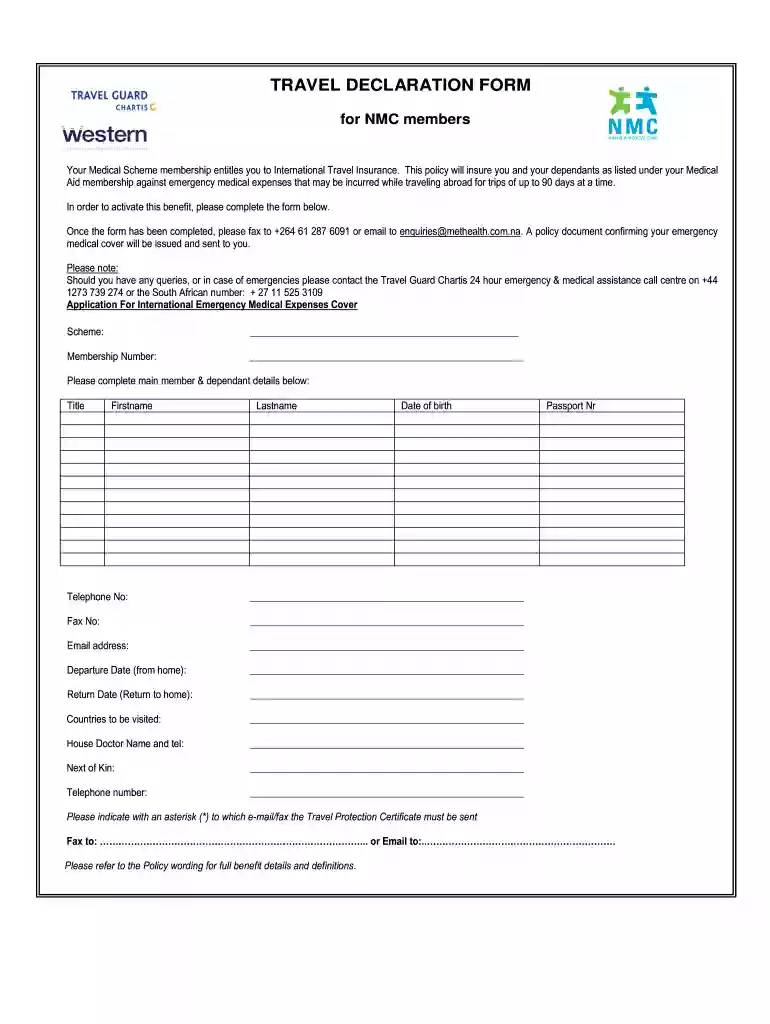
  1. Click ‘Get Form’ to open the travel declaration form in our editor.
  2. Begin by entering your Scheme name and Membership Number at the top of the form. This information is crucial for identifying your insurance coverage.
  3. Fill in the main member and dependant details, including Title, Firstname, Lastname, Date of Birth, Telephone Number, Fax Number, and Email Address. Ensure all fields are accurately completed to avoid any issues with your application.
  4. Next, provide your Departure Date and Return Date. This helps in determining the duration of your coverage.
  5. List the Countries you will be visiting during your trip. This information is essential for your travel insurance policy.
  6. Include details for your House Doctor along with their contact number. This ensures that medical assistance can be coordinated if needed.
  7. Lastly, indicate a Next of Kin along with their Telephone Number and provide your Passport Number. Don’t forget to specify where you would like the Travel Protection Certificate sent by marking either Fax or Email.

Start using our platform today to fill out your travel declaration form easily and for free!

be ready to get more

Complete this form in 5 minutes or less

Get form

Got questions?

We have answers to the most popular questions from our customers. If you can't find an answer to your question, please contact us.
Contact us
A declaration needs to be completed for each traveller, including babies and children. To make your arrival easier do your digital declaration before your flight to New Zealand, instead of filling in a paper declaration onboard.
Yes. You may only register within 3 days (or 72 hours) prior to your arrival in the Philippines. Travelers are enjoined to present their proof of valid eTravel registration prior to flight boarding. It is important that your recent declaration of health condition is within 72 hours before arrival.

Security and compliance

At DocHub, your data security is our priority. We follow HIPAA, SOC2, GDPR, and other standards, so you can work on your documents with confidence.

Learn more
be ready to get more

Complete this form in 5 minutes or less

Get form