01. Edit your medtronic cardiology order form online
Type text, add images, blackout confidential details, add comments, highlights and more.

02. Sign it in a few clicks
Draw your signature, type it, upload its image, or use your mobile device as a signature pad.

03. Share your form with others
Send medtronic mri form via email, link, or fax. You can also download it, export it or print it out.

How to use or fill out the cardiology form with our platform
Ease of Setup
DocHub User Ratings on G2
Ease of Use
DocHub User Ratings on G2
Click ‘Get Form’ to open it in the editor.
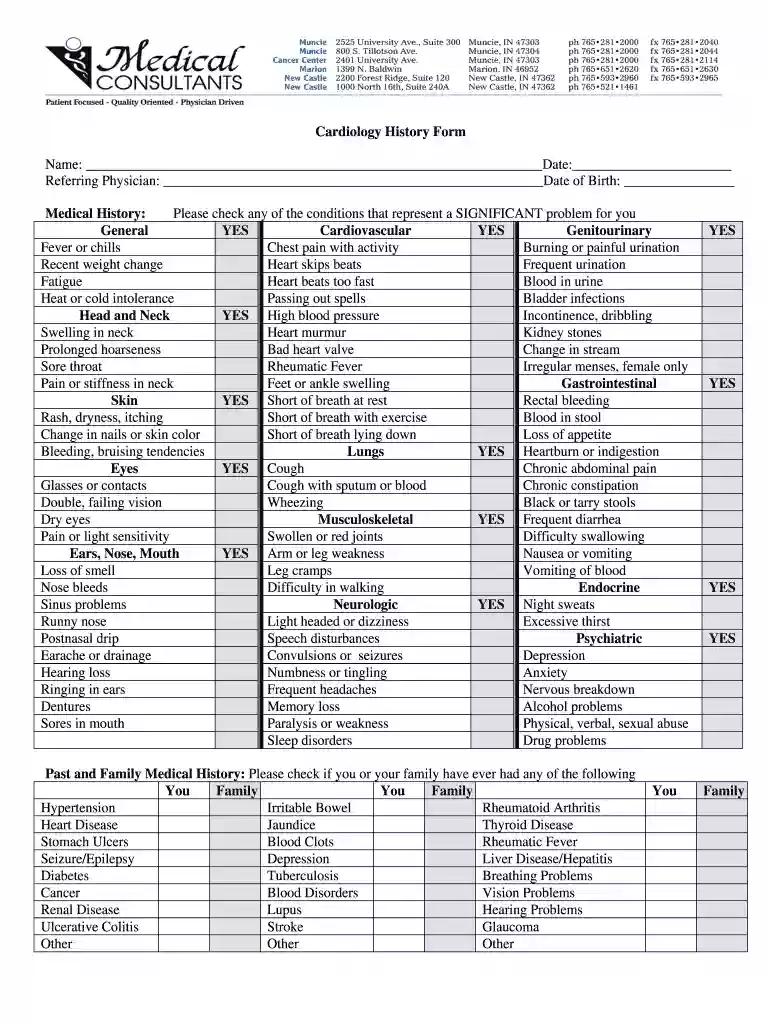
Begin by entering your name and date at the top of the form. This personal information is essential for identification.
Fill in the referring physician's name and your date of birth. Accurate details help streamline communication with your healthcare provider.
In the Medical History section, check any conditions that apply to you. This helps your physician understand significant health issues.
List all medications you are currently taking, including dosages and reasons for each medication. If more space is needed, bring a separate list to your appointment.
Document any allergies you have, specifying reactions to medications, food, or environmental factors.
Complete the Social History section by indicating your marital status and providing details about your living situation and occupation.
Finally, sign and date the form at the bottom before submitting it for review.
Start filling out your cardiology form online for free today!
Cardiac function normal? If not, consult cardiology for consideration of cardiac cath. Pulmonary. History of pulmonary hypoplasia? History of steroid exposure.Read more
Cookie consent notice
This site uses cookies to enhance site navigation and personalize your experience.
By using this site you agree to our use of cookies as described in our Privacy Notice.
You can modify your selections by visiting our Cookie and Advertising Notice.